
SUMMER SAVINGS 90% OFF QuickBooks for 3 months* Ends 8/27

Buy now
Switch to QuickBooks and 70% off for 3 Months
New Member
October 6, 2026
Question

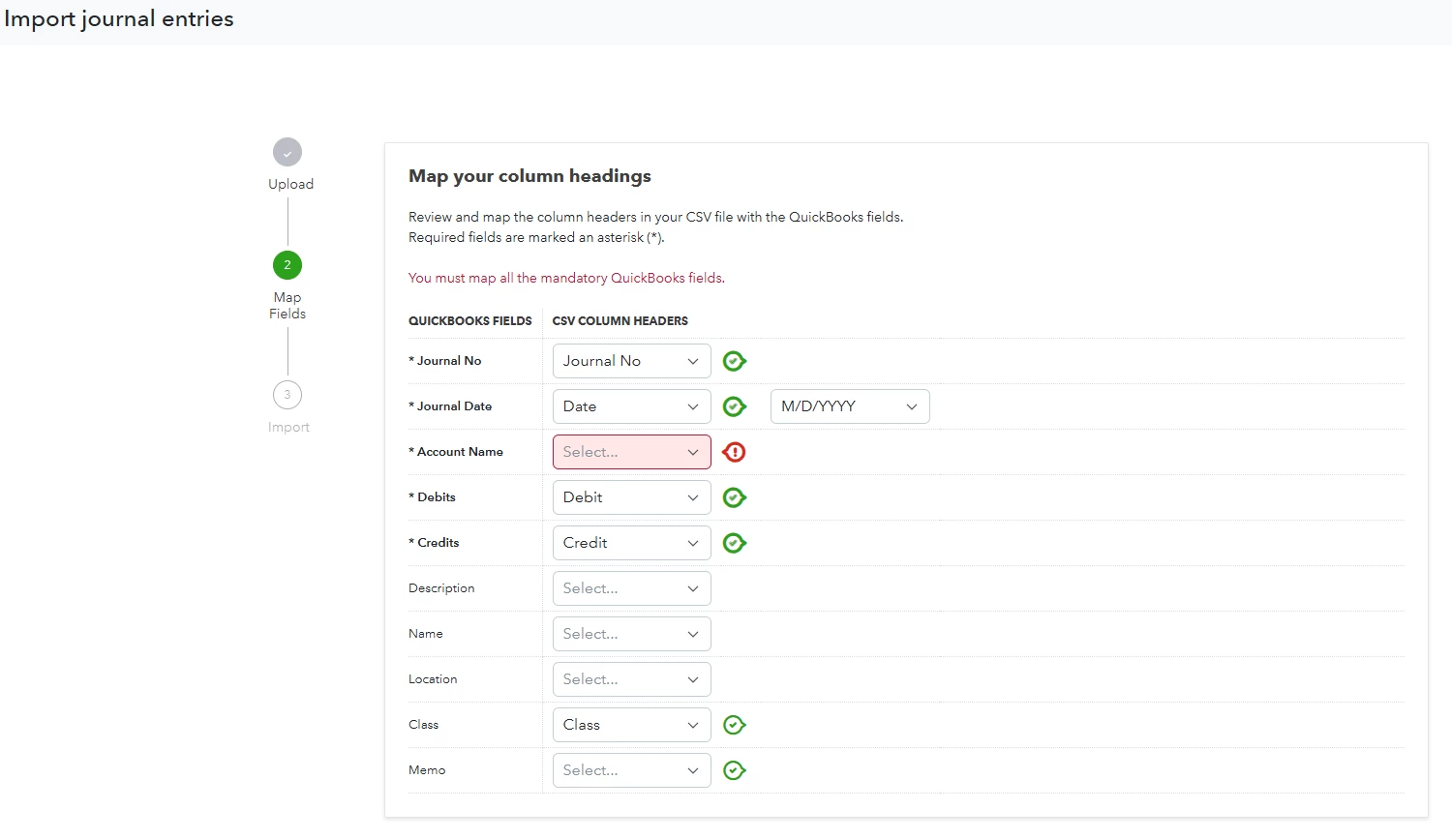
Account name error: CSV upload for JE
  • October 6, 2026
  • 1 reply
  • 5 views

My CSV file looks like exactly like the manual entry created last month.  Account name is required for some of those because some go into AR due from Partnership account and account name is the only thing that distinguishes it.  But for others, account name is empty.  I am not sure what to fill it up.  Thanks

1 reply

QuickBooks Team
October 6, 2026

In QuickBooks Online, every line of a journal entry must have a valid account category assigned to it. To ensure proper import, make sure your CSV file includes a column with the exact names from your Chart of Accounts in QBO.


Copy-pasting is the safest approach, since even a single extra space can cause an import error. For sub-accounts, include the parent account name followed by a colon, like ParentAccount:SubAccount.


For AR/AP lines specifically, you also need the Name column populated with the customer or vendor name. QBO requires both to know where to post and whose balance to affect.


Regarding your rows with empty account names, since your CSV is identical to last month's manual entry, open that entry in QBO. Check the corresponding lines to see which accounts were used to balance against your AR lines. Once identified, fill those accounts into your CSV using the exact names from your Chart of Accounts.


If your spreadsheet contains new accounts, be sure to add them to your Chart of Accounts before importing.


For more information on importing journal entries, refer to this article: Import journal entries.


Once you've matched all the account names, your import should go through cleanly. Let us know if you hit any errors and we can help you troubleshoot from there.