Get 50% OFF QuickBooks for 3 months*

Buy now
Switch to QuickBooks and 70% off for 3 Months
November 13, 2025
Solved

How can I filter the Statement of Activity report by "Memo/Description"?

  • November 13, 2025
  • 1 reply
  • 29 views
No text available
Best answer by Raldwin_D

Hi there, @KathieH1.


QuickBooks Online (QBO) provides various filtering options on the Statement of Activity to help users personalize their reports, though filtering by Memo/Description is unavailable on this report.


As a workaround, you can run a Transaction Detail by Account report and narrow it down to income and expense transactions. From there, you can apply a Filter for Memo/Description. We'll walk you through the process.


Here's how:
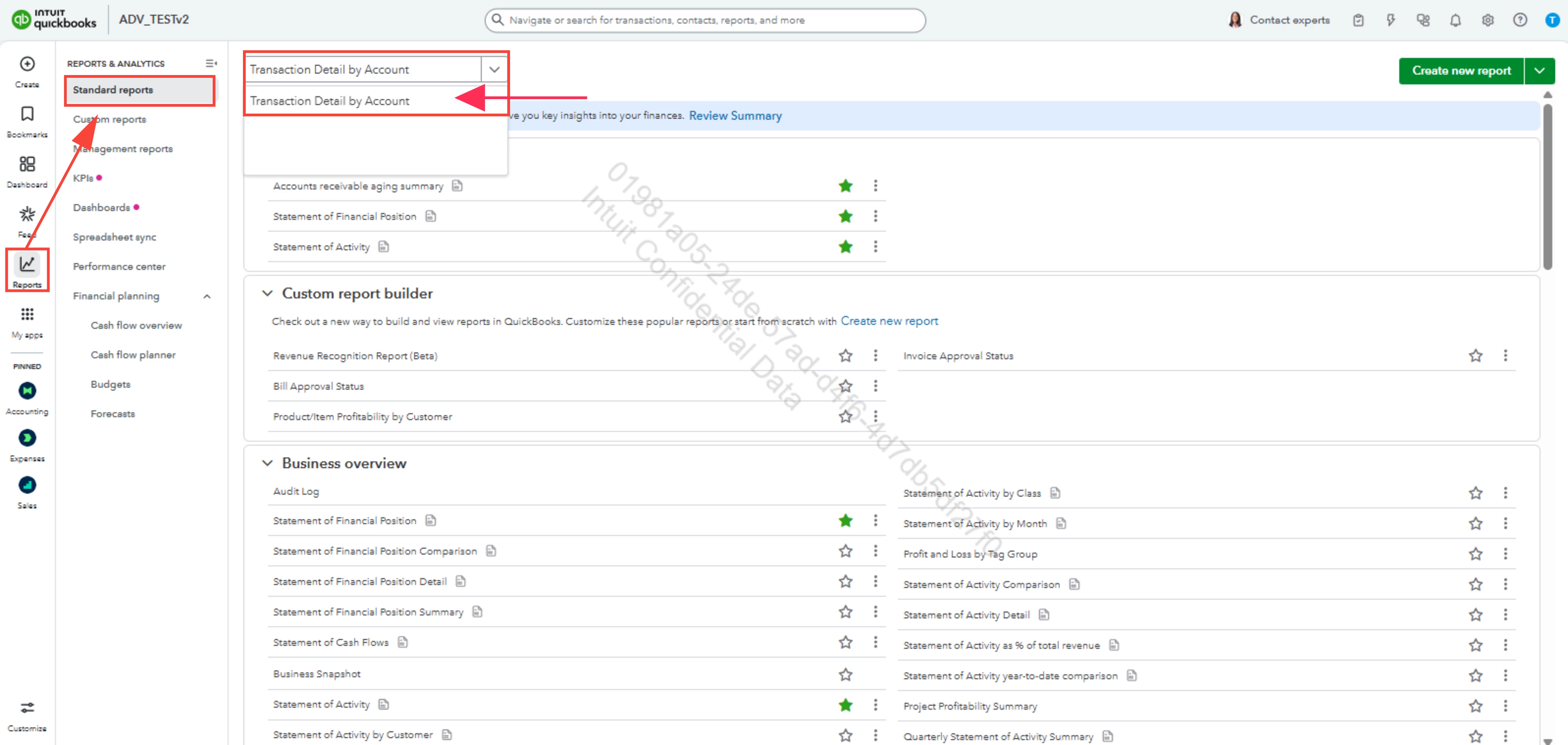
  1. Go to Reports, then select Standard reports.
  2. In the search bar, type Transaction Detail by Account.


  3. Set the appropriate Report period and Accounting method.
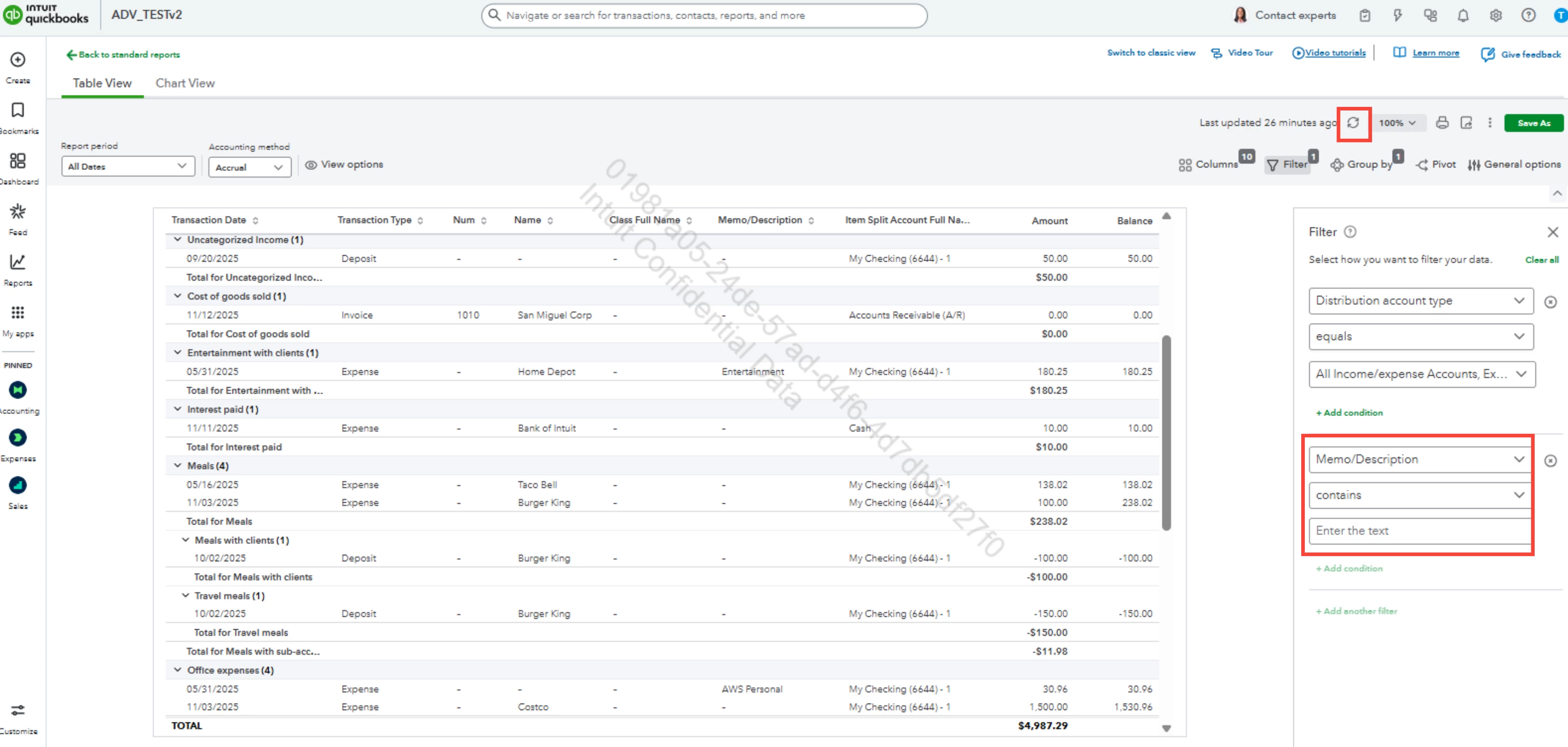
  4. Click Filter, then select Distribution account typeequals, and include all income and expense transactions in the third dropdown.
  5. Add another filter, and choose Memo/Description.


  6. Set your preferred filter settings on the second and third box.
  7. Hit the Refresh report icon once finished.


You are encouraged to leave a reply below if you have further questions.

1 reply

Raldwin_DQuickBooks TeamAnswer
QuickBooks Team
November 13, 2025

Hi there, @KathieH1.


QuickBooks Online (QBO) provides various filtering options on the Statement of Activity to help users personalize their reports, though filtering by Memo/Description is unavailable on this report.


As a workaround, you can run a Transaction Detail by Account report and narrow it down to income and expense transactions. From there, you can apply a Filter for Memo/Description. We'll walk you through the process.


Here's how:
  1. Go to Reports, then select Standard reports.
  2. In the search bar, type Transaction Detail by Account.


  3. Set the appropriate Report period and Accounting method.
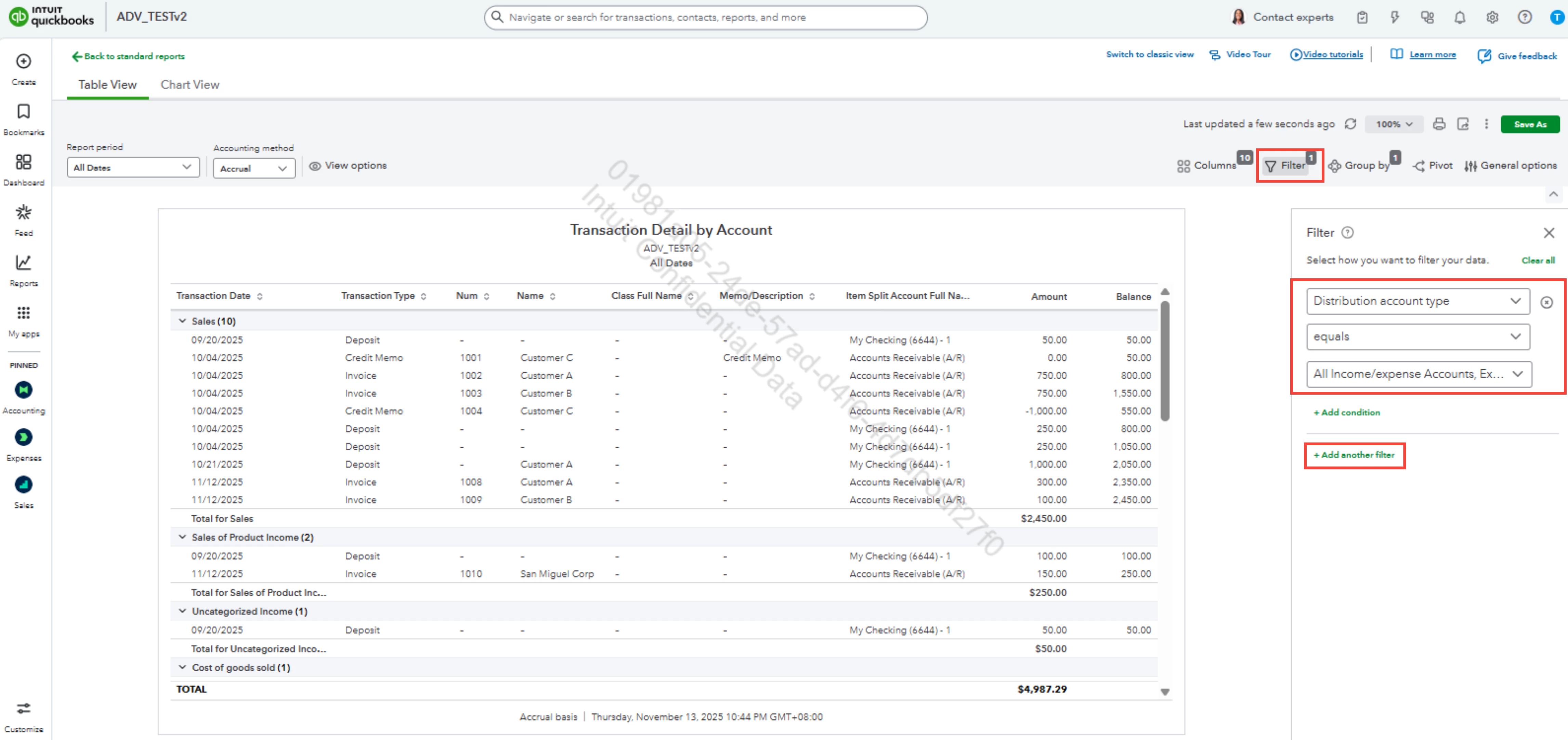
  4. Click Filter, then select Distribution account typeequals, and include all income and expense transactions in the third dropdown.
  5. Add another filter, and choose Memo/Description.


  6. Set your preferred filter settings on the second and third box.
  7. Hit the Refresh report icon once finished.


You are encouraged to leave a reply below if you have further questions.

QuickBooks Team
November 14, 2025

Hi @KathieH1,


I just wanted to follow up to check if the resolution we provided helped resolve your issue.


Please let us know if everything is now working as expected or if you’re still experiencing any problems. We’ll be glad to assist further if needed.