Talk to Sales: 877-683-3280
Hours
Mon - Fri, 5am - 6pm PST
Sat - Sun, 7am - 4pm PST
Solved
No text available
There isn’t a direct option to download a complete contractor list with addresses and tax information, Gwen.
As a workaround, you can generate a Vendor Contact List report. By default, this features contractors listed as vendors and their addresses. You'll just need to customize it to include the Track 1099 and Tax ID columns.
If you're using QuickBooks Online (QBO), here's how you can proceed:
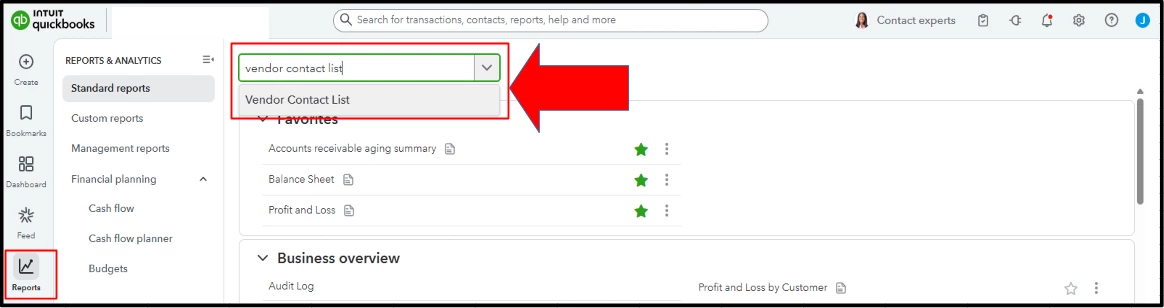
- Go to Reports and type Vendor Contact List in the search box.

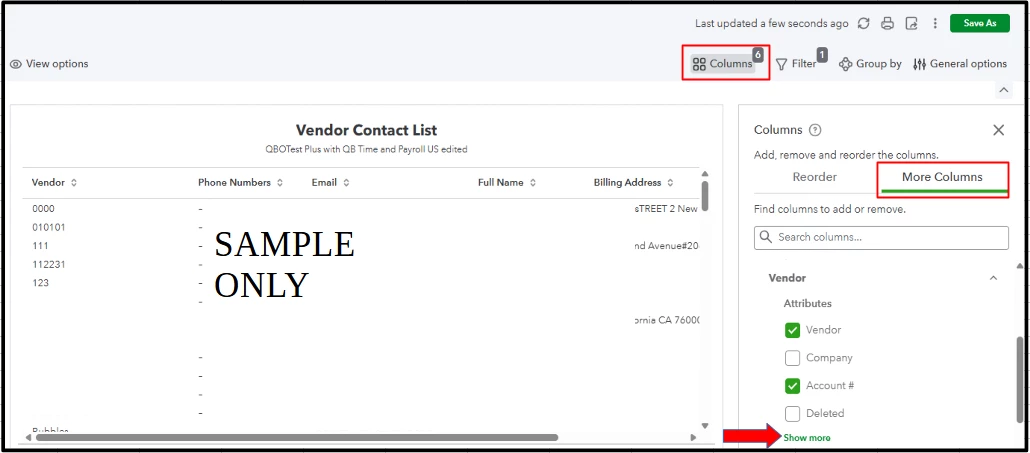
- Click Columns, then More Columns.

- Under the Vendor Attributes, select Show more.
- Scroll down and tick the Track 1099 and Tax ID columns
- If the Track 1099 column shows Yes, it indicates that the vendor is classified as a contractor. Once you have all the details you need, click the Print icon and select Download, then Save.

On the other hand, if you're using QBDT, follow the steps below:
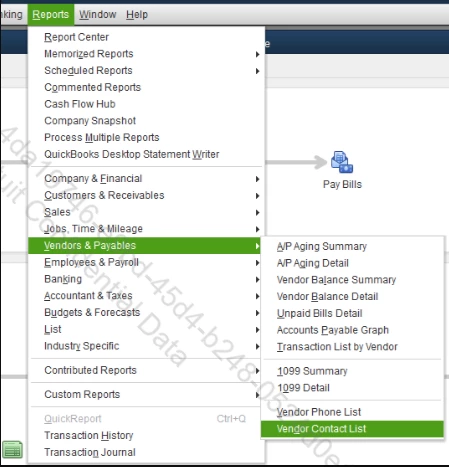
- Go to Reports, Vendors & Payables, and select Vendor Contact List.

- Click the Customize Report button.

- Select the Display tab.
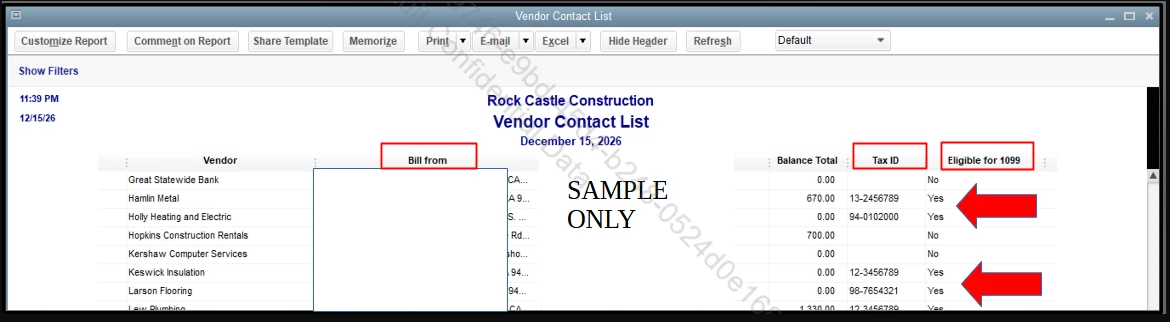
- Place a checkmark before the Tax ID and Eligible for 1099 column.
- Click OK.

- If the Eligible for 1099 column shows Yes, it indicates that the vendor is classified as a contractor. Once you have all the details you need, click the Print, then Save as PDF.

If you have additional questions, feel free to click the Reply button.
Enter your E-mail address. We'll send you an e-mail with instructions to reset your password.