
Get 50% OFF QuickBooks for 3 months*

Buy now
Switch to QuickBooks and 70% off for 3 Months
November 13, 2025
Solved

We just missed him How do I edit my invoices for legal purposes to put legal clauses in itHow do I edit invoices to add legal clauses?

  • November 13, 2025
  • 1 reply
  • 5 views

How to edit invoices?

Best answer by GenieBabe_L

Welcome to the Community, rnrmarineservicerc.

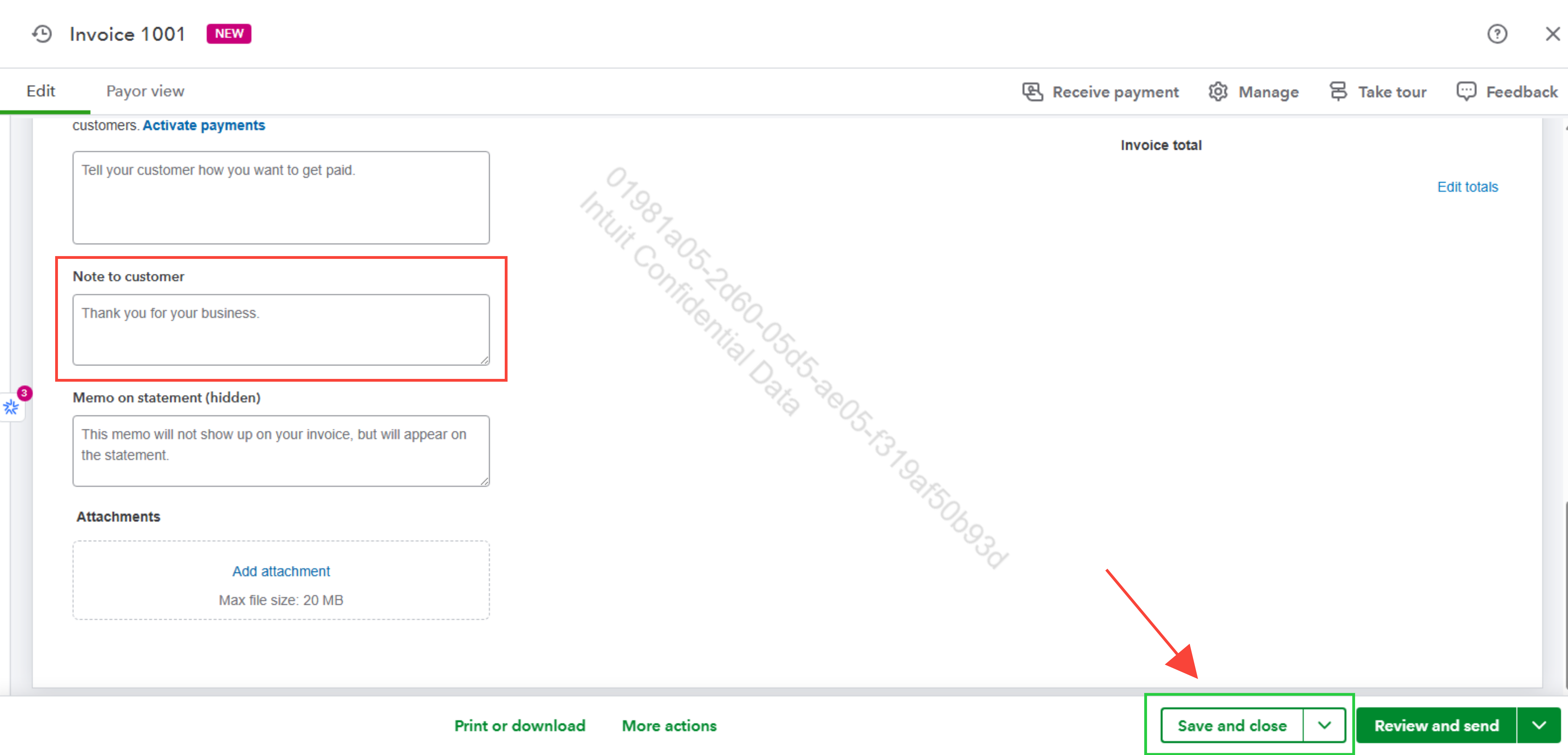
You can add your legal clauses for your customer manually on the invoice by entering them in the Note to customer section.

Here's how:
 

  1. Navigate to Sales & Get Paid, then select Invoices.
  2. Select the customer and click View/Edit.
  3. Scroll to the Note to customer section to add legal clauses or notes.
  4. Click Save and close.


If you have additional questions, click the Reply button below to respond.

1 reply

QuickBooks Team
November 13, 2025

Welcome to the Community, rnrmarineservicerc.

You can add your legal clauses for your customer manually on the invoice by entering them in the Note to customer section.

Here's how:
 

  1. Navigate to Sales & Get Paid, then select Invoices.
  2. Select the customer and click View/Edit.
  3. Scroll to the Note to customer section to add legal clauses or notes.
  4. Click Save and close.


If you have additional questions, click the Reply button below to respond.

QuickBooks Team
November 14, 2025

Hi rnrmarineservicerc,

I just wanted to follow up to check if the resolution we provided helped resolve your issue.

Please let us know if everything is now working as expected or if you’re still experiencing any problems. We’ll be glad to assist further if needed.
