Get 50% OFF QuickBooks for 3 months*

Buy now
Switch to QuickBooks and 70% off for 3 Months
November 1, 2025
Solved

Why can't I see the dropdown for Custom Form Styles under manage?

  • November 1, 2025
  • 1 reply
  • 31 views

I don't have options to customize or see the invoice templates. Is there a settings under manage users I need added to my profile?

Best answer by Raldwin_D
Hello there, @Kelly-Richards.
 
In QuickBooks Online (QBO), only users with administrative roles can access the Custom form styles feature. This limitation is designed to ensure that only authorized personnel can modify key business forms and templates.
 
To use this feature, your master admin needs to assign you as a company admin in the QBO account.
 
Here’s how:
 
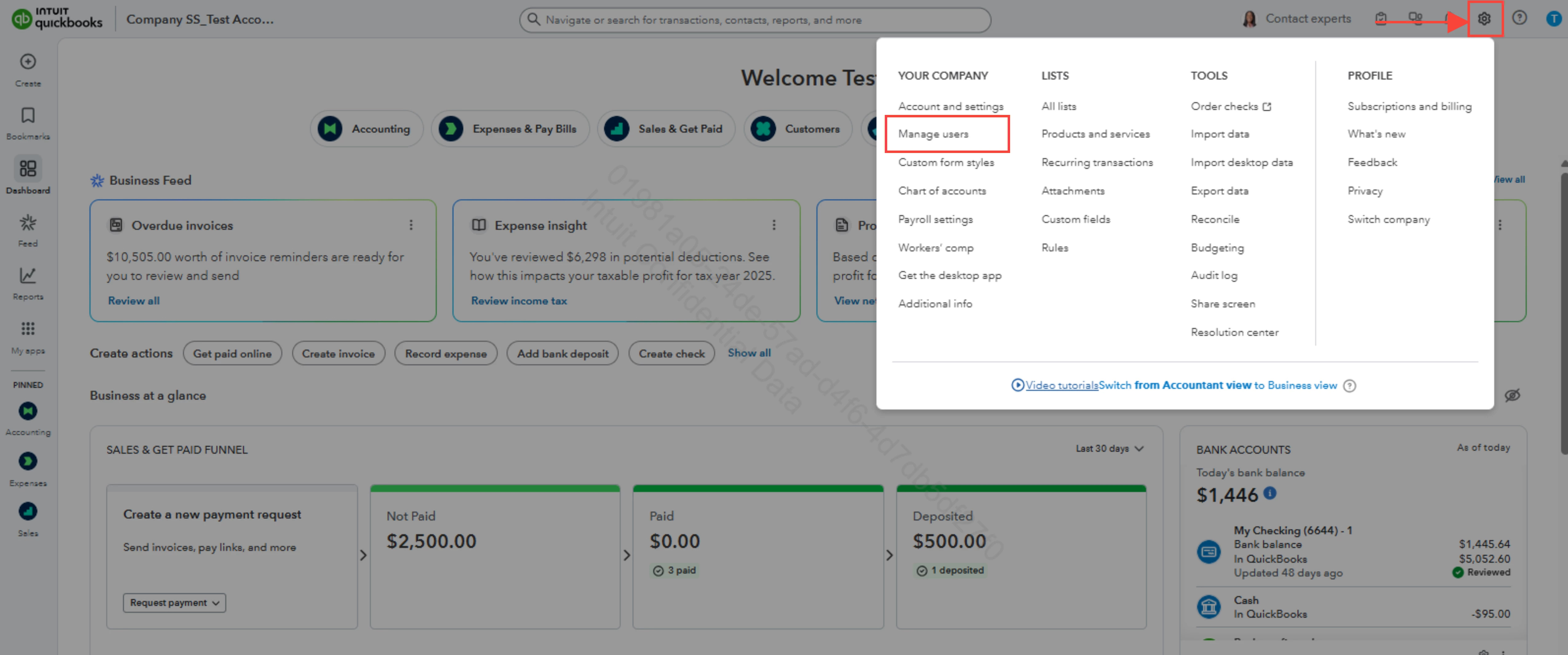
  1. Go to the Gear icon
  2. Select Manage users 
     
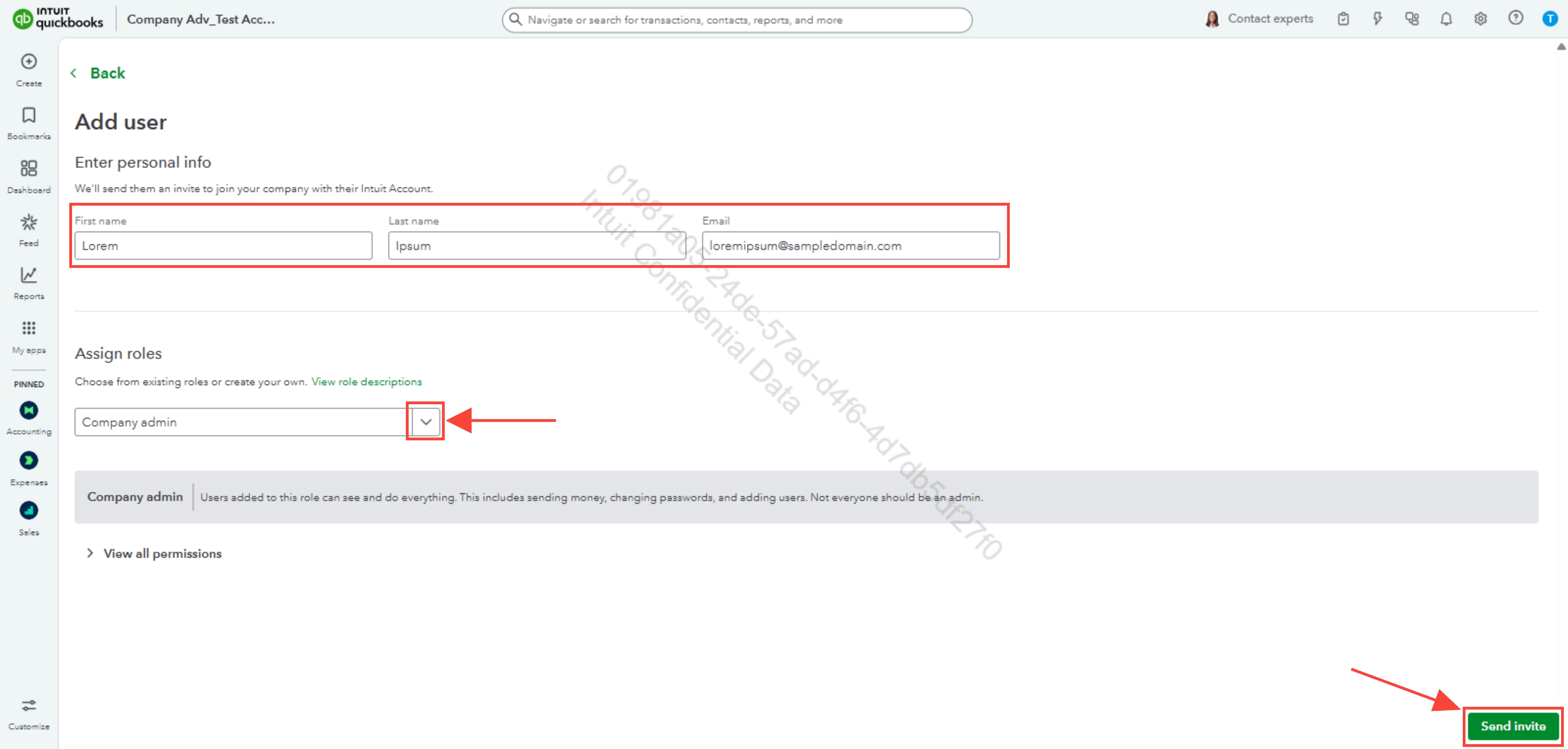
  3. Click Add user, then enter the First name, Last name, and Email.
  4. On the Select a role dropdown, choose Company admin.
  5. Hit Send invite.


    Feel free to reply to this thread if you have further questions and concerns regarding QBO.

1 reply

Raldwin_DQuickBooks TeamAnswer
QuickBooks Team
November 4, 2025
Hello there, @Kelly-Richards.
 
In QuickBooks Online (QBO), only users with administrative roles can access the Custom form styles feature. This limitation is designed to ensure that only authorized personnel can modify key business forms and templates.
 
To use this feature, your master admin needs to assign you as a company admin in the QBO account.
 
Here’s how:
 
  1. Go to the Gear icon
  2. Select Manage users 
     
  3. Click Add user, then enter the First name, Last name, and Email.
  4. On the Select a role dropdown, choose Company admin.
  5. Hit Send invite.


    Feel free to reply to this thread if you have further questions and concerns regarding QBO.

QuickBooks Team
November 5, 2025
I just wanted to follow up to check if the resolution we provided helped resolve your issue. Please let us know if everything is now working as expected or if you’re still experiencing any problems.

We’ll be glad to assist further if needed.