Solved
bank link pulls all accounts and not just one specified
bank link pulls all accounts and not just one specified

bank link pulls all accounts and not just one specified
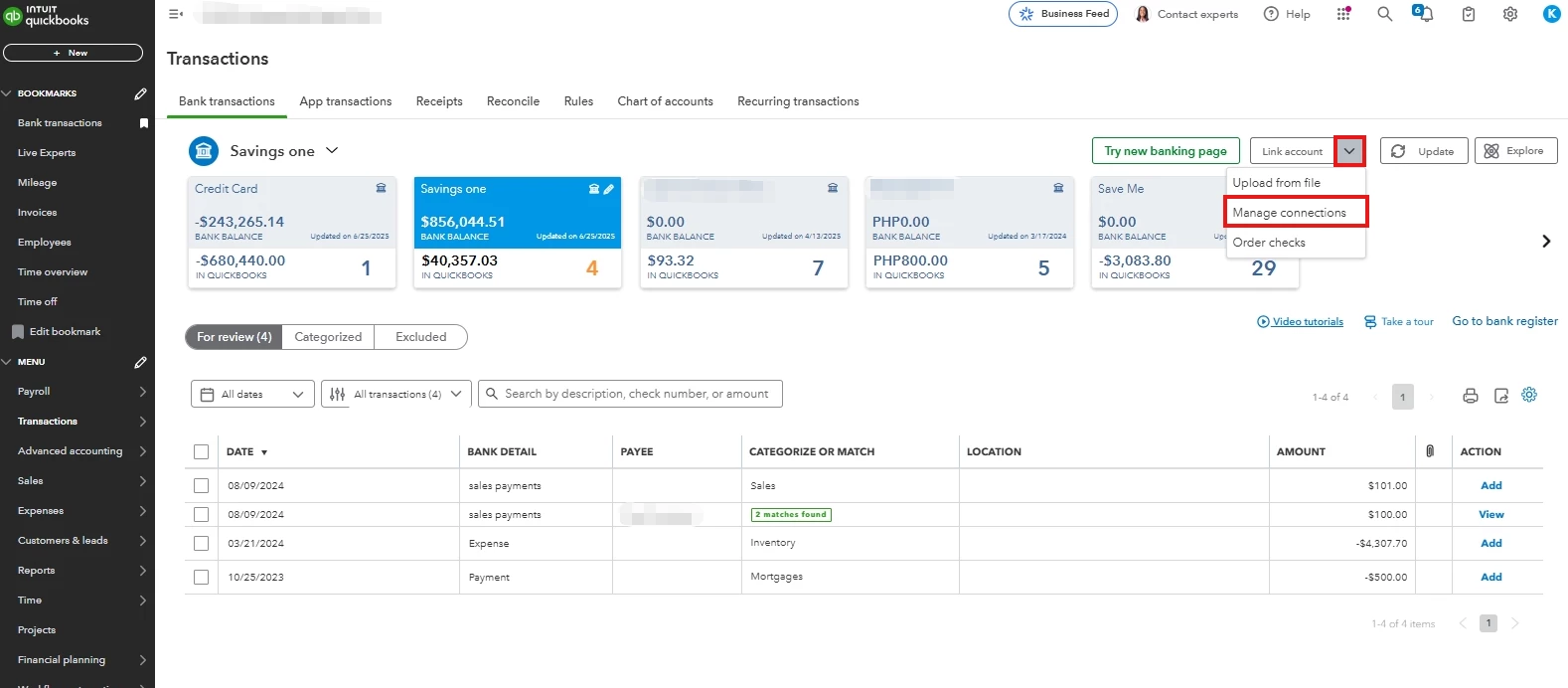
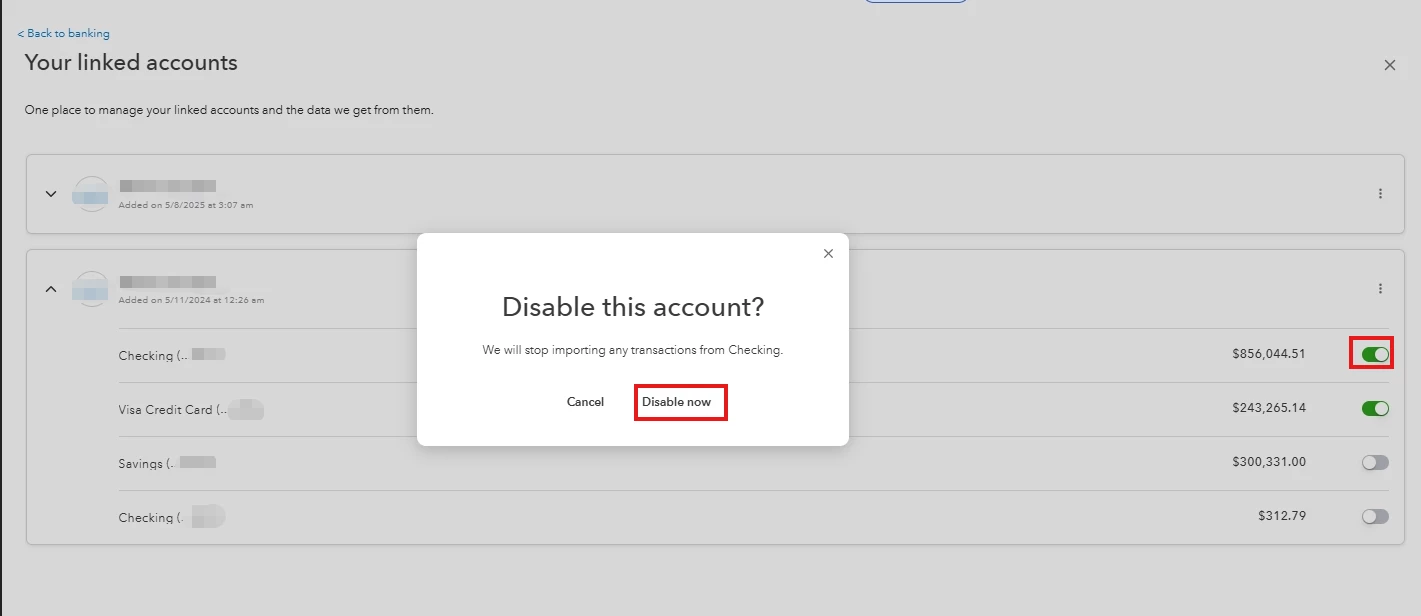
You can disable the accounts that you don't want to sync with QuickBooks Online (QBO) by going to Manage connections, SPerez.
Here's how:
For more information, check out this article: Connect bank and credit card accounts to QuickBooks Online.
You might find this article helpful for reviewing and categorizing your transactions to ensure the accuracy of your accounts: Categorize online bank transactions in QuickBooks Online.
Also, you can explore our QuickBooks Live Expert Assisted team. They specialize in streamlining transactions and can help optimize your financial management and accounting workflows.
If you have further questions, you can always revisit this thread. The Community team is always here to assist.
Enter your E-mail address. We'll send you an e-mail with instructions to reset your password.