
Get 50% OFF QuickBooks for 3 months*

Buy now
Switch to QuickBooks and 70% off for 3 Months
November 29, 2023
Solved

transaction downloads

  • November 29, 2023
  • 2 replies
  • 22 views

transaction download recently not working with Elan Financial for Credit cards

Best answer by ZackE_

Thanks for getting in touch with the Community, Patriot089.


For most banks, QuickBooks downloads your latest available transactions each night around 10 PM PT. Some may take longer. If transactions aren't downloading, I'd initially recommend performing a manual download.


Here's how:
 

  1. In the left navigation bar, go to Transactions, then Bank transactions.
  2. Select Update.


If you see a message about additional authentication, follow your on-screen steps to continue the update. Not all banks require this, but some do.


In the event transactions still aren't downloading, you can try checking your financial institution's website. You'll want to get the URL that QuickBooks uses to connect with them:
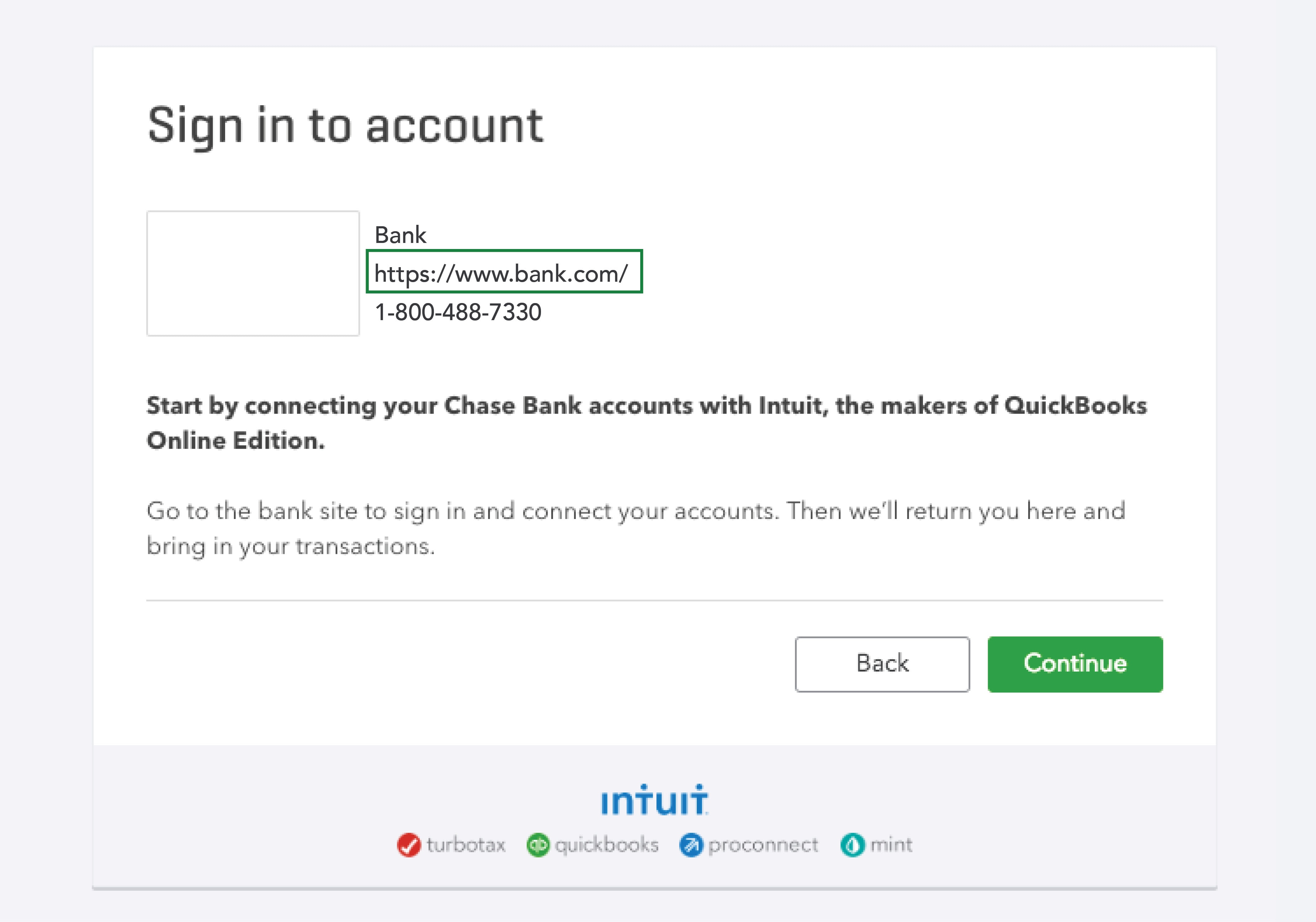
 

  1. In your left navigation bar, go to Transactions, then Bank transactions.
  2. Click Link account.
  3. Search for the bank and choose it.
  4. Copy their listed web address.

    QuickBooks Online Banking Sign-in
     
  5. Sign in to your account using the copied URL.


If you're able to sign in, it's a good sign there may not be a major issue on their end. You'll want to check the account for messages, notifications, announcements about new security requirements, and alerts. Also be sure to look for any display issues as you navigate their site. These can block QuickBooks from downloading new transactions.


In the event everything looks good on their end, return to QuickBooks and try performing a manual update again.


If transactions still won't download, you'll want to try updating your bank information in QuickBooks.


Please don't hesitate to send a reply if there's any additional questions. Have a wonderful Wednesday!

2 replies

ZackE_ModeratorAnswer
Moderator
November 29, 2023

Thanks for getting in touch with the Community, Patriot089.


For most banks, QuickBooks downloads your latest available transactions each night around 10 PM PT. Some may take longer. If transactions aren't downloading, I'd initially recommend performing a manual download.


Here's how:
 

  1. In the left navigation bar, go to Transactions, then Bank transactions.
  2. Select Update.


If you see a message about additional authentication, follow your on-screen steps to continue the update. Not all banks require this, but some do.


In the event transactions still aren't downloading, you can try checking your financial institution's website. You'll want to get the URL that QuickBooks uses to connect with them:
 

  1. In your left navigation bar, go to Transactions, then Bank transactions.
  2. Click Link account.
  3. Search for the bank and choose it.
  4. Copy their listed web address.

    QuickBooks Online Banking Sign-in
     
  5. Sign in to your account using the copied URL.


If you're able to sign in, it's a good sign there may not be a major issue on their end. You'll want to check the account for messages, notifications, announcements about new security requirements, and alerts. Also be sure to look for any display issues as you navigate their site. These can block QuickBooks from downloading new transactions.


In the event everything looks good on their end, return to QuickBooks and try performing a manual update again.


If transactions still won't download, you'll want to try updating your bank information in QuickBooks.


Please don't hesitate to send a reply if there's any additional questions. Have a wonderful Wednesday!

Level 5
November 30, 2023

@Patriot089 

You can use MT Online or one of the converter tools (e.g csv2qbo @ $60 one time license) as a workaround.

https://www.moneythumb.com/?ref=110