
Get 50% OFF QuickBooks for 3 months*

Buy now
Switch to QuickBooks and 70% off for 3 Months
January 15, 2020
Question

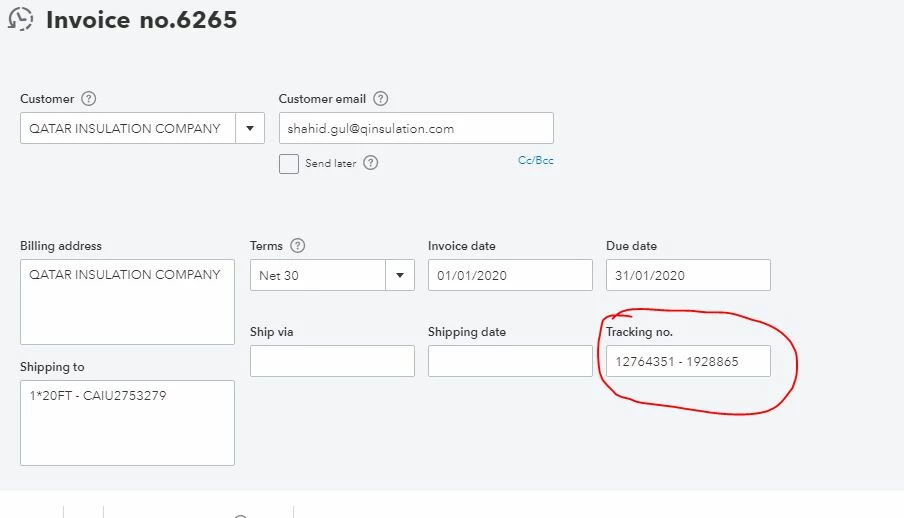
I lost "Tracking No." field from my invoice form

  • January 15, 2020
  • 1 reply
  • 0 views

Dear

I lost the field of Tracking No.

I can't enter now Tracking No. when I go to make the invoice.

before I have this.

I just change the invoice style.

Please help me
1 reply

Level 4
January 15, 2020

Hello there, @ihtemamrentacart.


You'll have to make sure that you add the tracking no. to your invoice. Let me guide you how.

  1. Go to the Gear icon.
  2. Select the Custom Form Styles.
  3. Click New style, then select Invoice.
  4. Select the Content, then click the Header.
  5. Under the Display section.
  6. Tick the box beside the Shipping.
  7. Hit Done.

For more details, you can check this article: Customize your invoices, estimates, and sales receipts in QuickBooks Online.


You're most welcome to post another question if you have other questions in mind. Thanks!
