


What's New in QuickBooks Online: QuickBooks Online Improvements
Hey there! If you've ever posted in this Community about a frustrating bank connection, a reconciliation that wouldn't balance, or a login screen that made you verify your identity for the fifth time that day, this update is for you.
Over the last few months, we dug into the feedback you've shared with us. Then we got to work on the everyday tasks: matching transactions, connecting to your bank, reconciling accounts, and keeping your books categorized correctly. Nothing flashy this time around, just real fixes based on real feedback.
Let's get into it!
Recent QuickBooks Online Improvements:
Fewer bank Connection Errors
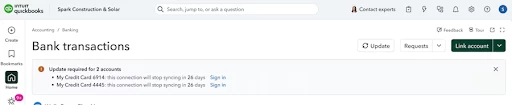
Bank connection hiccups are one of the most frustrating parts of using any online accounting software, and we're working through them methodically. This release tackles the specific error codes causing the most disconnects and support calls. You'll now get a heads-up before a connection expires, rather than finding out only after your transactions stop coming in. Connecting a new account is smoother, too. We rebuilt the flow that maps your accounts during setup, which helps whether you're linking your own new account or setting one up for a client.
Telling Vendors, Contractors, and Customers Apart
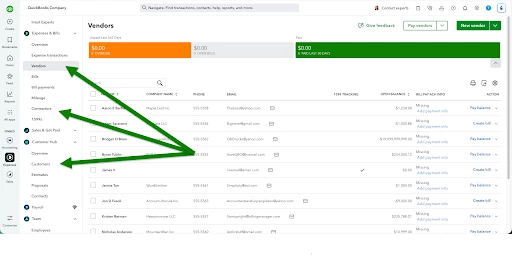
If you've ever squinted at your contact list trying to figure out who's a vendor, who's a contractor, and who's a customer, we have some improvements that will help. The three categories are drawn more clearly now, so they stop blending into each other. Your vendor list is also less of a scavenger hunt to track down. And their details won't shuffle around anymore when you update a bill from the review screen.
Updated Bank Transaction Matching
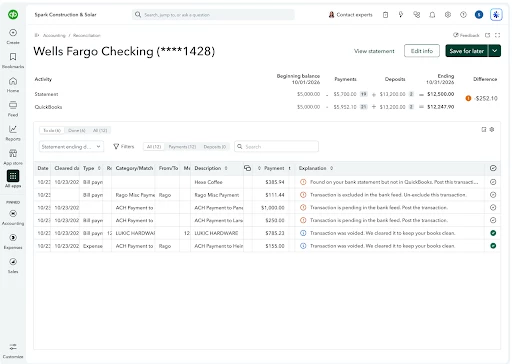
Matching bank transactions to what's already in QuickBooks should feel a lot less like guesswork now. QuickBooks puts its most confident guess for a match right at the top, instead of leaving you to hunt through every option it found. There's also a loading indicator while it searches, so you can tell the difference between still working and truly no match. You'll see a duplicate warning before you post something now too, whereas that used to only surface afterward. And when a deposit or payout is running late (we see you, batched payment-processor payouts), QuickBooks casts a wider net on dates automatically to go track it down.
Changes to Auto-Categorization
The more you use QuickBooks, the better it should get at identifying how you like things categorized, and that learning curve is shorter now. Categorize one transaction a certain way, and QuickBooks catches onto the pattern faster, so the next batch of similar vendor charges doesn't take nearly as long to clear. Transfers and credit card payments also got a cleanup on the back end, which should mean less of the duplicate-entry mess that tends to turn up when you're closing out the month. And when two of your own categorization rules could both grab the same transaction, QuickBooks points that out now instead of silently going with one.
Fewer Reconciliation Errors
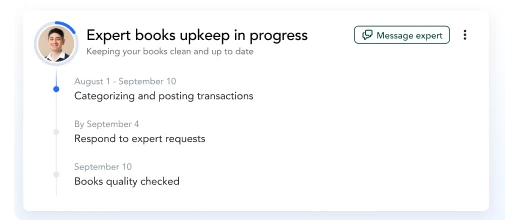
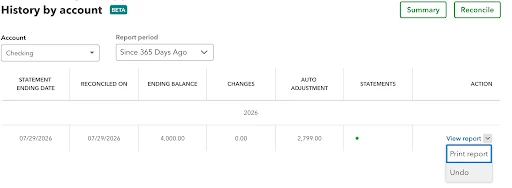
One of the most frustrating things that can happen in your books is watching your beginning balance mysteriously stop matching what it should. Most of the time, that's because someone edited or deleted a transaction after it had already gone through reconciliation. QuickBooks now warns you before that kind of change goes through, so you're not left discovering a mystery discrepancy weeks later. We've also opened up Undo Reconcile to any Primary Admin on the account, which makes fixing a mistake faster. If you manage a team, it's worth double-checking who has Primary Admin access.
Paying Bills Faster
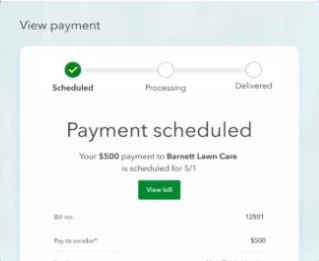
Paying bills is easier than ever. Not only does Bill Pay Elite come bundled with QuickBooks Online Advanced at no added cost, but we also streamlined the bill pay process as a whole. The payment type field no longer defaults to check every time, printed checks line up correctly more consistently, and you'll find fewer warnings claiming a check number is a duplicate when it is not.
There is also a new status filter for unpaid bills to help you zero in on what is due, and QuickBooks now has safety catches in place to stop you if you are at risk of accidentally erasing the content from a form you have been editing.
Fixing Receipt Capture Issues
If your receipt capture wasn't uploading correctly before, we improved the process. Now when you scan or capture a receipt, you can be sure the reflected receipt in QuickBooks is accurate. Forwarding a receipt over email used to be a coin flip on whether it would actually land in QuickBooks; that's fixed now. And overall, what gets pulled off a scanned or captured receipt is a more reliable read of the real numbers.

Migrating From QuickBooks Desktop to Online
Migrating from QuickBooks Desktop to Online is a big step, and we know it hasn't always gone smoothly. Reports need to be rebuilt from scratch. A chart of accounts doesn't quite line up. Bank rules vanish somewhere along the way. We've been chipping away at the migration tool itself to smooth out some of these rough edges. We're also working on a way to carry your categorization patterns over from Desktop, so what lands in Online doesn't start from a blank slate. While we continue to work on this feature rollout, we recommend that you still budget time to double check your reports and re-verify your bank rules after migrating.
Fewer Login Verification Prompts
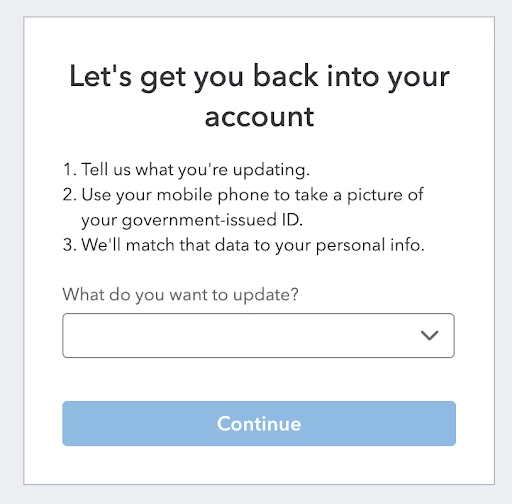
We know how frustrating it can be to re-verify your identity every time you open QuickBooks or switch between company files. That's why we've extended how long a trusted device stays recognized before you're asked to verify again, resulting in fewer verification prompts popping up throughout the day. And if you get locked out, the process is now much simpler to recover your account.
A Customizable QuickBooks Online Dashboard
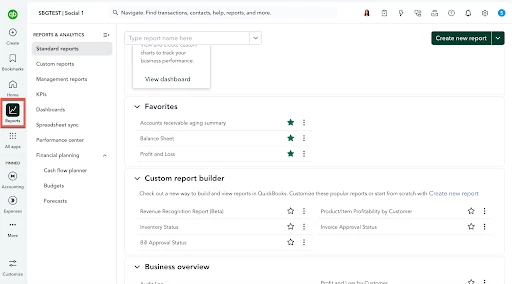
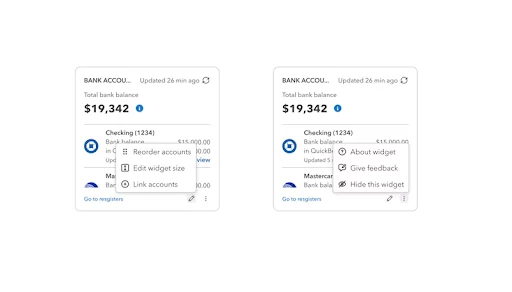
The layout is yours to arrange now. Drag your dashboard widgets into whatever order puts the stuff you check daily (invoices, bank feeds, cash flow) front and center, instead of living with a fixed layout that might not match how you work. Pages also settle in quicker, with less flicker while everything loads. We squashed a batch of mobile bugs that were knocking people out of the app or crashing it, and logging mileage or snapping a photo of a receipt from your phone should hold up better out in the field.
What's Coming Next
This isn't a one-and-done release. A few things are already in progress for the months ahead:
- Better handling for deposits that land short of what you'd expect
- The ability to keep your categorization history intact when moving from Desktop to Online
- Continued improvements on bank connection and reconciliation reliability
Frequently Asked Questions
What's new in QuickBooks Online for August 2026? The August 2026 release focuses on foundational fixes rather than flashy new features: more accurate bank transaction matching, fewer bank connection errors, stronger reconciliation guardrails, more accurate auto-categorization, clearer vendor/contractor/customer classification, more reliable receipt capture, fewer login verification prompts, faster bill pay, a customizable dashboard, and smoother Desktop-to-Online migration.
Do I still have to verify my identity constantly when switching between files? You should now be prompted to verify your identity less frequently, as trusted devices now stay verified for longer. This is a huge step toward a more convenient experience, and should continue to keep improving as we move forward.
What if I get locked out of my account? Getting back in to your account shouldn't take nearly as much hassle now, as we have reworked and streamlined the recovery flow itself.
Can I control who's allowed to undo a reconciliation? Right now, any Primary Admin can undo a reconciliation. If you manage a team, check your Primary Admin list to ensure that permissions are correctly assigned..
Will migrating from Desktop bring over my categorization history? While your Desktop categorization history does not currently make the move when migrating, this feature is actively being built., For now, plan on double-checking your reports and bank rules once the migration is done.
Why don't bill payments default to "check" anymore? Because most people aren't paying that way anymore, and the old default was creating more corrections than it was saving, we have removed the default to check feature when paying your bills.
Is bank connection reliability fully fixed now? We've gone after the error codes responsible for the biggest share of disconnects and added a heads-up before a connection lapses. We know that even with these fixes in place, there is still work to be done, so expect gradual, steady progress toward an even more reliable banking experience moving forward.
Feature rollout timing can vary by plan and region, and a few items above are still on their way. Money movement features (including Bill Pay) are provided by Intuit Payments Inc. under applicable licenses. Business Intelligence (powered by Intuit Intelligence) is currently a beta feature limited to admin users with limited capacity. Auto Invoicing is a limited release beginning in August. Beta and limited-release features, availability, and capacity are all subject to change.