


When should I use QuickBooks Community vs. contact support? A guide to faster self-service
Quick Answer: The QuickBooks Community is the fastest path to an answer for how-to questions, error codes, and feature confusion. You can search thousands of solved threads and get a response from fellow users or a QuickBooks Expert quickly. QuickBooks support is the right call when your issue involves your account, billing, or a problem that requires someone to look at your specific company file.
What is the QuickBooks Community, and how does it work?
The QuickBooks Community is a free forum at quickbooks.intuit.com/community where QuickBooks users ask questions and get answers. It covers every QuickBooks product, including QuickBooks Online, QuickBooks Desktop, QuickBooks Workforce, and QuickBooks Time.
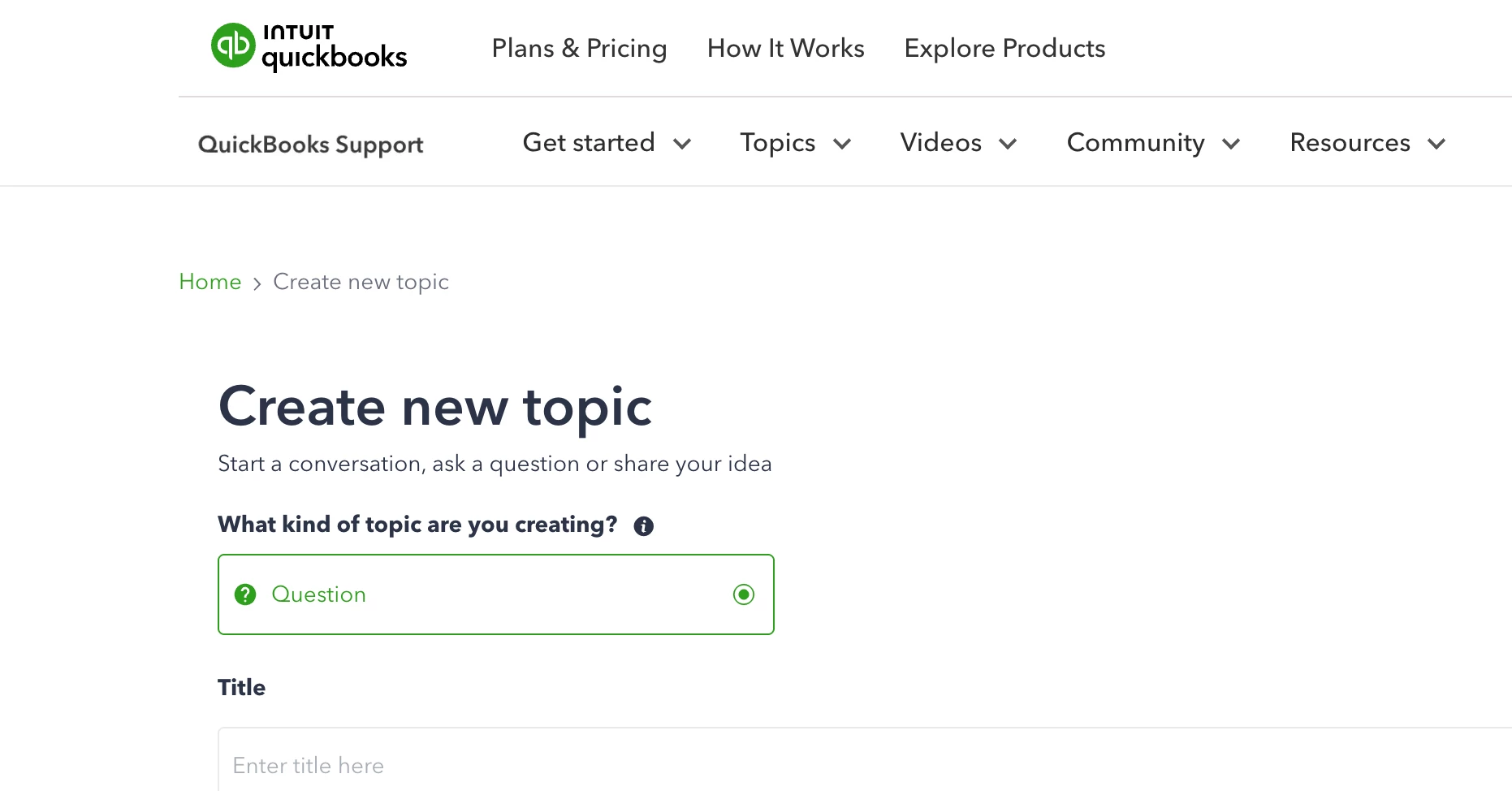
When you search or post, you get answers from other small business owners and bookkeepers, QuickBooks ProAdvisors, and QuickBooks Community Managers from the Intuit team. You can browse by topic, search by keyword, or post a new question if you can't find what you're looking for.
What kinds of questions does the Community answer best?
The Community is built for questions that have a definitive answer: a setting to change, a workflow to follow, or an error to work through. It's especially helpful for questions on topics such as: :
- How to record a specific type of transaction
- Why a report is showing unexpected numbers
- How to fix a common error code or sync issue
- How to set up payroll, invoicing, or bank feeds
- Differences between product versions or plan tiers
If your question is "how do I do X in QuickBooks," the Community is almost always your fastest answer.
When should you use the QuickBooks Community instead of calling support?
Use the Community first when your issue is about how something works, not about your specific account.
| Your situation | Best resource |
|---|---|
| You don't know how to record a transaction | Community |
| A report isn't showing what you expect | Community |
| You're getting an error code and want to know what it means | Community |
| You want to know how a feature works | Community |
| You want to see how other businesses handle a workflow | Community |
| Your account was charged incorrectly | Support |
| You can't access your account or are locked out | Community: How to fix common QuickBooks Online login problems |
| Your company file has corrupted data | Support |
| You need a refund or billing adjustment | Support |
| You need someone to screen-share or look at your data | Support |
The rule of thumb: "how do I" and "why is this happening" questions belong in the Community. Anything that requires someone to access your account or make a change on the back end is support territory.
How to search the QuickBooks Community faster and find answers in minutes
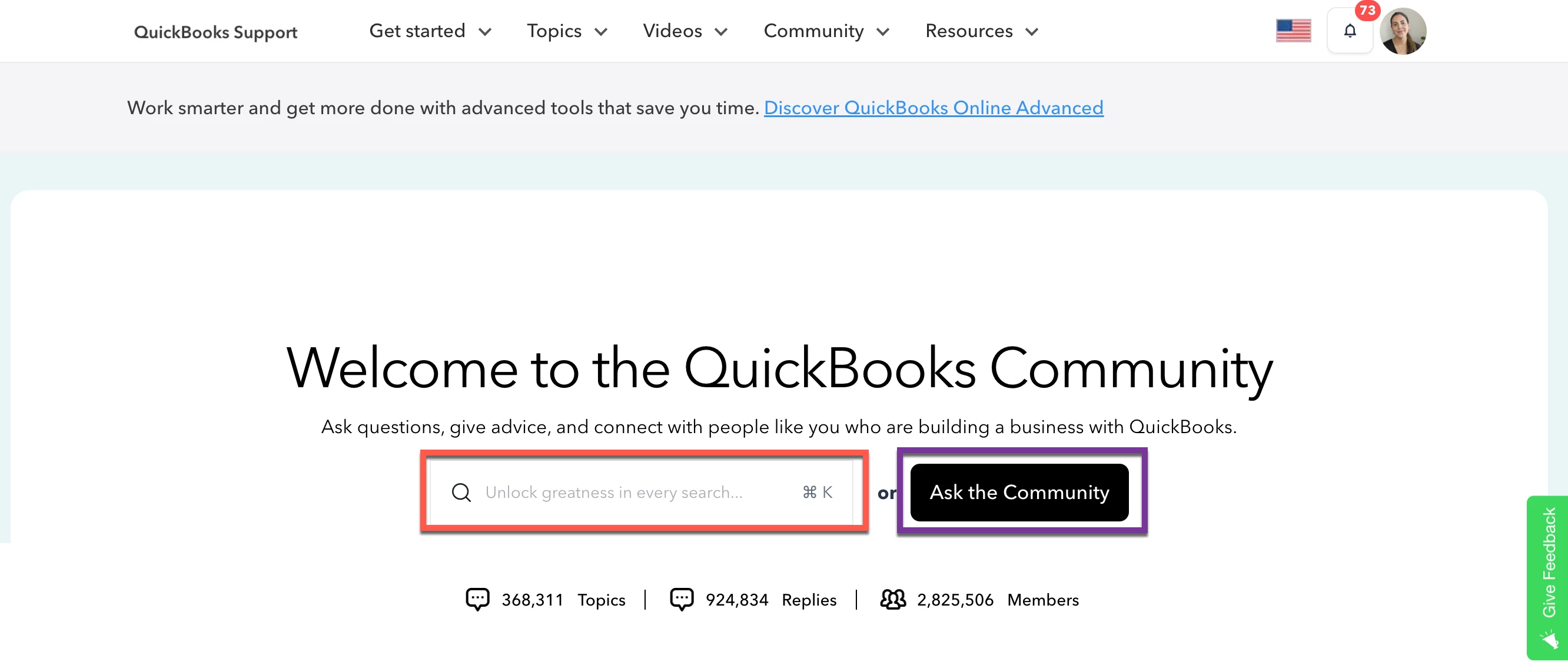
Most people who say "I couldn't find anything in the Community" are searching with the wrong terms. A few small adjustments make a big difference.
Search like a Google query, not a sentence. Short, specific phrases may work better than full questions. Instead of "why isn't my bank reconciliation matching," try "reconciliation beginning balance wrong." The more specific the phrase, the more targeted your results.
Filter by product and topic. Use the topic filter to narrow results to your specific product. An answer for QuickBooks Desktop won't always apply to QuickBooks Online.
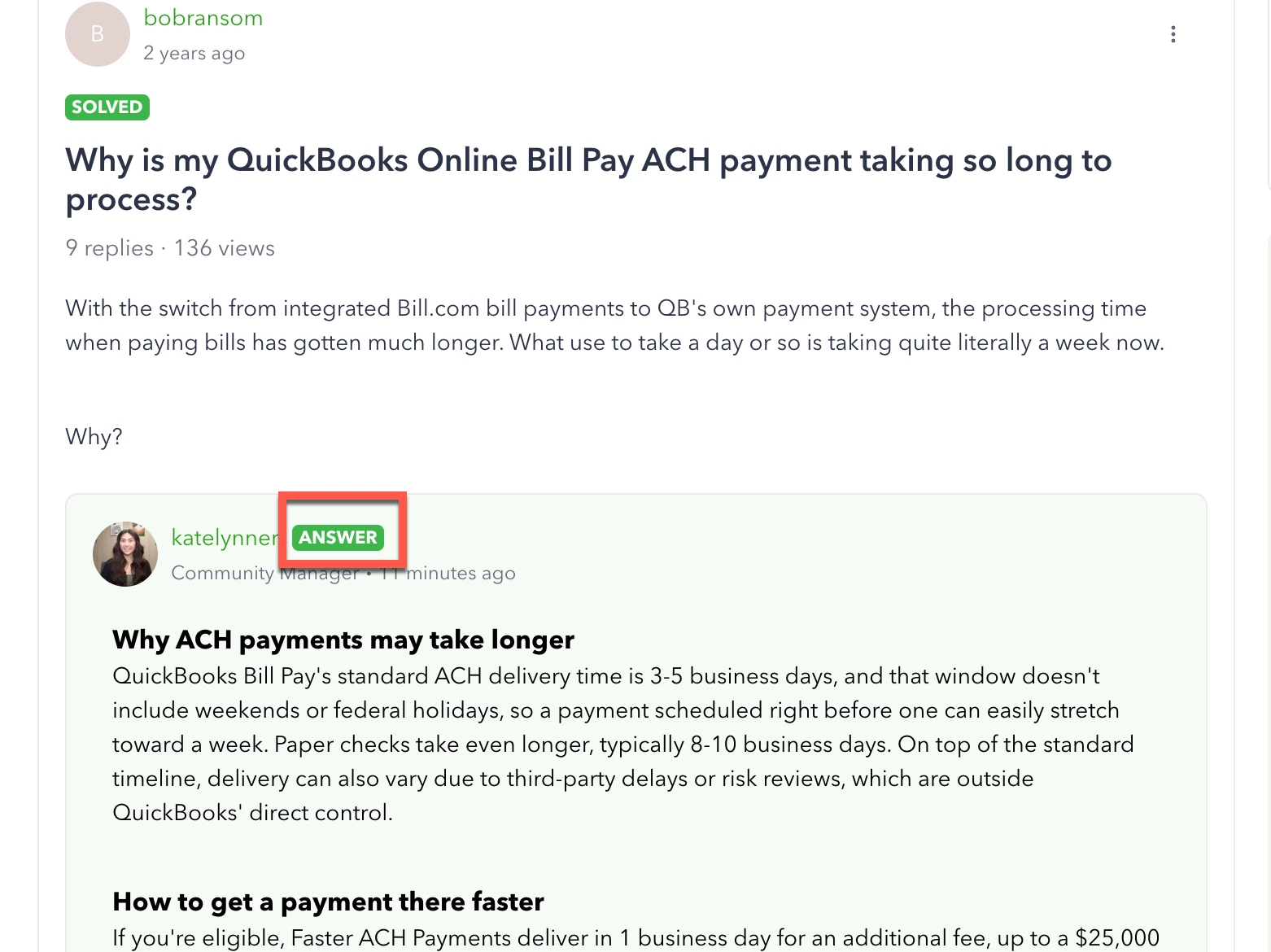
Jump to the Best Answer. Threads marked with a "Best Answer" label have had that reply selected by the person who asked the question as the fix that worked. It gets pinned to the top of the thread, so you can skip straight to it.
Add the year for time-sensitive topics. QuickBooks updates frequently. A 2023 answer about a payroll feature might be outdated in 2026, so include the current year in your search to surface the most applicable threads.
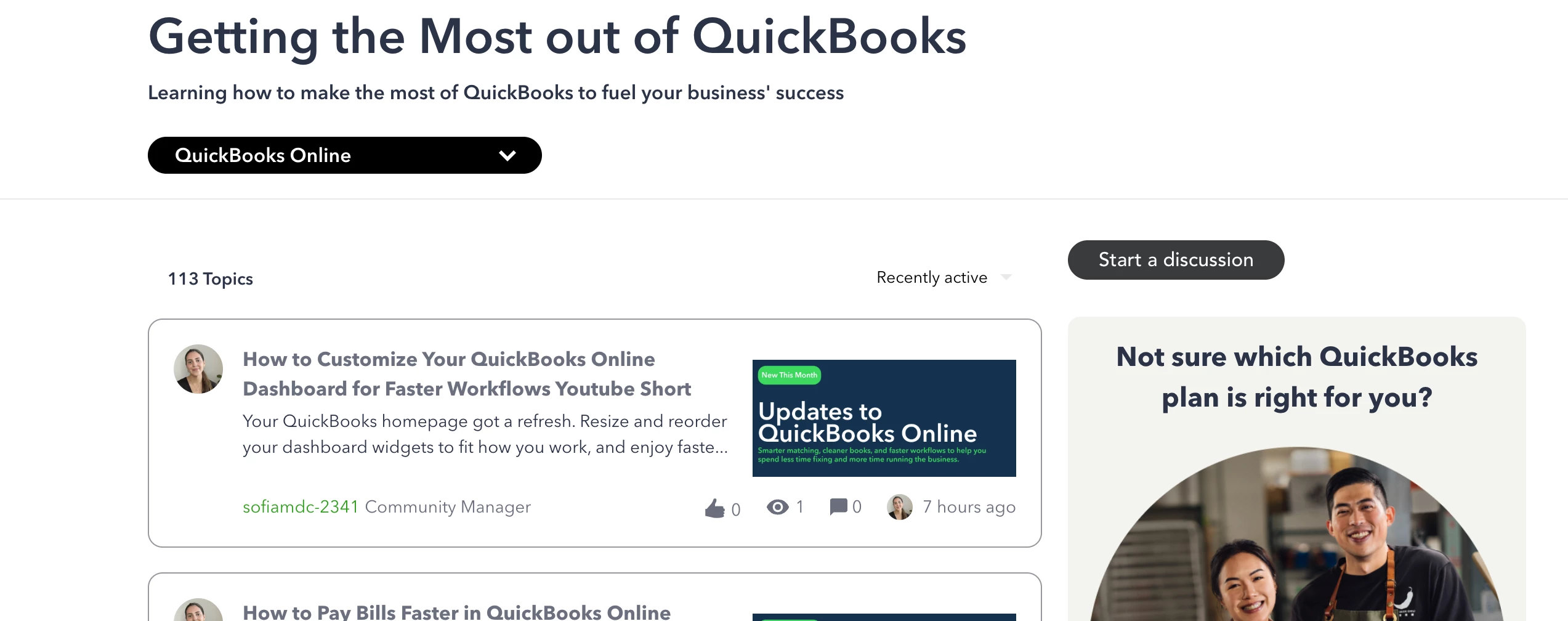
Browse the "Getting the Most out of QuickBooks" section for step-by-step guides written by Community Managers at: quickbooks.intuit.com/learn-support/getting-the-most-out-of-quickbooks-11.
When should you contact QuickBooks support directly?
Support is the right move when your issue is tied to your specific account, data, or subscription. These are situations the Community can't resolve because they require someone with access to your account on the Intuit side.
Billing and subscription issues. If you were charged incorrectly, want to change your plan, or need a refund, support handles this directly. That requires an agent.
Account access problems. If you have gone through all the troubleshooting steps listed in this Community article: How to fix common QuickBooks Online login problems, then you can proceed to contacting support.
Data integrity issues. If your company file has corrupted data or your books won't balance due to a technical error, support can investigate your specific file.
Product outages. Check status.quickbooks.intuit.com first to see if there's a widespread issue. If the problem is specific to your account, support can investigate and escalate.
Complex migrations or integrations. If you're migrating from QuickBooks Desktop to QuickBooks Online or restoring from a backup, support can walk you through account-specific steps.
How to get faster help when you do contact support
Have your account information ready: your Intuit account email, your company name as it appears in QuickBooks, and your product version. Agents need to verify your identity, and having this on hand speeds things up.
Write down the exact error message or error code before you call or chat. A specific description of what you were doing when the issue appeared helps the agent reach a solution faster than a vague "it's not working."
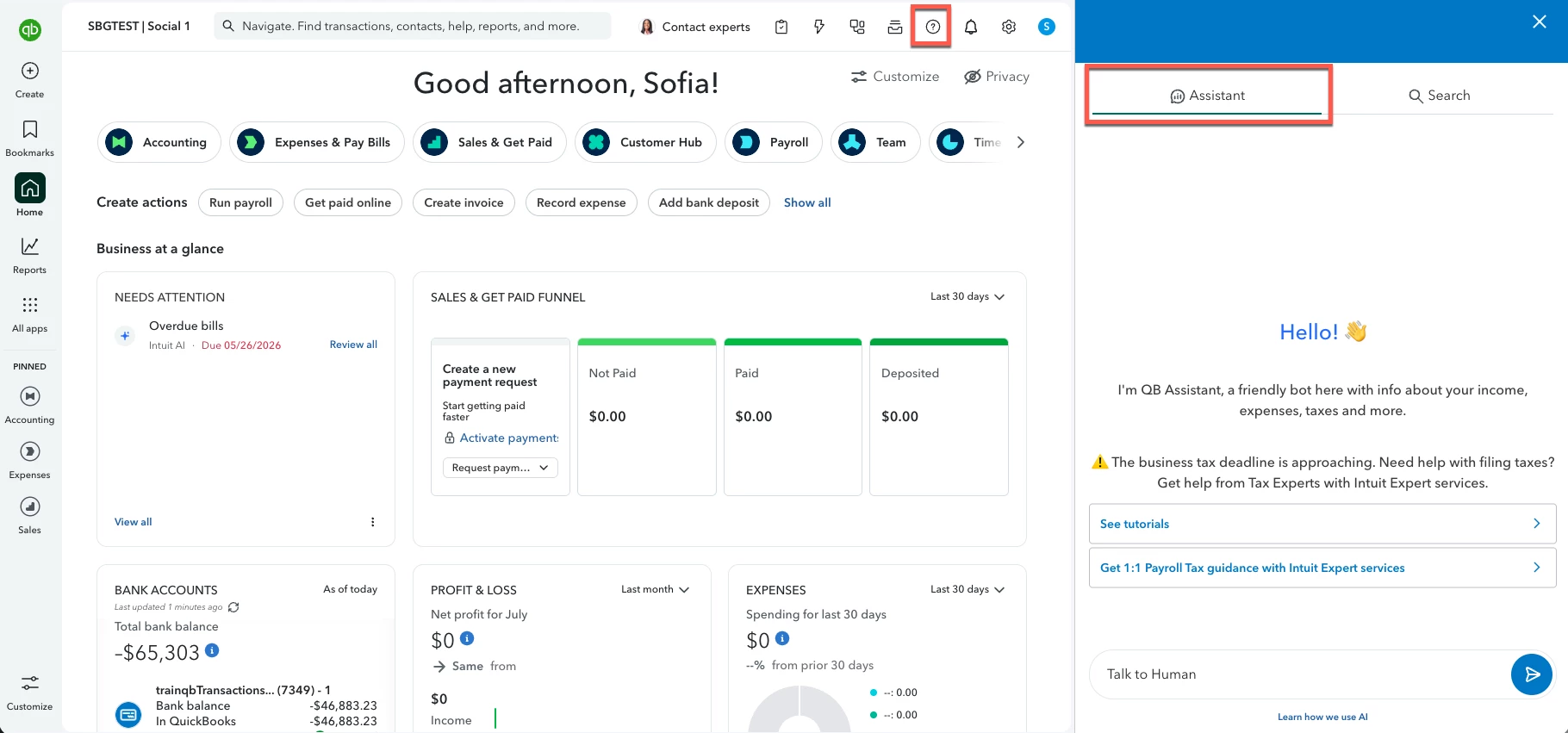
To reach a live agent in QuickBooks Online, select the Help icon (the question mark) in the upper right corner. In the Assistant window, type your issue or select Talk to a human, then choose I still need a human and select Get help from a human. From there you can chat with a support expert or request a callback.
If you can’t login to contact support, try reaching out for help through the QuickBooks Online Test Drive, our free sample company. Open it in an incognito window or while signed out, otherwise it takes you to your own account.
Next steps
Head to the QuickBooks Community and search your question. Chances are good someone has already solved it. If you need to post, the QuickBooks Q&A section is the most active place to get a fast response.
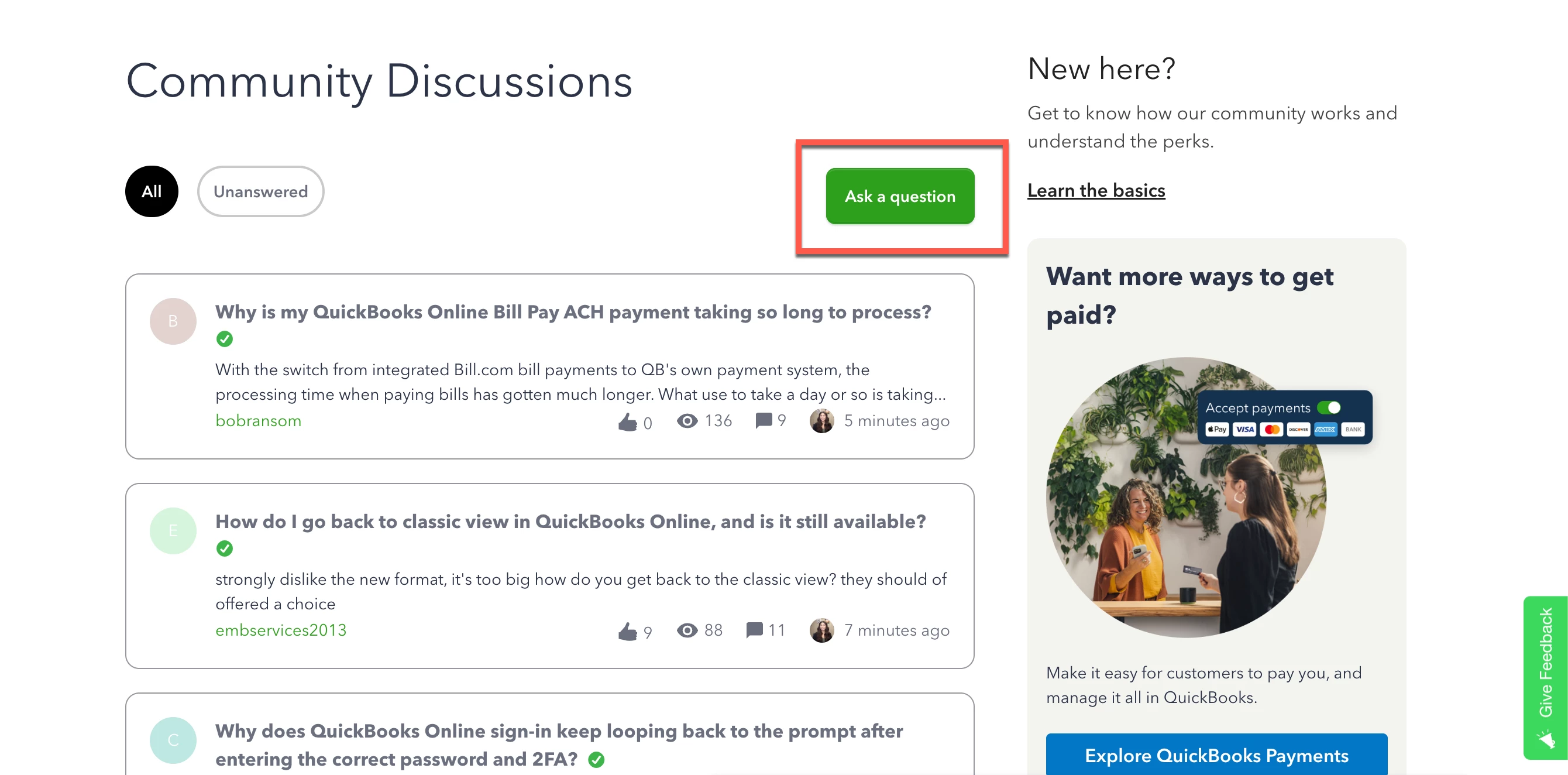
Have a question about navigating the Community or figuring out which resource fits your situation? Drop it below and we're happy to help.
Frequently asked questions
Can I get help faster through the Community than through support? For how-to questions and error troubleshooting, yes, often significantly faster. New questions typically get a response within hours, and the archive of solved threads is searchable instantly.
Do I need to create an account to use the QuickBooks Community? You can read and search the Community without an account. You'll need to sign in with your Intuit credentials to post a question or reply. If you already have a QuickBooks account, you're already set up.
What if my Community question doesn't get answered? Community Managers monitor unanswered questions and step in regularly. If your question sits for a day or two, try rephrasing it or adding more detail about your product version and what you've already tried.
Is the Community advice reliable? Best Answer replies are pinned to the top of each thread and represent the fix that worked for that situation. For anything that involves changing a setting that could affect your books, cross-check against an official QuickBooks help article at quickbooks.intuit.com/learn-support.
Can the Community help with payroll questions? Yes. The Community has a dedicated Employees and Payroll section with thousands of solved threads covering tax setup, direct deposit, year-end forms, and payroll error codes. For questions about a specific tax filing or an IRS notice, a support agent or tax professional is the better path.