Solved
How do I completely delete a company file from desktop version?
No text available

Thanks for posting to the Community, @terry11_2-greenjeans.
You can delete the company file to prevent it from showing in the list of Company files. As mentioned above by @BigRedConsulting , you can locate and delete it like other files on your computer. You can type one of the following into the search bar in the Start Menu.
Make sure to include the asterisk (*) before the extension type (like *.qbw, *.jpeg, *.xls, *.js, *.docs, *.png) to ensure the search works correctly.
The default location for a company files is: C:\Users\Public\Public Documents\Intuit\QuickBooks\Company Files. If you want to keep a copy of the file in case you want to check it someday, you can create a backup file. Then you can delete the company file.
If you're unable to see the file extension, you can change the folder and search options on the folder and uncheck the box in Hide extensions for known file types to distinguish the extension file type.
Please follow these steps:
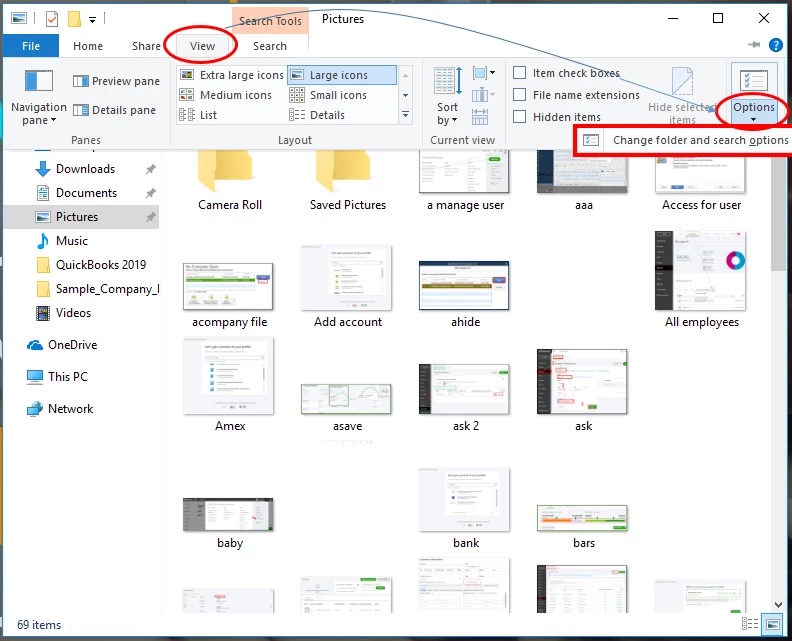
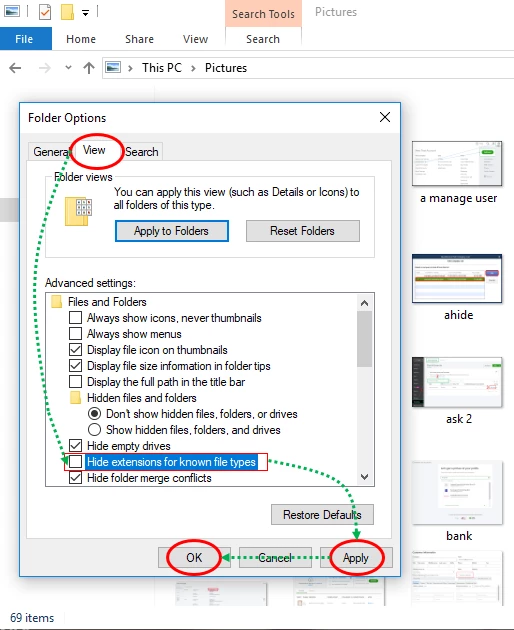
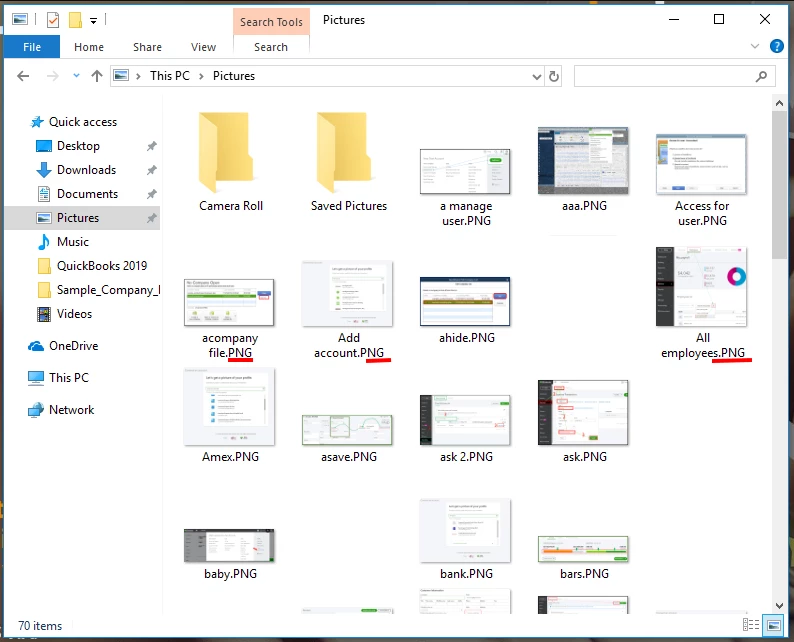
If you want to remove/hide a company in QuickBooks Desktop, here's how:


I'll add some articles as your reference in creating a company file without starting from scratch:
I'll wait for your Reply to check if there's something I can help you further. I'll assist you all the way. Enjoy your day!
Enter your E-mail address. We'll send you an e-mail with instructions to reset your password.