
Get 50% OFF QuickBooks for 3 months*

Buy now
Switch to QuickBooks and 70% off for 3 Months
March 28, 2022
Question

payroll requires new version of QB Pro as our 2019 will end soon but cannot download...

  • March 28, 2022
  • 1 reply
  • 3 views

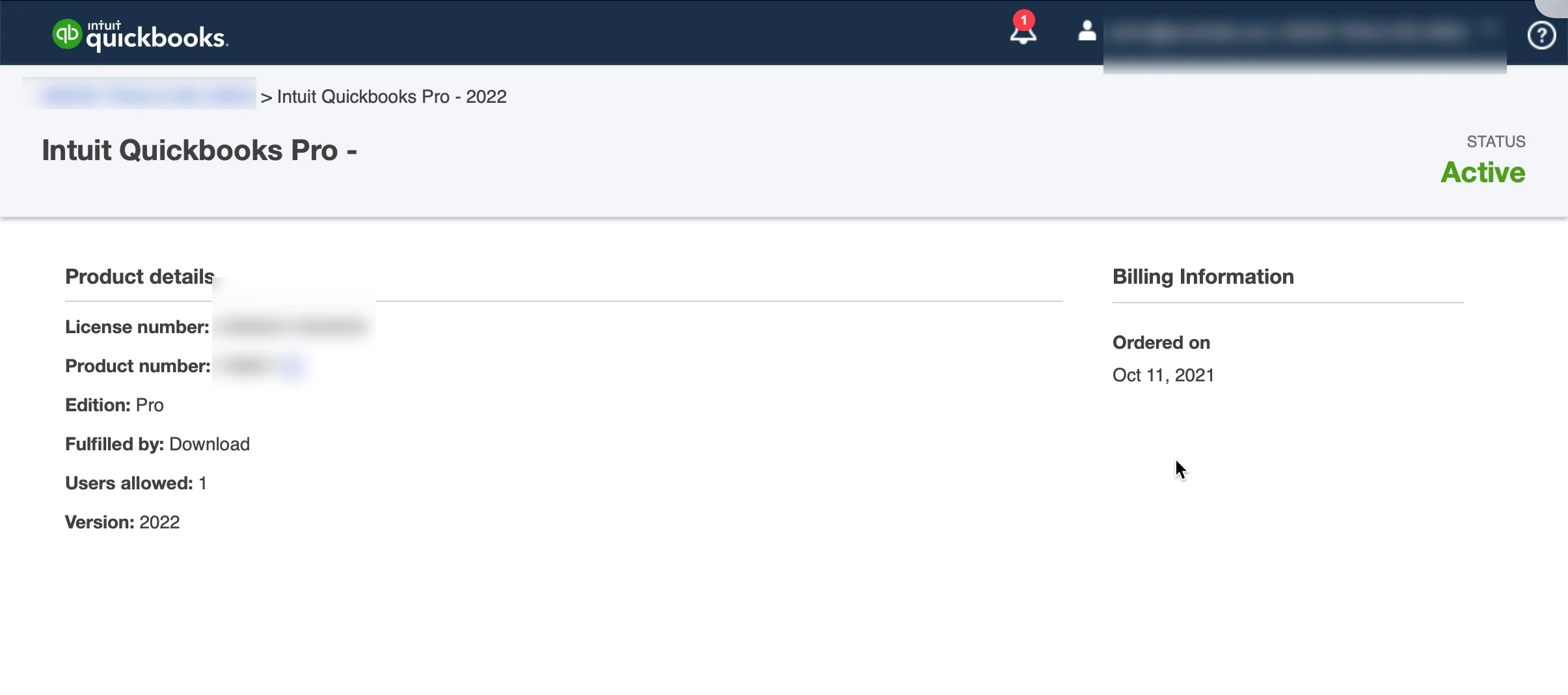
So I can download from our account info 2019, 2020, 2021 but the 2022 version has no download link although it states "ordered on as Oct of 2021". 


I've always found this interface terribly confusing and several of our staff have been using our 3 license 2019 for many years. Now I need to get this main PC up today with the single allowed user. Note I can download 2021 just fine and I'm sure that will work, but why don't I have an option for 2022 as shown in our account interface?


See screenshot of our account view. 
 

1 reply

Moderator
March 28, 2022

Welcome to the Community, snowtrails. I appreciate your screenshot and detailed information.
 

Since you've already purchased a copy of QuickBooks Desktop Pro 2022, but don't have a way to download it, I'd recommend getting in touch with our Customer Care team. They'll be able to pull the account up in a secure environment, conduct further research, and go over what options are available.
 

They can be reached while using QuickBooks.
 

Here's how:

  1. In your top menu bar, go to Help, then QuickBooks Desktop Help.
  2. Click Contact Us.
  3. Enter a brief description of the issue in our Ask a question (or tell us what's wrong) field.
  4. Hit Continue.
  5. Select We’ll contact you for a callback or Message Us to start an instant messaging session.


Be sure to review their support hours so you'll know when agents are available.
 

If you're unable to open QuickBooks at the moment, you can also get in touch with them through our website.
 

If there's any additional questions, I'm just a post away. Have a wonderful day!