
Get 50% OFF QuickBooks for 3 months*

Buy now
Switch to QuickBooks and 70% off for 3 Months
September 30, 2022
Question

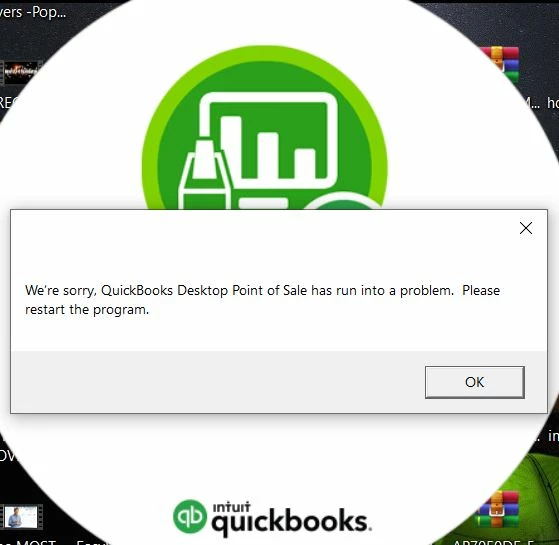
"QuickBooks Desktop Point Of Sale has run into a problem" on windows 10 machine.

  • September 30, 2022
  • 1 reply
  • 1 view

Hie There. Getting the following error with desktop POS v18 on windows 10 machines. Runs perfect with win 7. Any assistance will be greatly appreciated. Thank you
 

1 reply

Level 5
September 30, 2022

We don't want you to have this trouble when running the software, @HerbNyanhete. I've got some tips for you to get back to business as quickly as possible.


Let's start by installing QuickBooks using the clean install. This helps narrow down the problem and resolve any QuickBooks-related issues. To do so, follow these:


  • Step 1. Uninstall QuickBooks Point of Sale
  • Step 2. Rename all Point of Sale folders
  • Step 3. Reinstall Point of Sale
  • Step 4. Restore your company file


After that, see this article to clean reinstall QB POS to fix any further trouble running the software: Clean reinstall QuickBooks Point of Sale.


In case the issue persists, perform these steps as an alternative.


  1. Rename the program file located on your C: drive.
  2. Disable the Webroot software from starting up with Windows.
  3. Remove the Program.exe file from your C: drive and restart the windows. 
  4. Lastly, reset the Webroot software to open when windows are restarted, and then reboot your computer.


I'll also add this guide about resolving unexpected errors when opening POS.


Don't hesitate to comment back below if you need more help regarding this matter or QuickBooks in general. It's our pleasure to back you up as soon as we can. Stay safe!