
Get 50% OFF QuickBooks for 3 months*

Buy now
Switch to QuickBooks and 70% off for 3 Months
October 12, 2024
Question

V 34.0 Desktop Upgrade Freezes on "Writing system registry values" Pop-Up (Solution)

  • October 12, 2024
  • 13 replies
  • 69 views

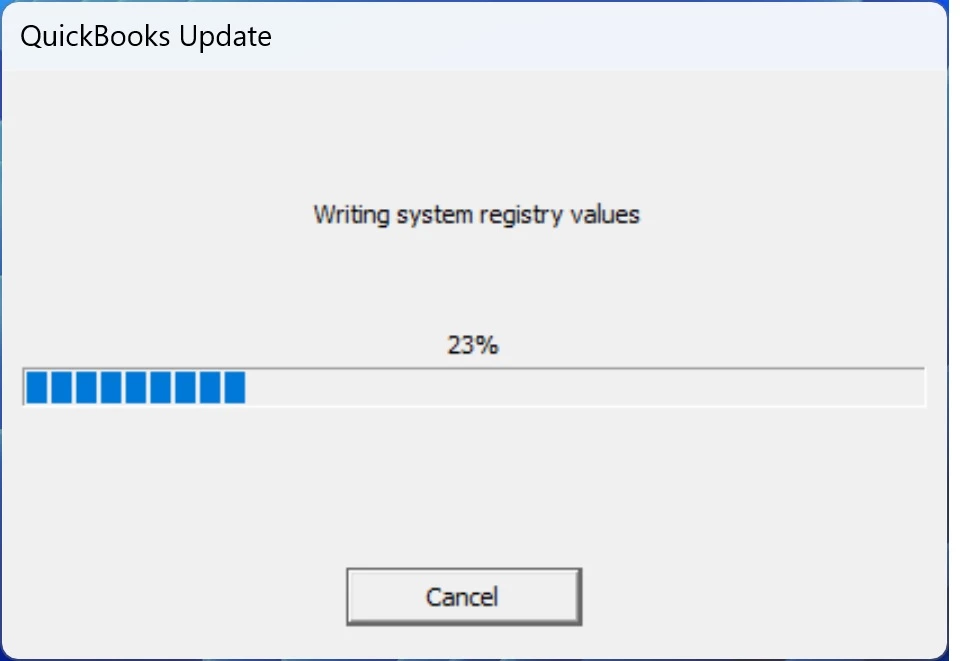
Our QuickBooks Desktop v34.0 update repeatedly failed to install on Windows 11, freezing on a "Writing system registry values" pop-up shown below.


After cancelling several update attempts to unfreeze that pop-up, we eventually found that the solution was to temporarily disable Windows Defender.


13 replies

ET-Minnesota
November 12, 2024

Worked Great !

Thanks for the heads up about disabling Windows Defender!

Was stuck at 23% writing reg. I disabled windows defender wile the update was working.

and it immediately went to 100% and finished the update !


THANKS !

Moderator
November 12, 2024

Thank you for sharing your positive experience with the QuickBooks Community, @ET-Minnesota. We're delighted to hear that disabling Windows Defender resolved your update issue! 

It's wonderful to know that the update process completed successfully after following Paul's suggestions. This is a perfect example of how our community works together to solve problems and share knowledge. 
 

If you encounter any other issues in the future or have questions about using QuickBooks, please don't hesitate to post again to the QuickBooks Community page. Our community of experts, including helpful users like Paul and our dedicated support team, are always ready to assist you.

For your convenience and future reference, we recommend bookmarking these helpful articles:


These resources can be invaluable tools in your QuickBooks toolkit. They offer expert advice and practical solutions for some of the most common challenges users face. By having these articles readily available, you'll be well-prepared to tackle any future issues that may arise.


Once again, thank you for being a part of our community and for taking the time to share your success story, @ET-Minnesota. It's users like you who make the QuickBooks Community such a valuable resource for everyone. We look forward to your continued participation and hope you enjoy using your newly updated QuickBooks software!

ET-Minnesota
November 12, 2024

QuickBooks Tool Hub ...
My QuickBooks Tool Hub does not have the Add Defender Exclusion ?!
I updated the tool but still no Add Defender Exclusion  😞

Ideas Why ?


November 15, 2024

THIS WORKS!!! Just disable Defender and the update will complete. Amazing. QuickBooks was trying to charge a client $2200 to "restore."

JaeAnnC
Level 6
November 15, 2024

Great news, Scott!


Getting your issue resolved is our main priority here in the Community. We're glad that your concern about QuickBooks Desktop (QBDT) freezing has been settled. Please don't hesitate to reach out back to us if you have further concerns with QuickBooks. You're always welcome here.


Stay safe!

November 17, 2024

running Windows 11 Pro.  I had to disable defender and Virus and Threat Protection to get mine to work.  Seriously Intuit, I know you don't want us using the desktop version but you could at least test your update with the standard Microsoft security settings.