
Get 50% OFF QuickBooks for 3 months*

Buy now
Switch to QuickBooks and 70% off for 3 Months
August 26, 2020
Question

How Can I get an access to save company information?

  • August 26, 2020
  • 1 reply
  • 1 view

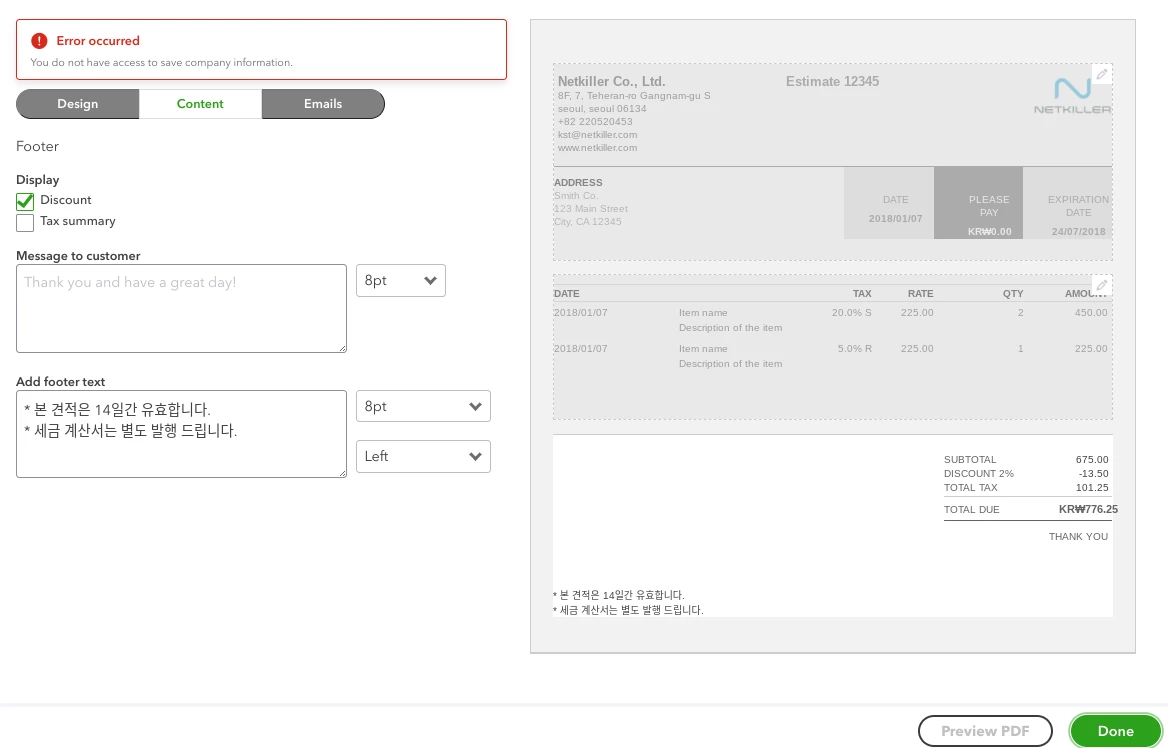
Hi, I'm trying to customize estimates' style, but the error message pops up as below.

"You do not have access to save company information."

Could you help me?
1 reply

AlcaeusF
Level 14
August 26, 2020

Welcome to the Community, @rachel-kim-netki.


I can share some information about how you can access that specific portion in QuickBooks Online.


The things you can and can't do in the account will depend on your user access. Admin users can set different levels to any users they grant access to the company in QuickBooks.


I recommend you request a change to your access from your admins. This way, you'll be able to get rid of the error and customize estimates successfully.


Here are the steps:


  1. Select Settings ⚙, then Manage Users
  2. Find the user you want to edit, and select Edit in the Action column. 
  3. In the window that appears, choose the User type drop-down ▼ menu. Select the user type you want them to be. More options will appear on the screen depending on the user type you select.
  4. When you’re finished, select Save. Ask the user to sign out and then sign in to see the change.

For additional reference, I've attached some articles about changing the account access, as well as the user types and permissions in QuickBooks:


Please let me know if there is anything else I can do to help by clicking the Reply button below. Have a great day ahead.
