Solved
All the invoices I’ve done since January 1st are gone. How can I get them back? I logged in today and all the once from January 1st to today are just gone
No text available

Hi there, @auto.equipment.rs. When invoices go missing, the first thing to look at is the filters in your Invoices menu. These can make your list look empty even when the invoices are still there.
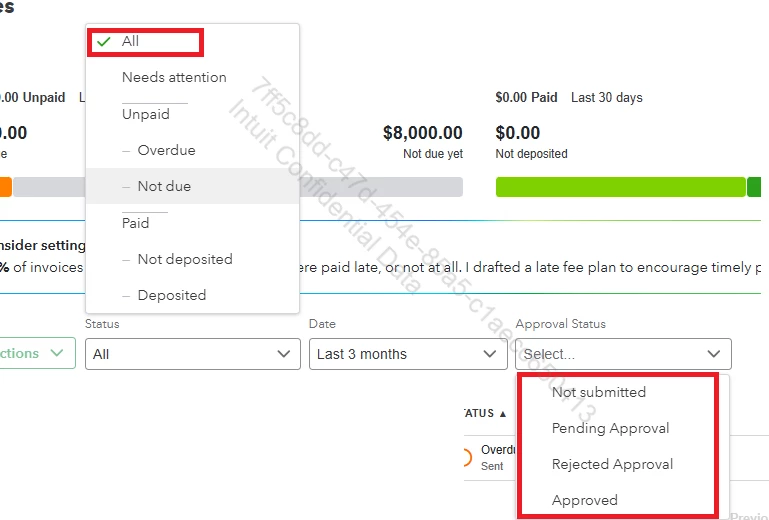
The two filters that usually cause this issue are Status and Approval Status. If either one is misapplied, all your invoices may appear to disappear. To fix this, set Status to All and ensure there's no checkmark in Approval Status.
If you work with more than one company file, it's also worth double-checking that you're logged into the correct one. You can also run the Invoices List report and set the data range from January 1st to today. This helps confirm whether the invoices show up anywhere in the system.
If you still don't see any trace of them after checking the filter, the report, and the company file, you can review the Audit Log. This will show if the invoices were deleted. If they were deleted, the only way to recover them is to recreate them manually using the details shown in the log.
If you have follow-up questions, please don't hesitate to click the Reply button.
Enter your E-mail address. We'll send you an e-mail with instructions to reset your password.