
Get 50% OFF QuickBooks for 3 months*

Buy now
Switch to QuickBooks and 70% off for 3 Months
November 3, 2025
Question

Apply credits is not working once again.

  • November 3, 2025
  • 1 reply
  • 26 views

Hello Community,

I've had this happen before and now again the credits are not being applied..

 QBDT for Mac V23.1.9 R10.2

I've verified and rebuilt the file twice but the credits are still not being applied. See attached:


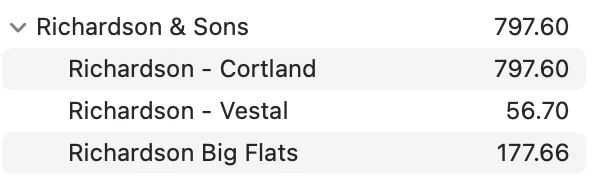
This is customer:  The credits will cover Vestal and Big Flats outstanding invoices.
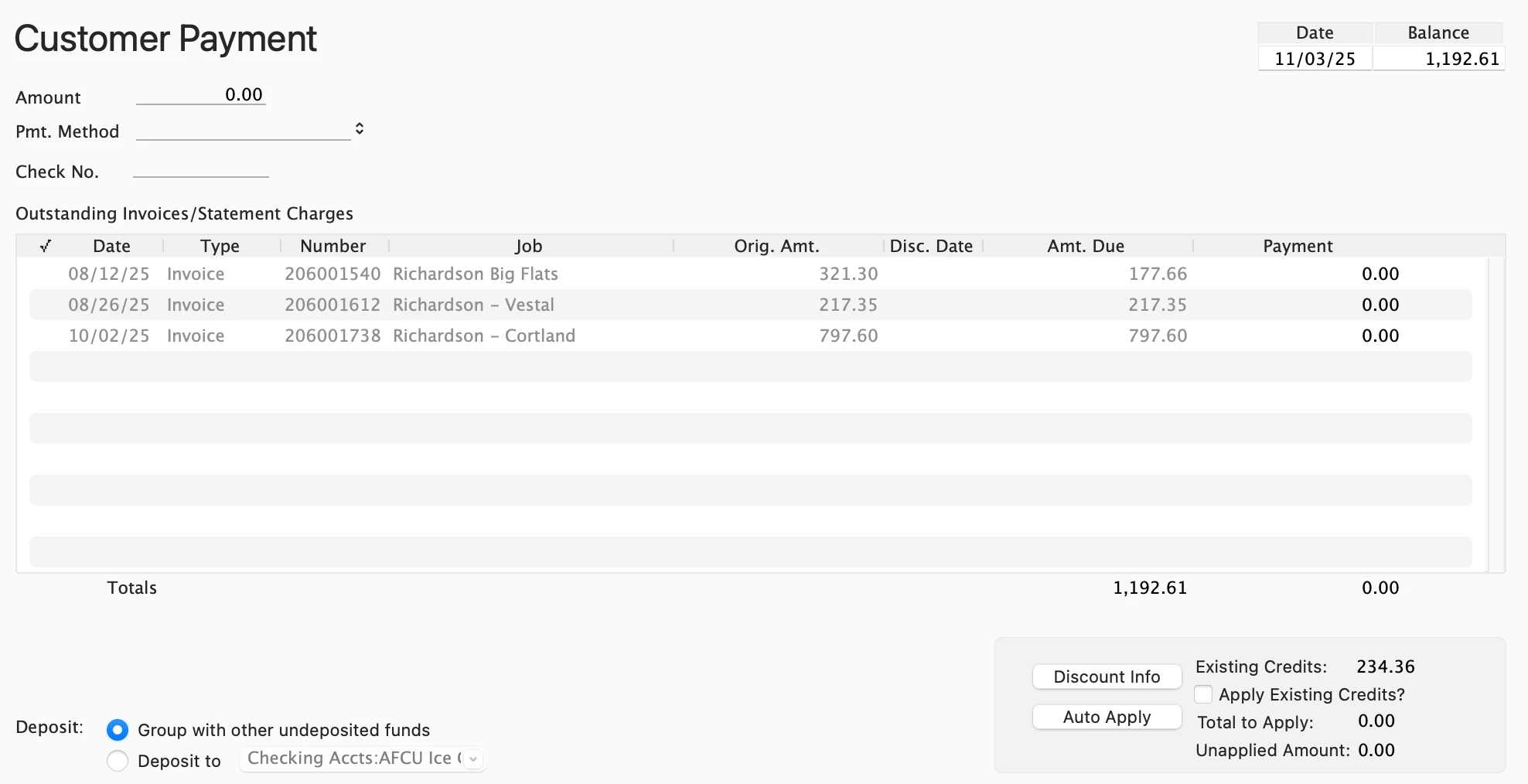
Here is payment window showing credits to be applied:
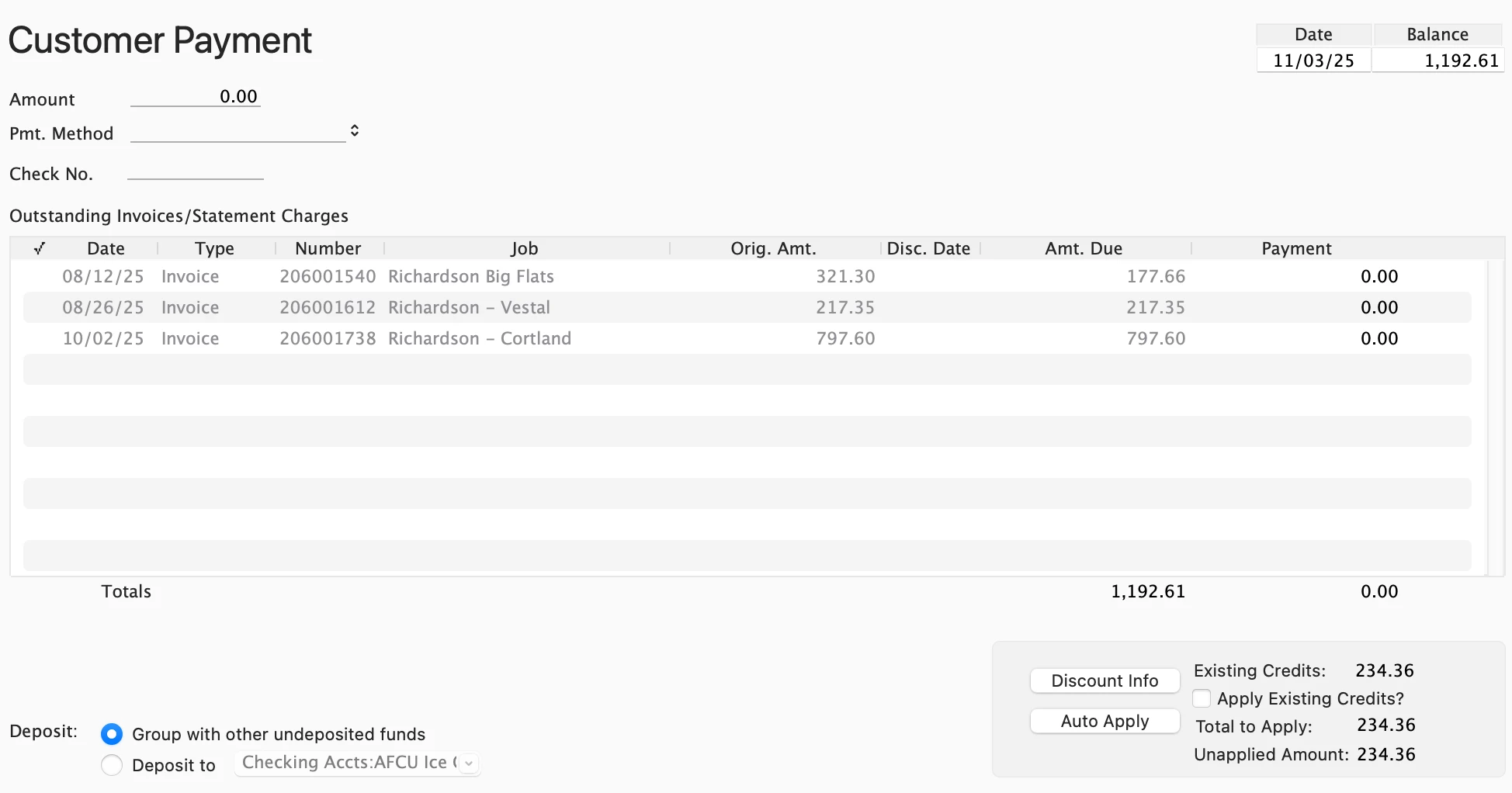
After selected Apply Credits the Unapplied Amount is filled in:
I apply the credit amount to the appropriate invoices and hit Save.
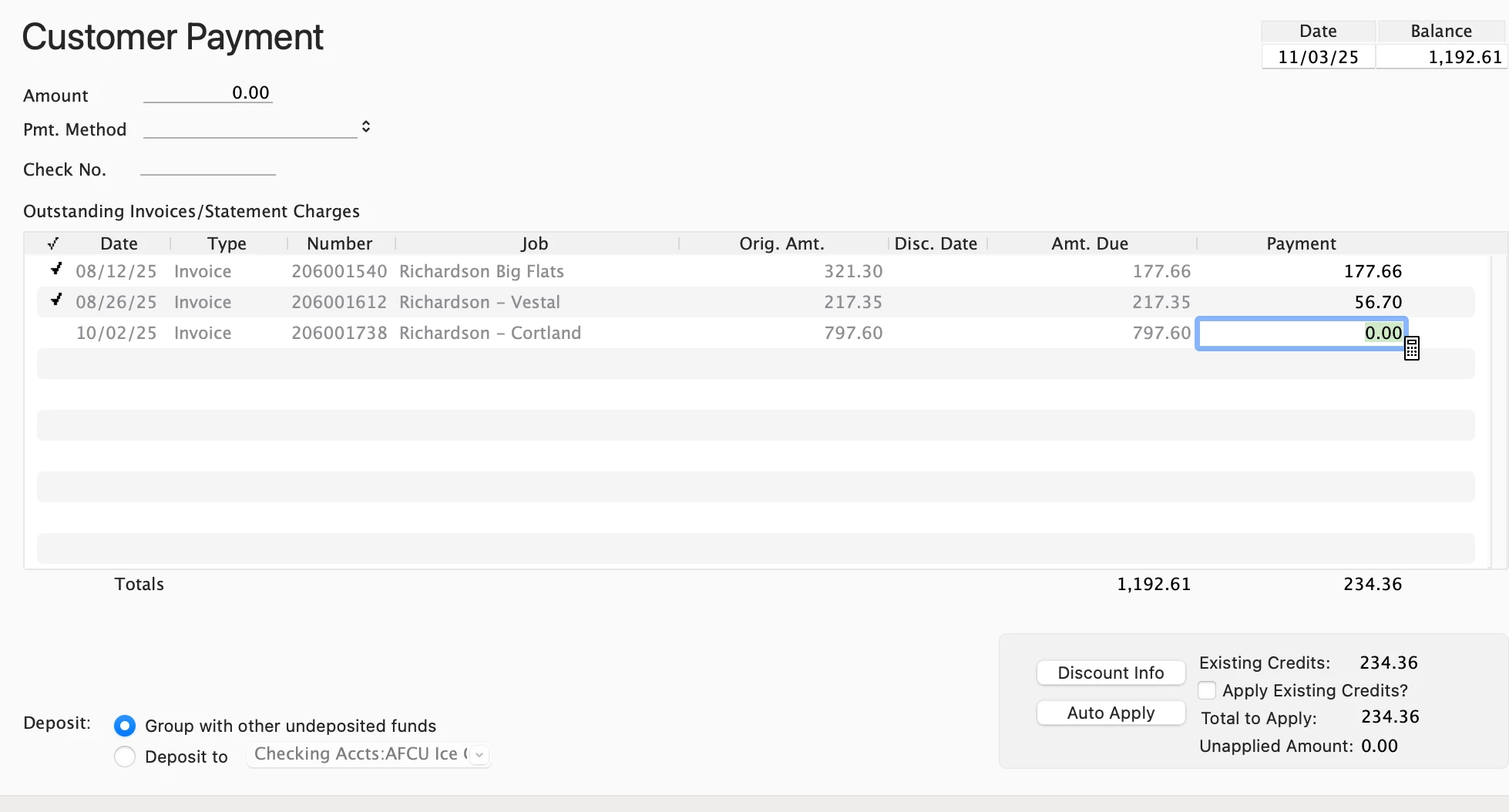
Credits are not applied and I still have these opening balances and the existing credit.  

How can this be resolved?

Thank you.

1 reply

QuickBooks Team
November 3, 2025

We appreciate your effort in verifying and rebuilding your file twice, then providing detailed information regarding the issue you're experiencing with credits not being applied in QuickBooks Desktop (QBDT) for Mac, Susan.


To ensure that the credits are applied correctly, make sure to check the Apply Existing Credits? checkbox. This will allow the system to automatically retrieve and apply the appropriate credits to the invoice.


If you enter the credit amount manually, it may result in credits being left unapplied, leading to potential issues or discrepancies in your account. Using the checkbox ensures that credits are handled properly.


You can click the reply button if you have further questions or concerns. We're here to assist you.

Susan607Author
November 3, 2025

Thanks for the quit response Claire.

I've repeatedly tried to select the check box but it will not check unless invoices are selected.  When I select invoices, the amount of the deposit appears. When I apply the credits, then I have double the amount "To Be Applied",  When I erase amounts on invoices the Amount in deposit still stays the same.


I think I need the correct sequence so that nothing is actually deposited but the credits are applied.  Thanks.

See below:

MitchMac
New Member
November 3, 2025

It sounds liike your preference to 'Automatically Calculate Payments' has been turned off, which is causing the flow situation you're seeing.  You could go to QuickBooks > Preferences > Sales & Invoicing and then turn on the pref. to Automatically calculate payments.  Then when you go to receive payments and check mark the box to Apply Existing Credits it will auto assign to the oldest invoice first.  


If you would rather assign the credits yourself, you can leave the setup you already have.  But when you are on the Receive Payments window and click the checkmark to Apply Existing Credits, instead of checking off the invoice you want to apply it go, go to the Payment column of the invoice you want to apply the credit and type in the amount you want to apply.  After doing that, once you tab or click to another field it will associate the credit to the invoice and you can save the changes.


Hope this helps out.