
Get 50% OFF QuickBooks for 3 months*

Buy now
Switch to QuickBooks and 70% off for 3 Months
July 27, 2025
Question

Bin location - couldn't be fixed by Rebuild

  • July 27, 2025
  • 2 replies
  • 24 views

Hi!  I have some errors that can't be fixed by the Rebuild and I was hoping someone could tell me how I can fix it. 
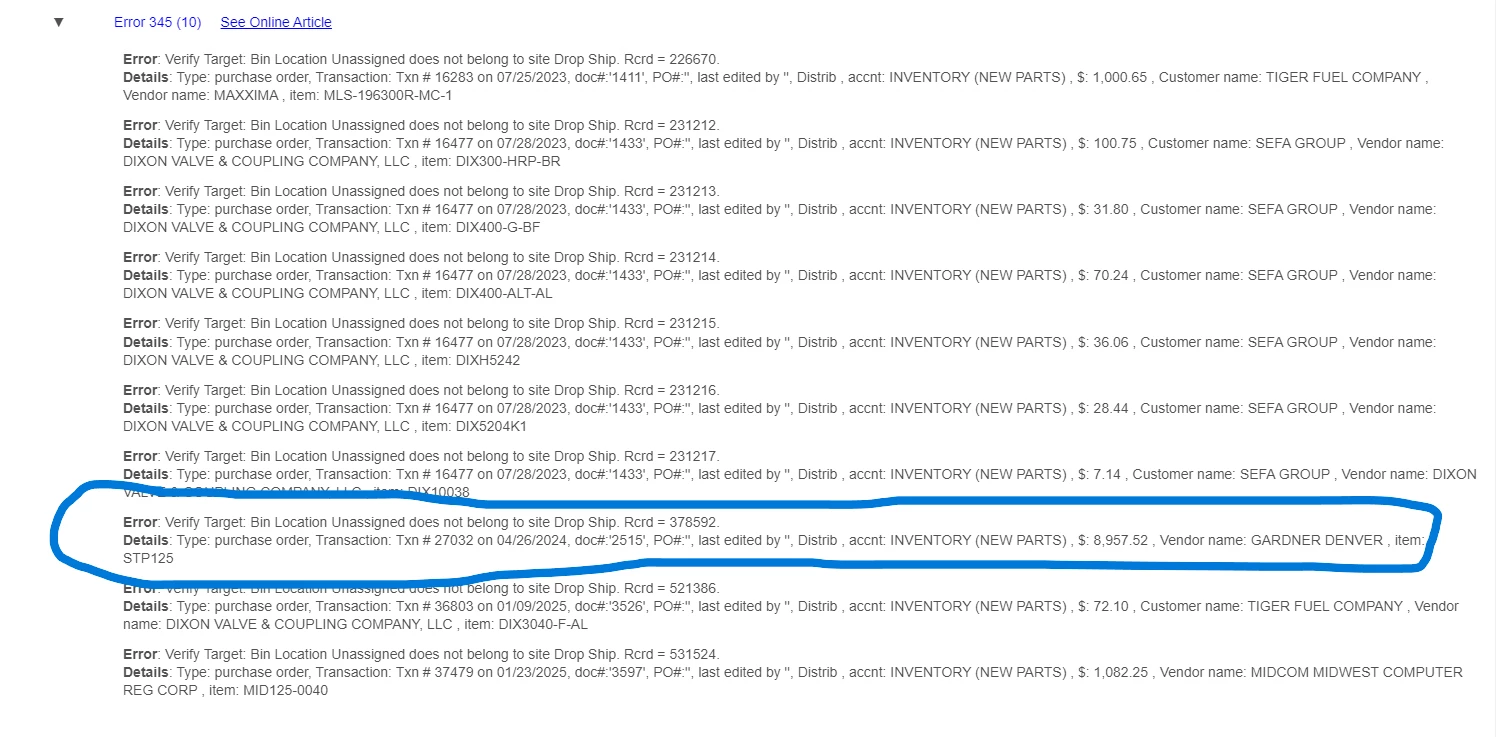


It looks like QB has the location for STP125 as Unassigned bin (Under Drop Ship) and Sold bin (under Main location).   I would think normally I could do an Inventory Transfer... however, there is no quantity in inventory.
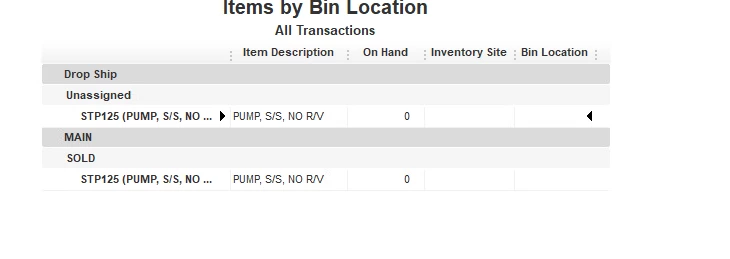


I tried making a 0 quantity transfer from the Unassigned to Sold but it didn't fix the issue. FWIW when I tried to do the transfer QB populated "Unassigned" in the Dropship location... and "Sold" under Main.


Any suggestions how I can fix this error?   Thanks in advance for your time.


2 replies

MsNorthPND1881
QuickBooks Team
July 27, 2025

You can use the QuickBooks Tool Hub to address the bin assignment and transaction history. It offers tools like QuickBooks File Doctor, which can repair damaged company files and resolve network issues, Kathryn91.


Here's how:


  1. Close QuickBooks.
  2. Download the most recent version (1.6.0.8) of the QuickBooks Tool Hub. Save the file somewhere you can easily find it (like your Downloads folder or your Windows desktop). 
  3. Open the file you downloaded (QuickBooksToolHub.exe).
  4. Follow the on-screen steps to install and agree to the terms and conditions.
  5. When the installation finishes, double-click the icon on your Windows desktop to open the tool hub.


If the same thing, the error may stem from corrupted data or deeper system issues. We recommend reaching out to the QuickBooks Live Support Team for assistance. They may provide advanced troubleshooting. Here's how you can contact them:


  1. Navigate to Help and select QuickBooks Desktop Help/Contact Us.
  2. Enter your question, keyword, or topic.
  3. If answers aren't available, choose Contact Us to connect with an expert. (You must search for an article to access the Contact Us option.)


For more details, refer to the article Get help with QuickBooks products and services, which includes support hours and guidance for QuickBooks services.


Also, as you continue working with QuickBooks, you can open the topics from our help articles in case you need related resources in the future.


Feel free to let us know in this thread if you have further questions about the bin location in QBDT. 

SIAB
Level 2
July 28, 2025

@kathryn91 

Another option, consider to purchase a 3rd party sevice to fix your company file. You can contact @Fiat Lux - ASIA directly by email for assistance.