Solved
How can I run a profit and loss by customer report on the app?
No text available

Hello there, @rwhomeimprove. As the QuickBooks Online app currently only supports the standard Profit and Loss and Balance Sheet views, I recommend using a mobile web browser to access this specific report.
While the mobile app is great for quick check-ins, it does not currently offer the by Customer breakdown or advanced filtering required for that specific report. However, you can still view it on your phone by bypassing the app and using your device's browser, such as Safari or Chrome, to access the full QuickBooks Online site.
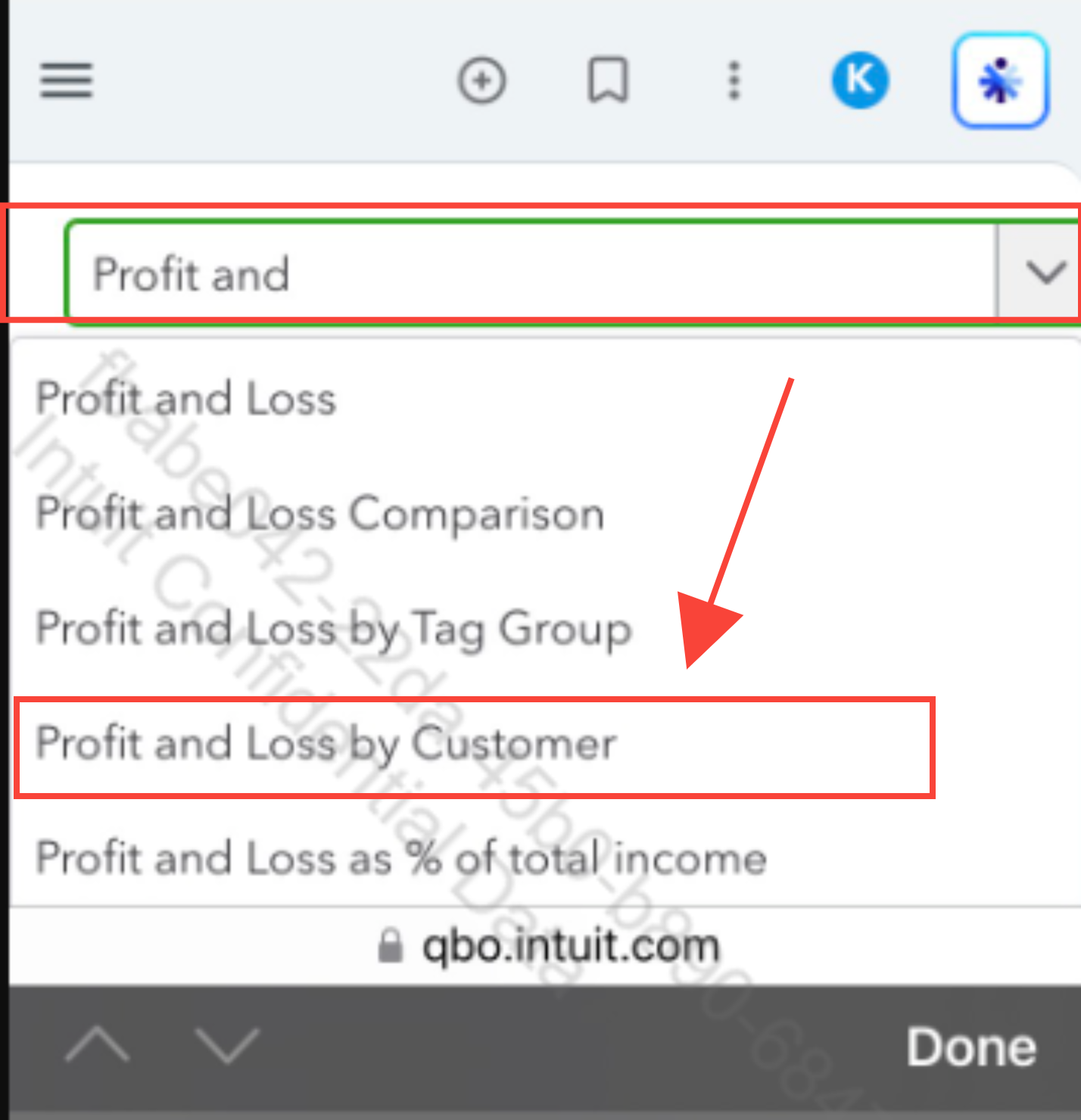
For visual reference, see the image below.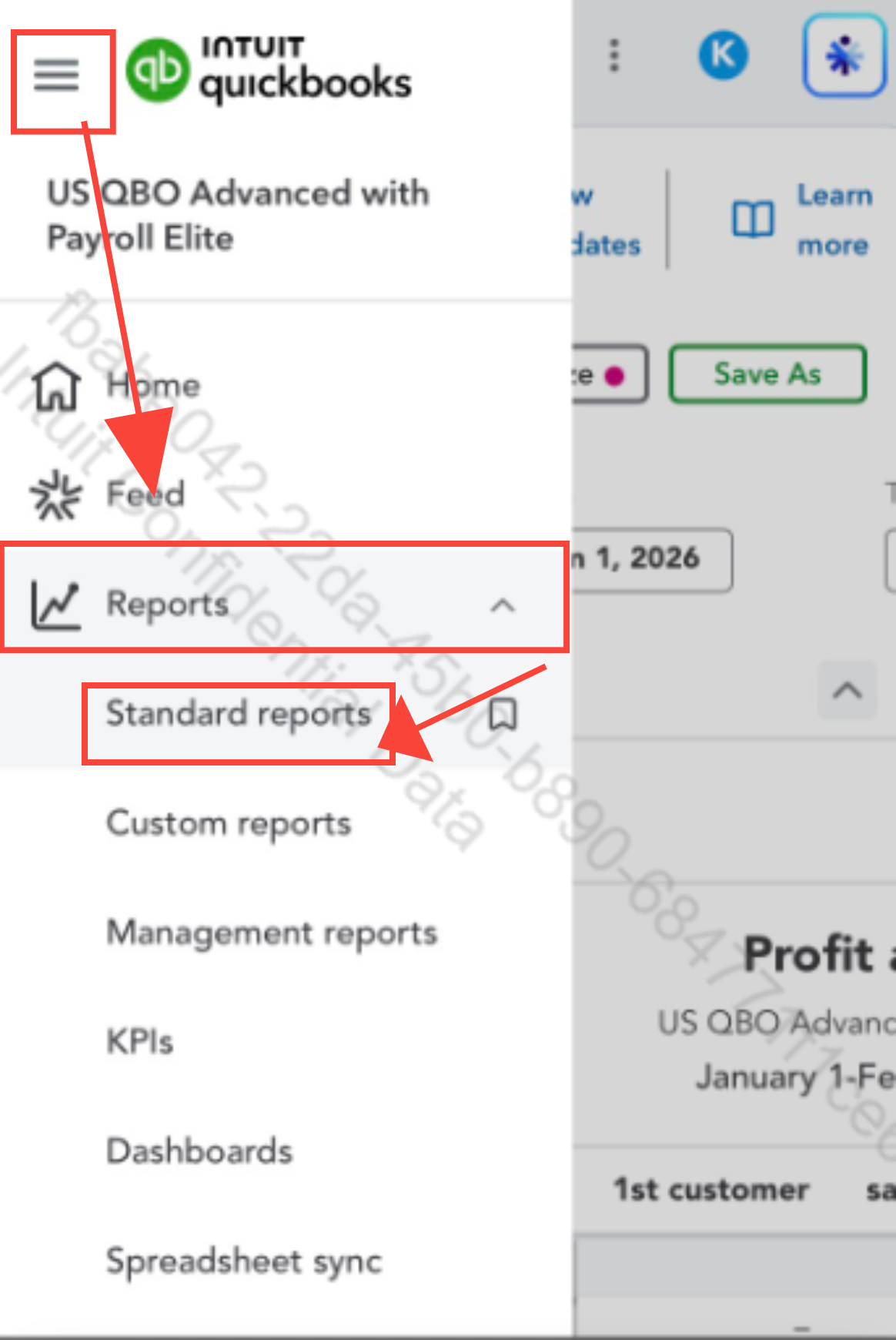
Please don't hesitate to click the Reply button if you have other questions about QuickBooks.
Enter your E-mail address. We'll send you an e-mail with instructions to reset your password.