Solved
How do I chance the address on my invoices?
No text available

Hello there, Kim. Let’s get your address information updated.
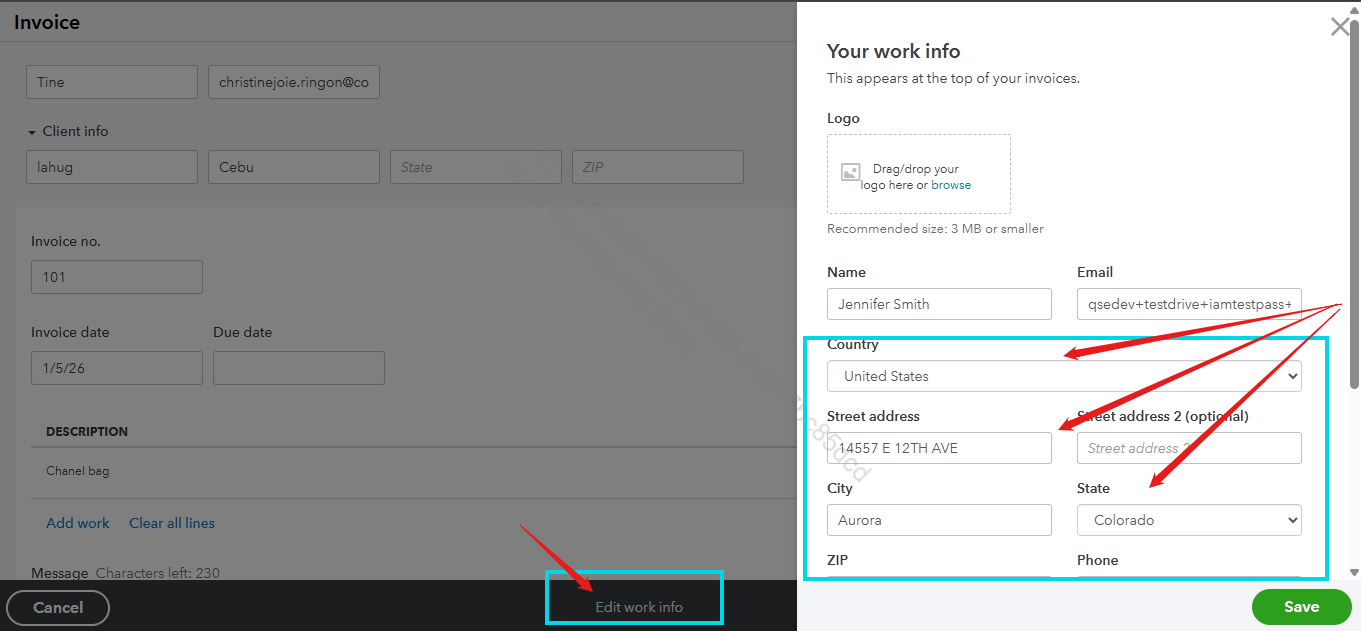
To change the address on your invoices in QuickBooks Self-Employed, simply click the Edit work info option while creating an invoice. This will let you update your address, and the changes will automatically be applied to future invoices.
See this for you reference:
If you also need to update a client’s address in the future, you can do so easily by selecting the Client info dropdown on the Invoice page after choosing the client.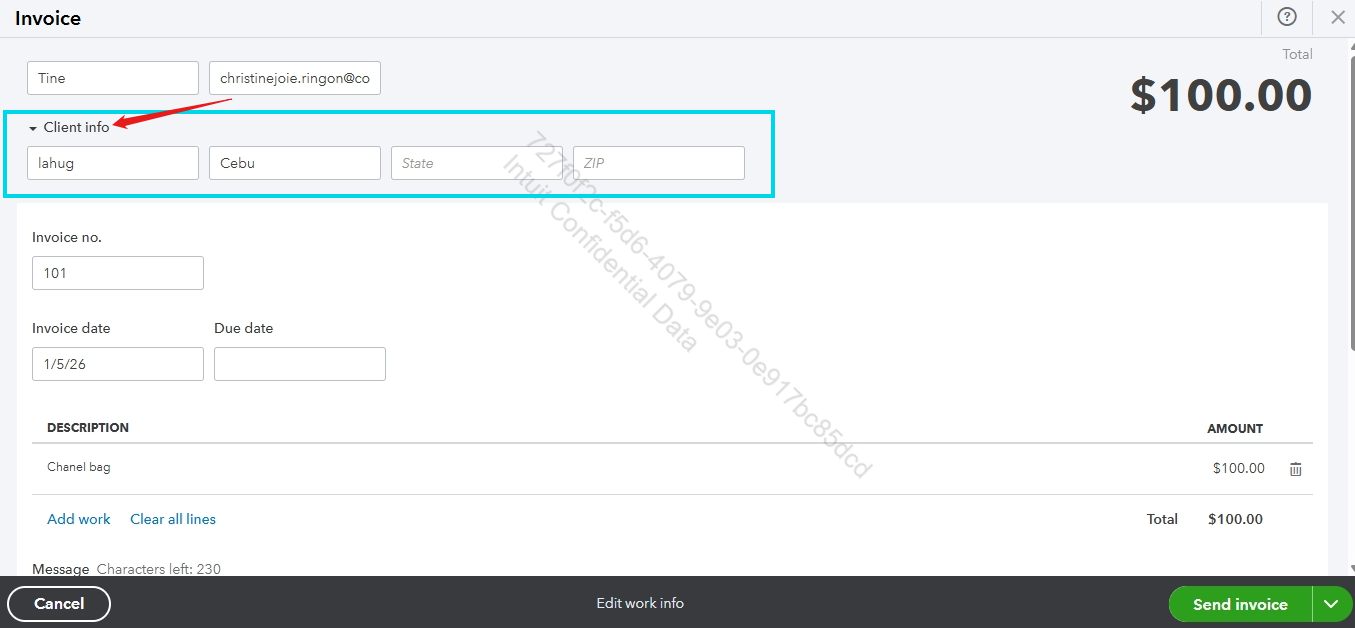
I'll be here if you need additional assistance regarding your invoices, Kim.
Enter your E-mail address. We'll send you an e-mail with instructions to reset your password.