Solved
How do I download my Schedule C?
Where do I find it?

Where do I find it?
Hello, @Bryant7. You cannot export 1040 forms from QuickBooks Self-Employed. However, you can fill out the form directly using your QBSE data.
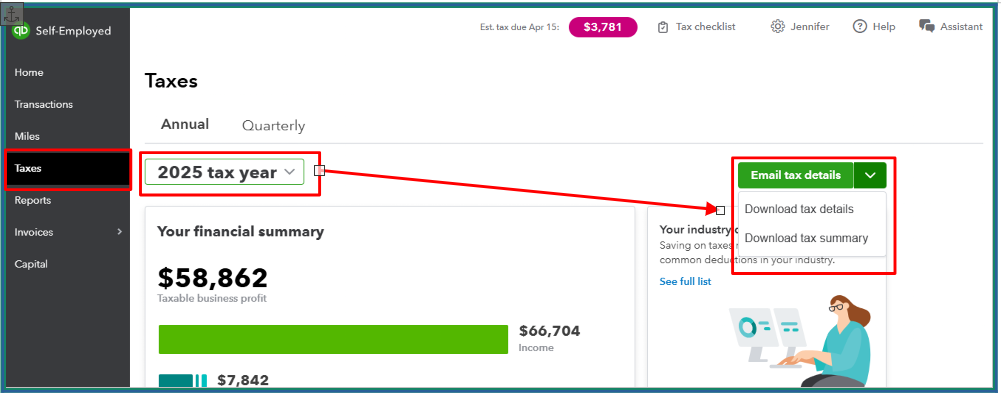
If you prefer, you can refer to Schedule C-related reports, which you can download and export from QuickBooks. Navigate to the Taxes section and select the appropriate tax year. In the Email tax details dropdown, you can choose either Download tax details or Download tax summary.
You can also check this article and to see how Schedule C categories appear in your financial reports: Schedule C and expense categories in QuickBooks Solopreneur and QuickBooks Self-Employed.
Let us know if you have further questions. We're here to help you anytime.
Enter your E-mail address. We'll send you an e-mail with instructions to reset your password.