Solved
How do I run a Budget vs Class report with columns for Monthly Actuals, monthly budget, YTD Actuals and YTD Budget AND a column with the Annual Budget?
report with classes on the left side and columns with acutual expenses and then budgets

report with classes on the left side and columns with acutual expenses and then budgets
Hello there, @Carmbkpr.
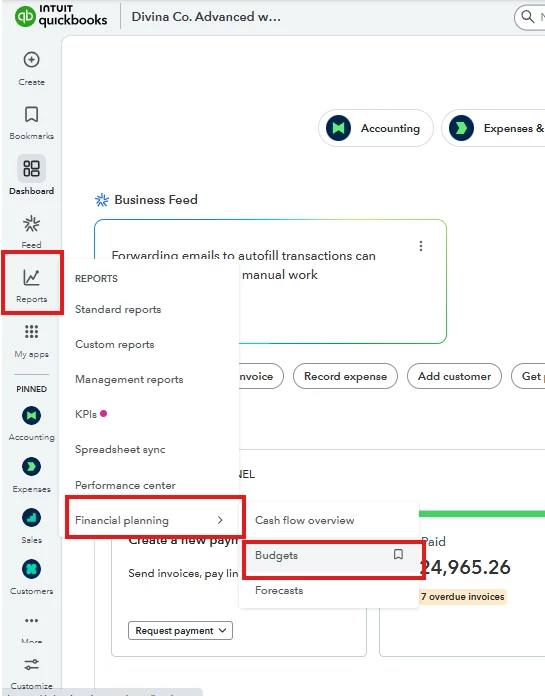
You can generate the data of budget vs. class with the specified columns in the Financial Planning section from the Reports tab.
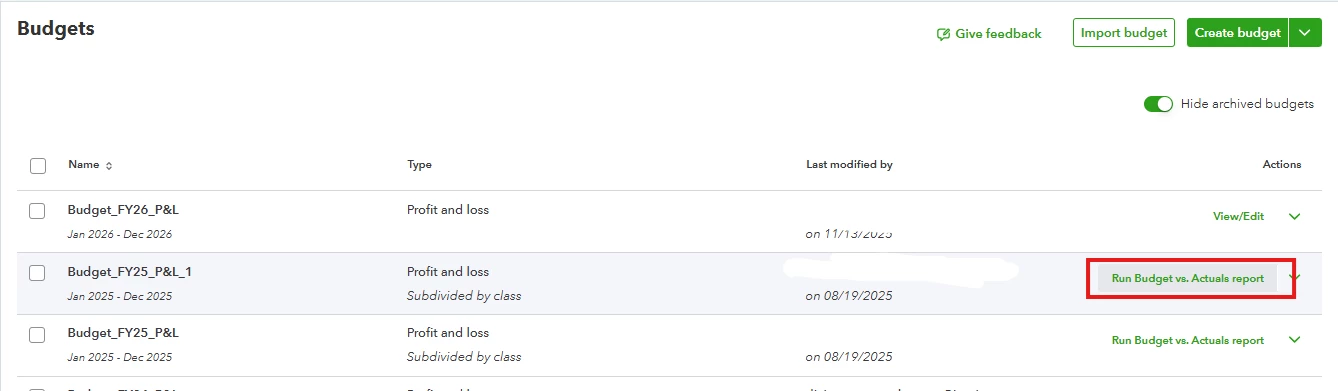
It is also worth noting that there's no specific report in QuickBooks Online (QBO) Advanced entitled 'Budget vs. Class'. However, we can generate the data you want by running the Budget vs. Actuals report.
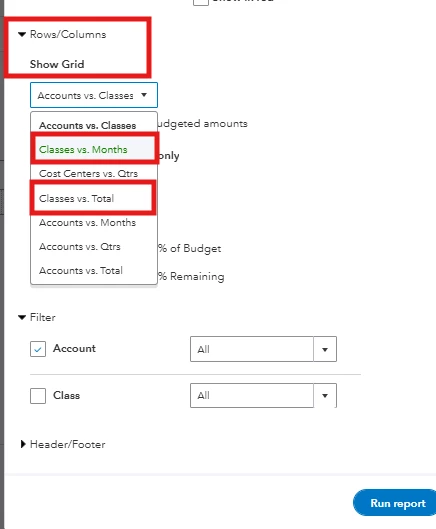
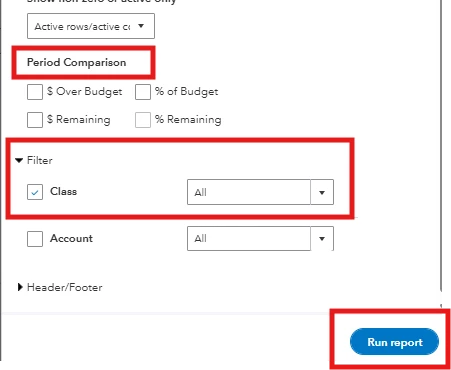
Once we generate the report, we'll need to Switch to classic view, as certain columns are only available in this display.
Here's how:

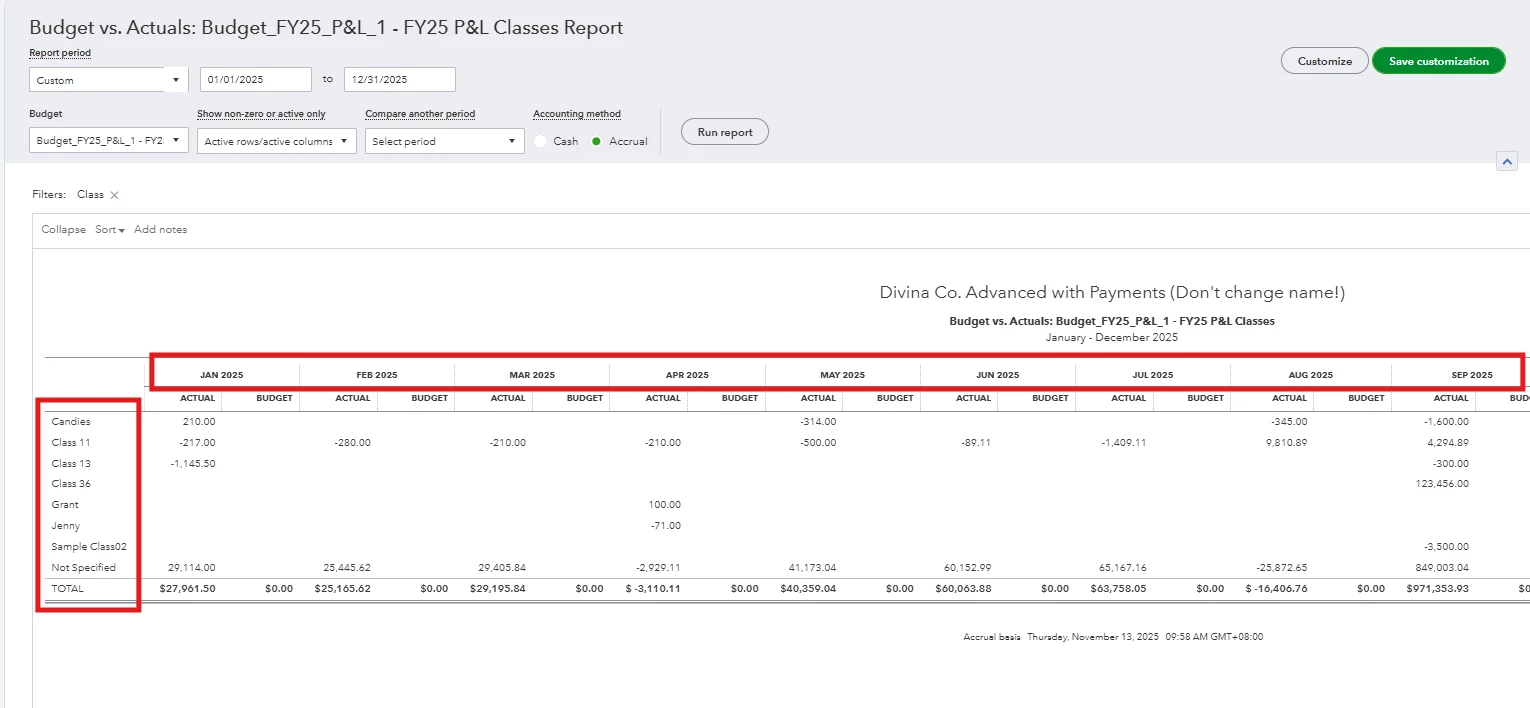
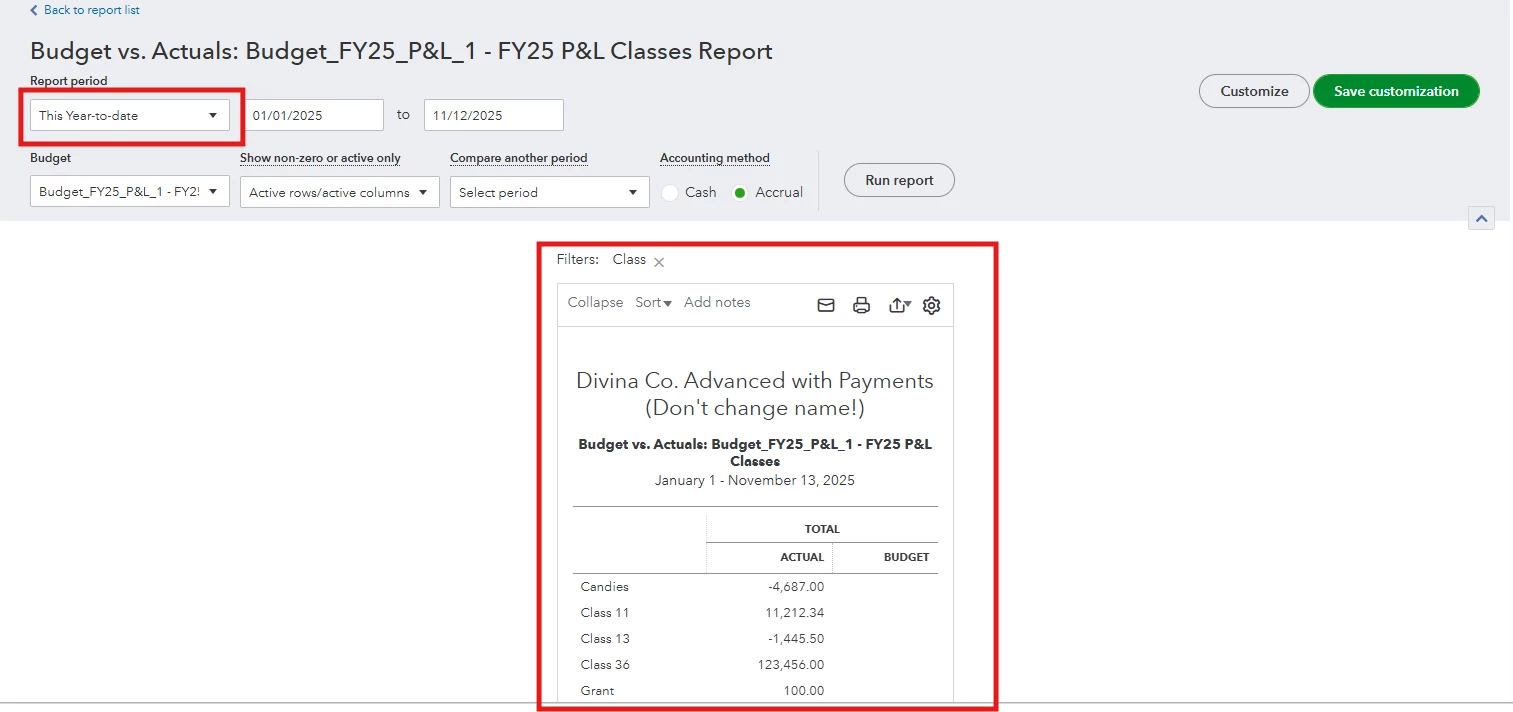
These are the results based on the my suggested customization of the report:
Drop your reply in case you need additional assistance.
Enter your E-mail address. We'll send you an e-mail with instructions to reset your password.