
Get 50% OFF QuickBooks for 3 months*

Buy now
Switch to QuickBooks and 70% off for 3 Months
August 2, 2025
Solved

I uploaded a receipt for an expense using the snap feature. I can view the attachment with the expense. How do you download it or screen capture it? The app won't let me.

  • August 2, 2025
  • 1 reply
  • 24 views

When I use my Android phone's built in screen capture feature the app is disallowing recording the attached receipt when I view it.
Best answer by ArielI

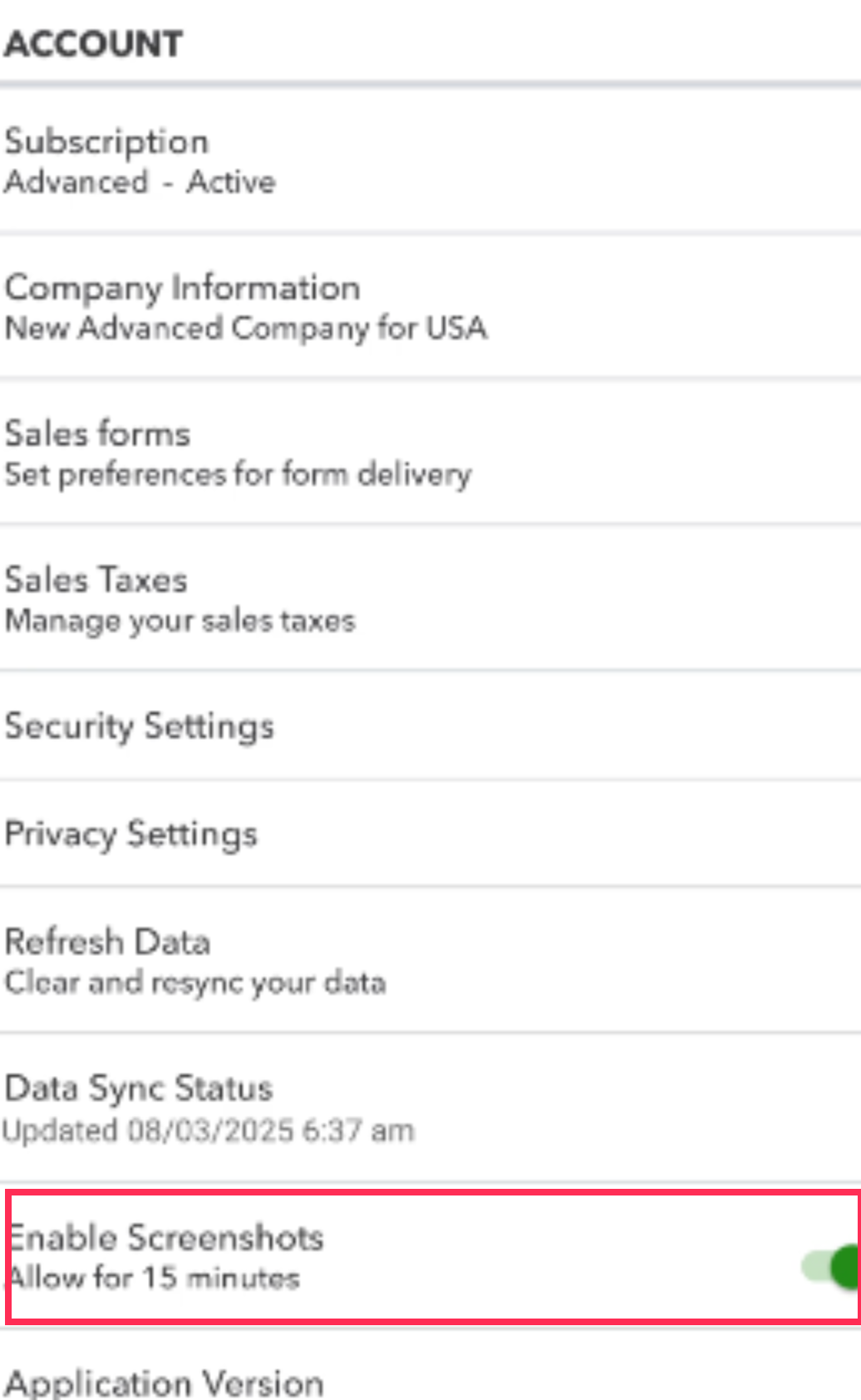
To download the receipt, you can enable the screenshot feature, which allows you to capture the receipt for up to 15 minutes, @accounting669.


  1. Tap the Settings icon in the top left corner.
  2. Enable the Screenshot option.
  3. Return to the receipt and try capturing it again.


Following these steps will help you successfully save your receipt. If you have any further questions, feel free to reach out. We're here to assist you anytime.

1 reply

ArielIQuickBooks TeamAnswer
QuickBooks Team
August 2, 2025

To download the receipt, you can enable the screenshot feature, which allows you to capture the receipt for up to 15 minutes, @accounting669.


  1. Tap the Settings icon in the top left corner.
  2. Enable the Screenshot option.
  3. Return to the receipt and try capturing it again.


Following these steps will help you successfully save your receipt. If you have any further questions, feel free to reach out. We're here to assist you anytime.

August 3, 2025

That worked perfectly. Thank you!

RazzieE
QuickBooks Team
August 3, 2025

Hello there @accounting669.
 

We are thrilled to learn that our colleague Ariel's solution helped you successfully save your receipt! Your satisfaction is important to us, and we're glad we could assist.


If you have any more questions or require further help with QuickBooks, please feel free to return to the Community. We're dedicated to providing support whenever you need it.