Solved
If a Contractor is marked as Inactive, after being paid through Payroll for part of the year, will the 1099 still be produced at year-end?
No text available

Inactive contractors won’t appear when you generate a 1099 in QuickBooks Online, you'll need to reactivate the contractor at the end of the year, Christine.
Here’s how:
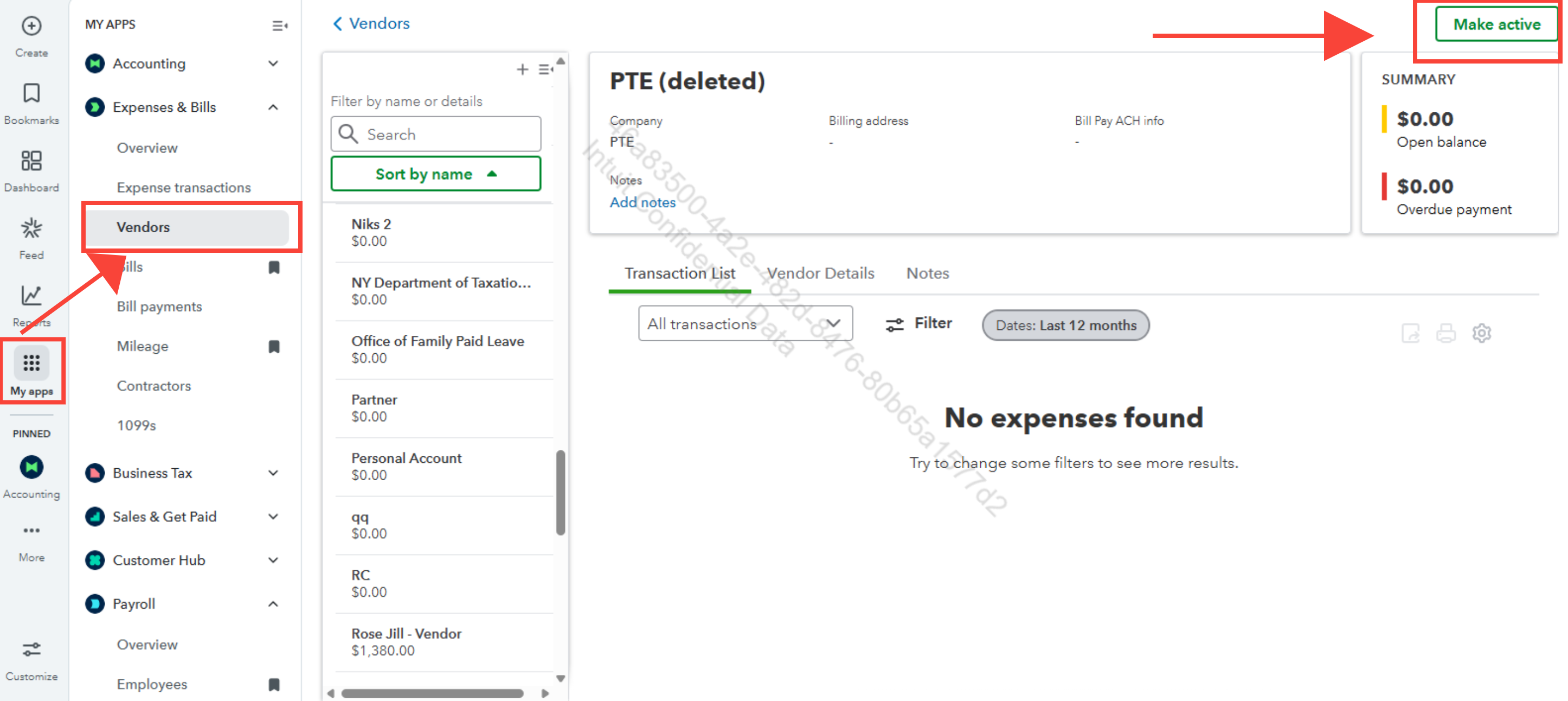
Make sure to review their transactions to ensure they meet the $600 reporting threshold and were paid using cash, check, or direct deposit. Keep in mind that payments made via credit card, debit card, gift card, or third-party networks like PayPal are excluded, as QuickBooks Online automatically omits them from the 1099 report.
For more details, please visit this article: Troubleshoot missing contractors or wrong amounts on 1099s.
Please don't hesitate to drop a comment below if you have any other questions.
Enter your E-mail address. We'll send you an e-mail with instructions to reset your password.