Solved
Purchases by Item Report
I ran a purchases by item report, and some of the purchases are missing. I checked all the invoice entries, and they are all posted the same, with the item specified.

I ran a purchases by item report, and some of the purchases are missing. I checked all the invoice entries, and they are all posted the same, with the item specified.
Thanks for joining us here, kikiimags. Reviewing the vendor invoices was an excellent initial step in looking for the missing items.
There are a few possible reasons and troubleshooting steps to consider to make sure they appear on the report.
First, let's confirm the report's settings are inclusive of all transactions. Go to the Dates section and make sure the filter is wide enough to capture all of your purchases.
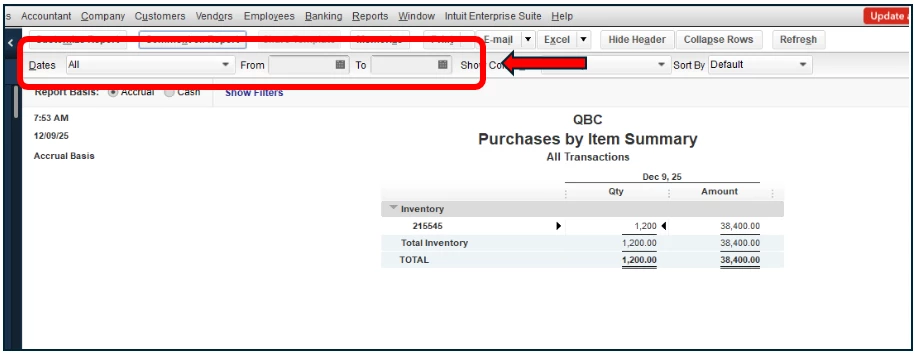
If the date range is correct, missing items can sometimes be caused by data corruption within the company file. If this is the case, you can use the Rebuild Data Utility tool to resolve common file issues. Check out this article for a step-by-step guide: Fix data damage on your QuickBooks Desktop company file.
After running the Rebuild Data utility, go back to the Purchases by Item report and check if all items are now showing up.
Please know that you can always get back here if you need anything else.
Enter your E-mail address. We'll send you an e-mail with instructions to reset your password.