Solved
Were do I see class option in the a/p aging report
Were do I see class option in the a/p aging report

Were do I see class option in the a/p aging report
Hi, @finance235.
Currently, the A/P Aging summary and A/P Aging detail reports don't have a way to filter by class. However, you can achieve your goal by running the Transaction Detail by Account report, as you can add the Class column to it and then filter by Transaction Type, A/P paid, and Distribution account. Here's how:
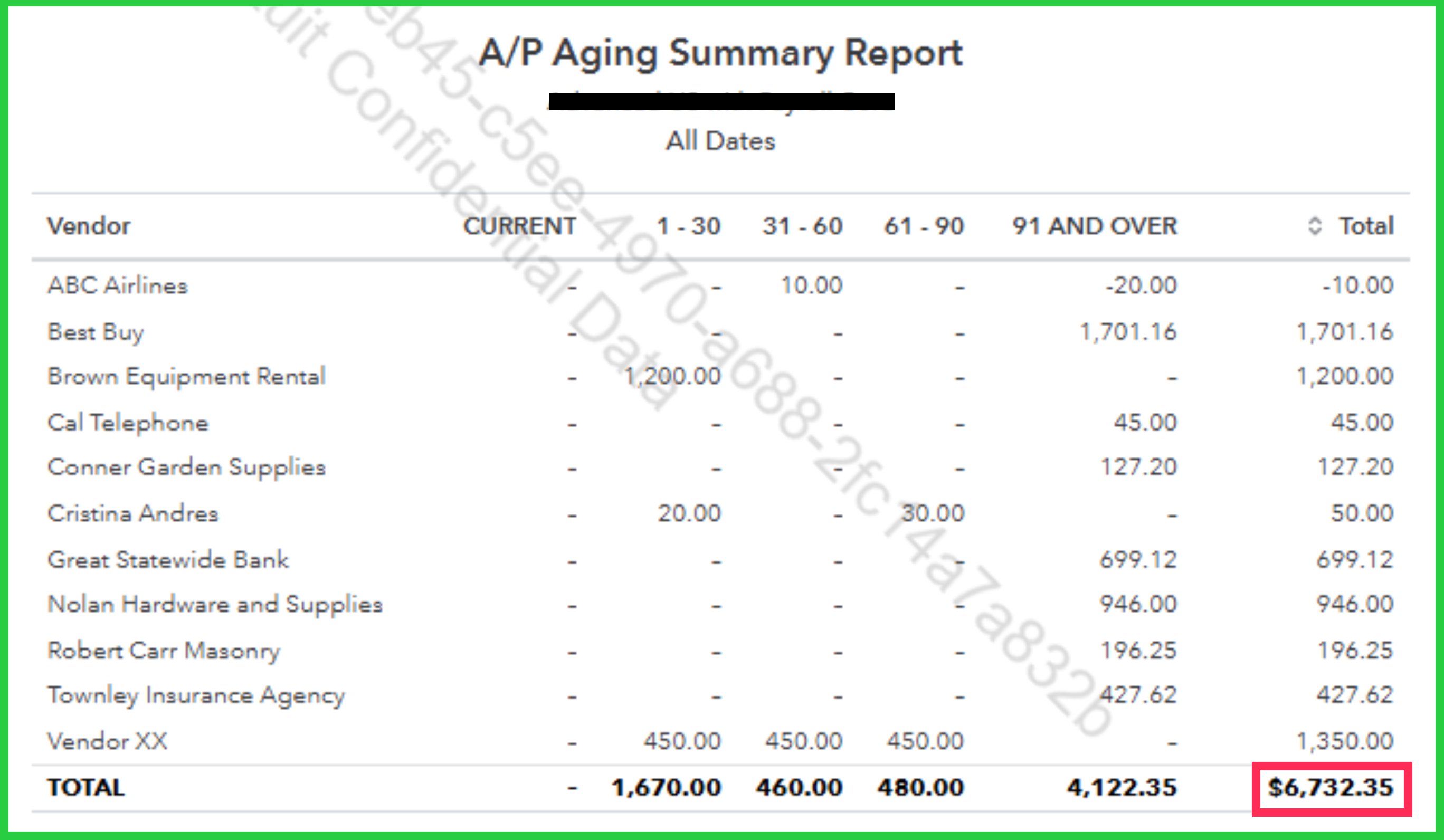
Once done, compare the Amount from the Transaction Detail by Account report with the Total or Amount from the A/P Aging report; they should match. Lastly, be sure to align the Report period on both reports for the best results.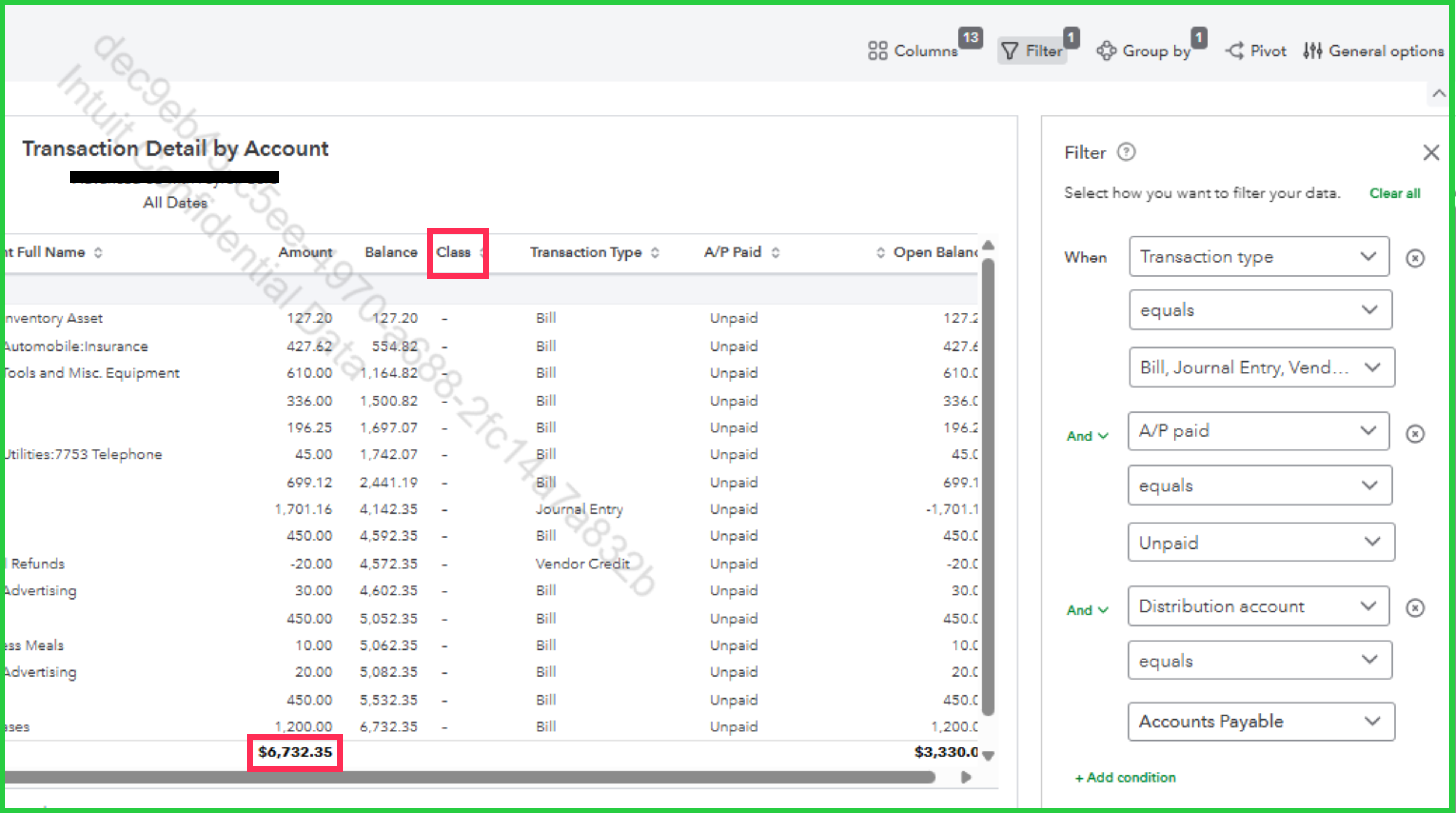
If you have any other concerns, feel free to reply in the thread.
Enter your E-mail address. We'll send you an e-mail with instructions to reset your password.