
Get 50% OFF QuickBooks for 3 months*

Buy now
Switch to QuickBooks and 70% off for 3 Months
April 13, 2026
Solved

Where do I enter cost for a rental property?

  • April 13, 2026
  • 1 reply
  • 12 views

Where do I expense rental property cost?

Best answer by JoelES

Hello there, mbryant1. You can add rental and lease transactions to QuickBooks Self-Employed (QBSE) by manually entering them, especially for cash transactions or if your bank accounts are not connected. 


Here’s how to add a transaction:
 

  1. Log in to your QBSE account.
  2. Navigate to the Transactions menu on the left panel and click on Add Transaction.
  3. Enter the amount of your earnings and add a description to detail the source of your earnings.
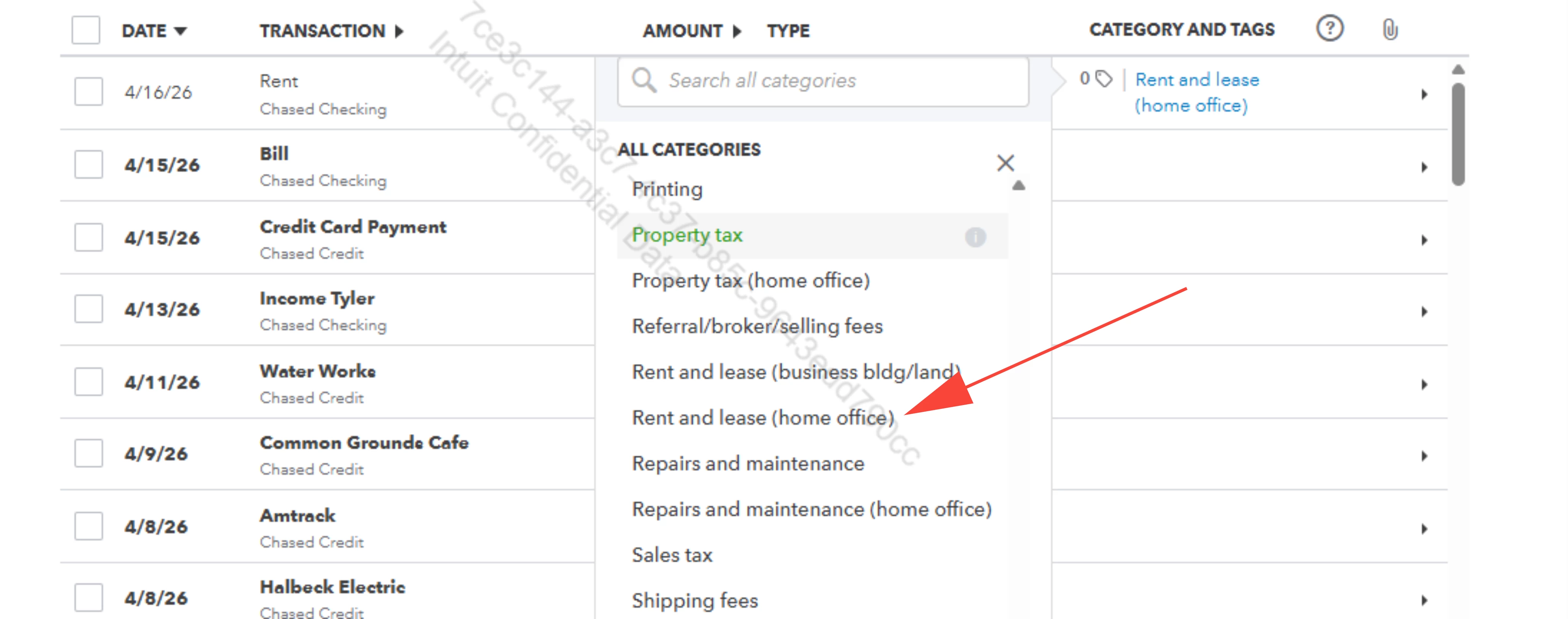
  4. Choose the appropriate category, such as rental and Lease, from the dropdown menu.
  5. Click Save to keep the transaction.


For more information, you can also check out the article: Schedule C and expense categories in QuickBooks Solopreneur and QuickBooks Self-Employed


If you have any further concerns, feel free to post in the Community again.

1 reply

JoelESQuickBooks TeamAnswer
QuickBooks Team
April 13, 2026

Hello there, mbryant1. You can add rental and lease transactions to QuickBooks Self-Employed (QBSE) by manually entering them, especially for cash transactions or if your bank accounts are not connected. 


Here’s how to add a transaction:


  1. Log in to your QBSE account.
  2. Navigate to the Transactions menu on the left panel and click on Add Transaction.
  3. Enter the amount of your earnings and add a description to detail the source of your earnings.
  4. Choose the appropriate category, such as rental and Lease, from the dropdown menu.
  5. Click Save to keep the transaction.


For more information, you can also check out the article: Schedule C and expense categories in QuickBooks Solopreneur and QuickBooks Self-Employed


If you have any further concerns, feel free to post in the Community again.