


QuickBooks Product Updates: Smart pension, new features, and faster access to capital | Jan 2026

January’s updates are all about making everyday tasks simpler and giving you more control over your cash flow. We’ve added new features across pension, capital lending, and practice management to help you spend less time on admin and more time running your business.
[PENSION]
Smart Pensions now available for Elite and Premium Payroll customers.
Elite and Premium customers can now manage workplace pensions directly in QuickBooks Online Payroll using Smart Pensions. This helps businesses stay compliant with workplace pension requirements, reduces manual admin and the risk of errors, and keeps payroll and pensions connected in a single, streamlined workflow.
What you need to do:
- Set up a workplace pension scheme in Payroll
- Enrol eligible employees and configure pension pay types
- Automatically submit pension contributions to Smart Pension
- Manage multiple pension filings in one place
Good to know:
Available to Elite and Premium Payroll customers only. Upgrade your Payroll plan.
[CAPITAL]
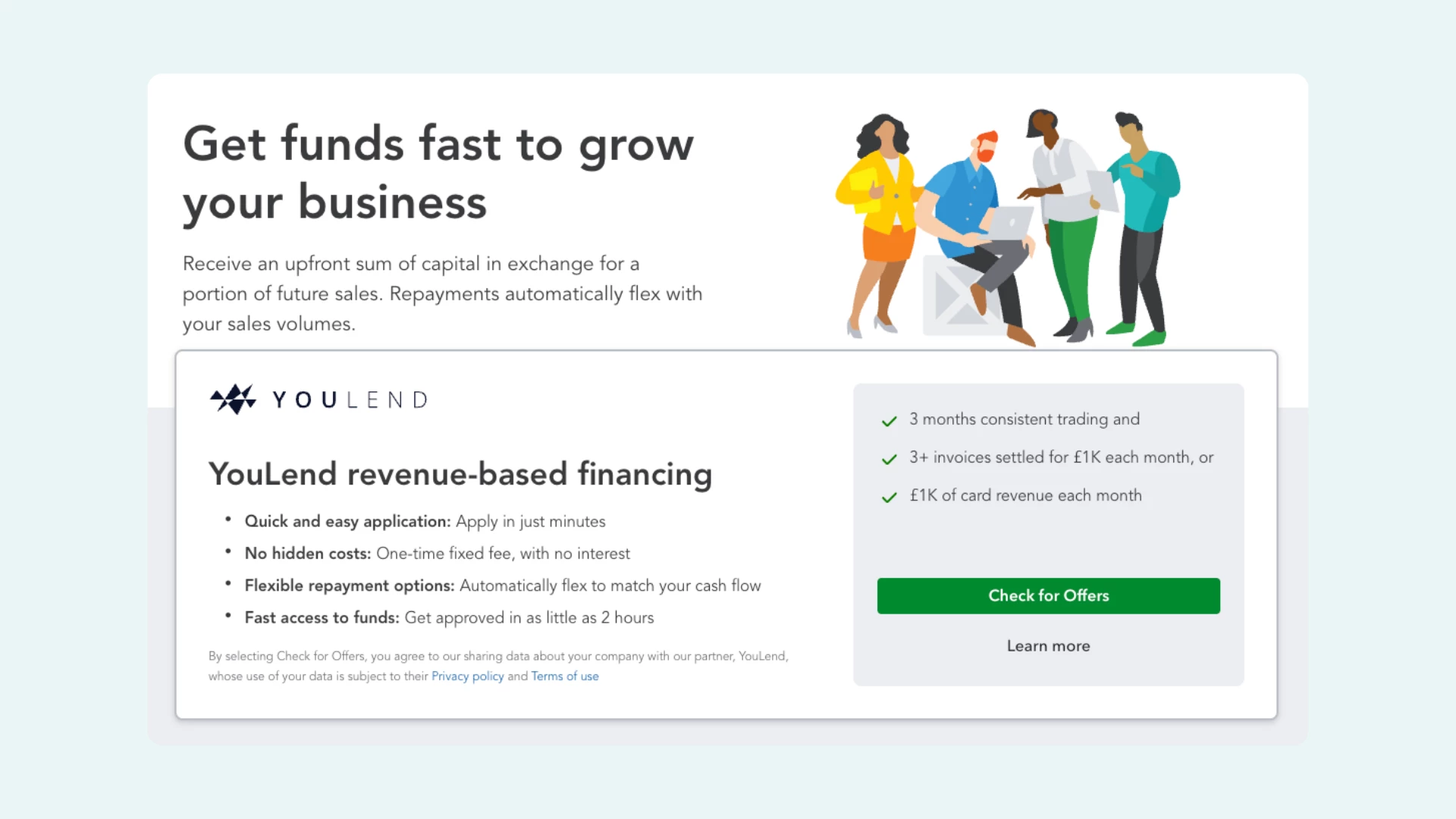
Access flexible working capital directly through QuickBooks
QuickBooks has partnered with YouLend to help eligible UK customers access working capital directly through QuickBooks, without needing a traditional business loan.
Funding is based on your business performance, with payments automatically taken as a percentage of daily sales. That means payments flex with your cash flow, and there’s nothing to repay on days you don’t make sales.
What this means for you:
- Access funding from £1,000 up to £1,000,000 (subject to eligibility)
- Repay flexibly as you make sales, rather than fixed monthly repayments
- Apply for funding without leaving QuickBooks - while you apply within QuickBooks, YouLend owns and manages the application and approval process.
- No additional fees charged by QuickBooks
What you need to do:
Check your eligibility and apply directly from Apps > Capital in QuickBooks.
If you have questions about the product, your application, or how your funding works, contact the YouLend support team at customer@youlend.com.
[VAT]
Get your VAT refund faster with InstantVAT
InstantVAT is now available in QuickBooks, helping eligible UK customers access their VAT refunds in as little as 24 hours to improve cash flow. It’s an optional service powered by Adsum that accelerates VAT refund payments after HMRC has verified your return, without changing how you submit VAT in QuickBooks.
What this means for you:
- Access VAT refunds in as little as 24 hours after HMRC verification
- Improve cash flow without taking out a loan
- Continue filing VAT returns as usual in QuickBooks
Choose when to use InstantVAT, it’s never mandatory
What you need to do:
Set up InstantVAT from Apps > Capital in QuickBooks and follow the on-screen steps.
If you have questions, contact the Adsum customer support team at help@adsum-works.com.
[IMPORTANT]
Central Bank of Ireland (CBI) verification requirements
QuickBooks customers will need to verify their business information to meet Central Bank of Ireland (CBI) requirements. This is mandatory and time-sensitive. This applies even if you are not based in Ireland. This is not a "one-time check" but a ongoing update to ensure all active accounts meet current CBI standards. For official guidance, see https://www.centralbank.ie/about.
Good to know:
- This isn’t a one-time check. It’s required to meet ongoing regulatory standards
- Accountants can support clients by uploading documents on their behalf.
[UPDATE]
Practice Manager now includes a Kanban view. It lets you view work as cards organised by task status, and switch easily between Grid and Kanban views depending on how you like to work.
Good to know
- Kanban view is available from the Work tab
- You can simply drag and drop a task card between columns to update its status.
- No setup required, just switch views to get started
[NEW]
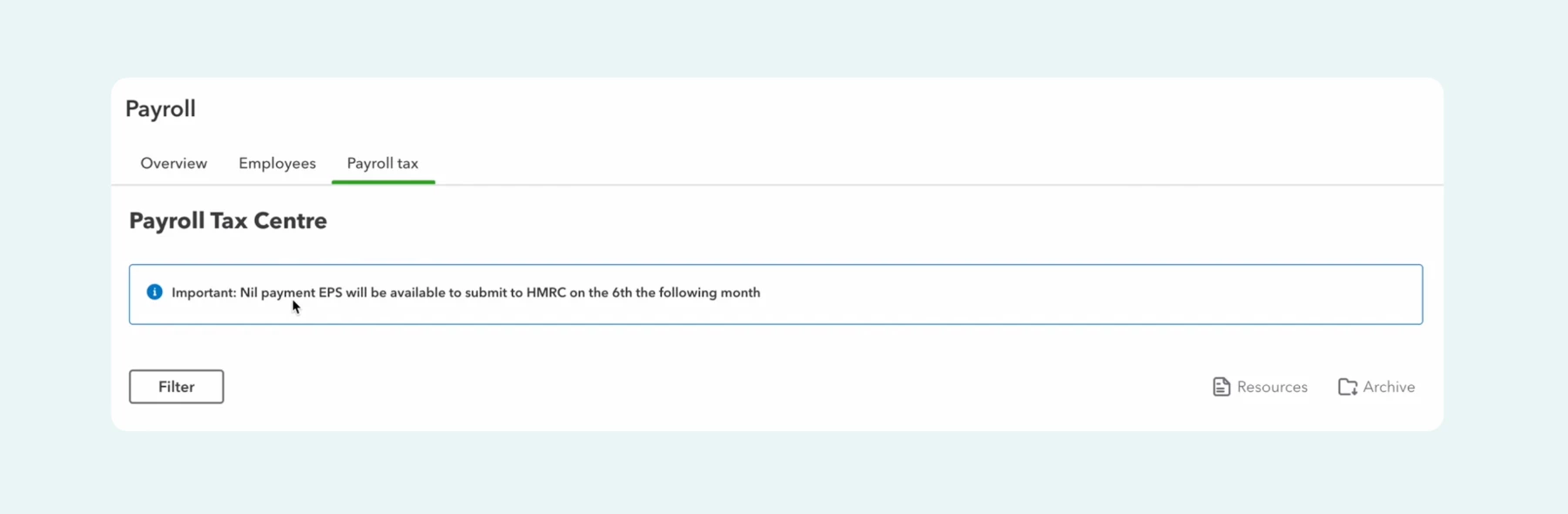
We’ve added a new notification in the Payroll Tax Centre to let customers know when a nil payment EPS is required. Use the notification as a prompt to submit a nil payment EPS on time, helping ensure payroll reporting stays accurate and up to date.
Good to know:
- This update was driven by customer feedback
- The notification only appears when a nil payment EPS is required
- No additional setup is needed
We’ll continue to share clear, practical updates like these, focusing on changes that make a real difference to how you run your business. Keep an eye out for future posts, and as always, let us know what you’d like us to improve next.