Get 50% OFF QuickBooks for 3 months*

Buy now
Switch to QuickBooks and 70% off for 3 Months
July 14, 2025
Solved

CGS & EXP

  • July 14, 2025
  • 1 reply
  • 10 views

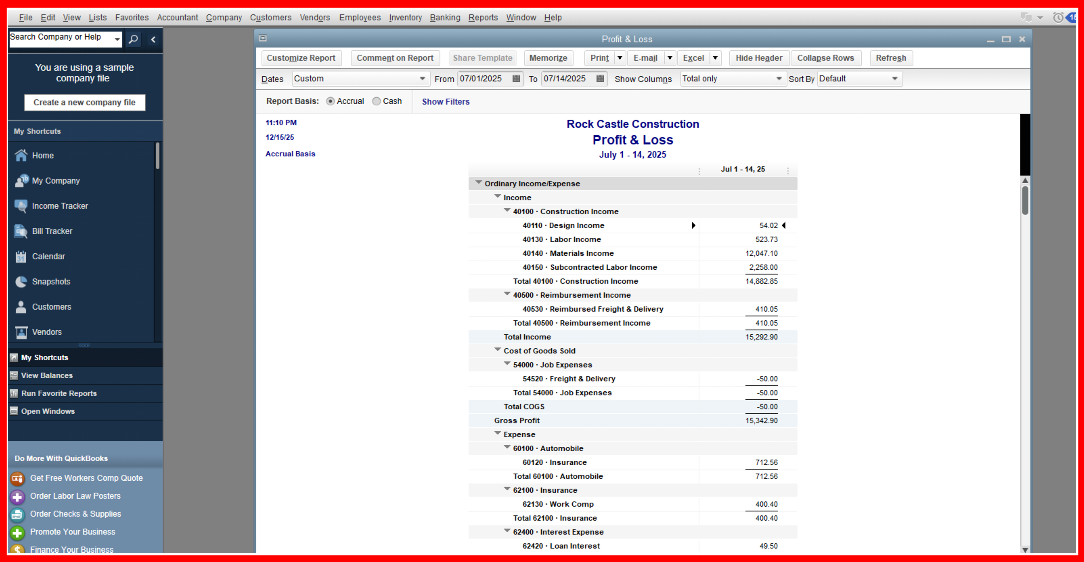
Recently reorganized Chart of Accounts to separate Cost of Goods Sold from general expenses.  Problem is that P & L does not add the CGS & Expenses together in a line at the end before net income and engineers and project managers would like to see those two types of expenses combined on the report because they are having to add them together individually to get this number.  I have searched the report preferences and customization to see if I could add a line that combines expenses.  Can anyone help with this?
 

Best answer by NerbynMaeI

QuickBooks Desktop doesn't have the option to combine COGS and General Expenses into one line on the P&L, as they use separate account types in the Chart of Accounts, BridgitB.


COGS and Expenses are classified differently within QuickBooks. While COGS accounts track costs directly related to production or service delivery ( such as materials and direct labor), Expense accounts capture more general business overhead (like rent, marketing, or office salaries). 


Since there's no option to automatically merge the two accounts in one line, we can export your P&L report to Excel as a workaround.


Here's how:


  1. Open your QuickBooks Desktop account.
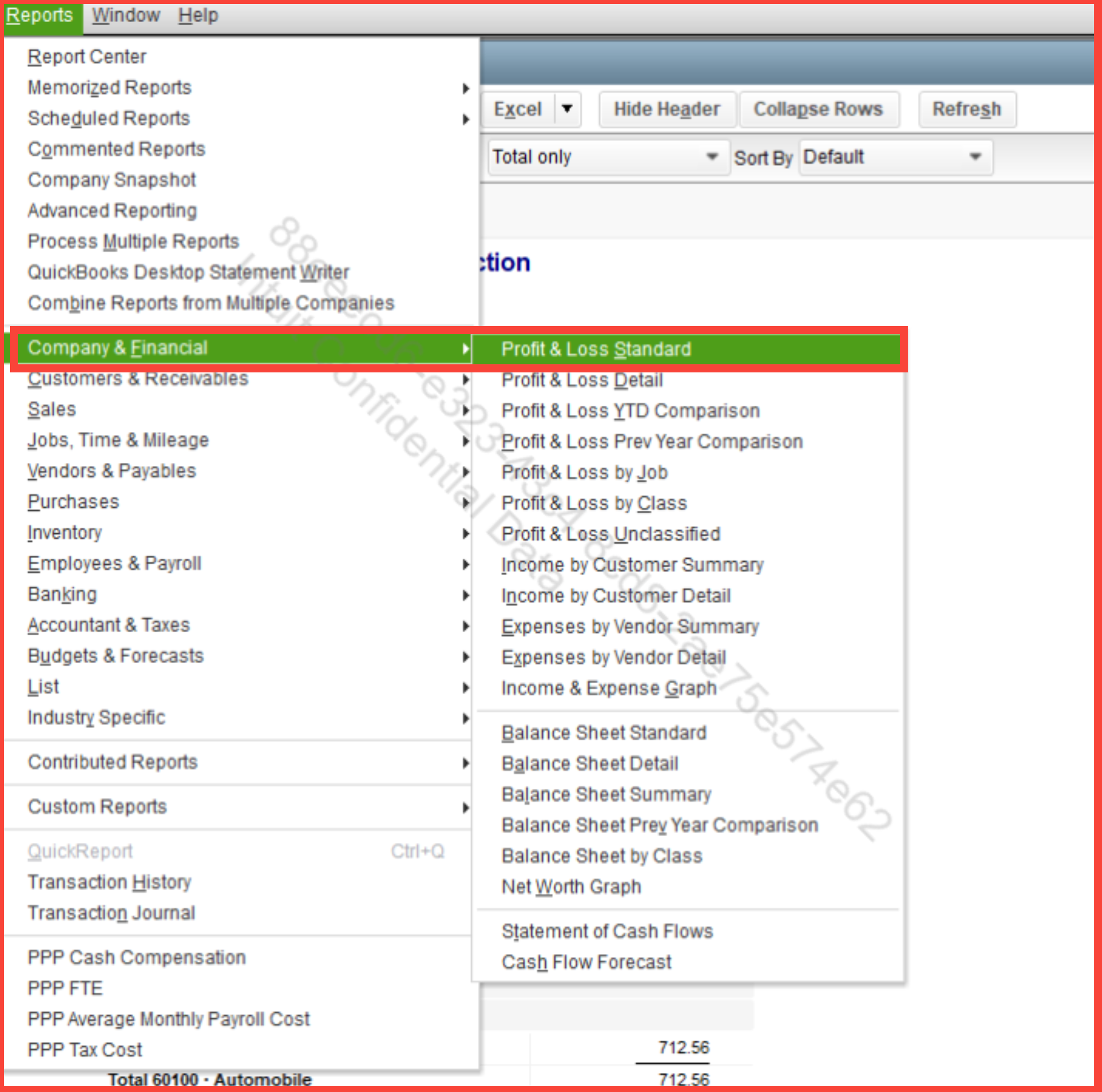
  2. Go to Reports and click Company & Financial.
  3. Choose Profit & Loss Standard.
  4. Filter the report based on your preferences.
  5. Under the report, click on the Export button.
  6. Select Create New Worksheet or export to an existing workbook.


Once the report is in Excel, you can manually combine the two bases in your preferences.


Click the Reply button below if you have any QuickBooks related concerns.

1 reply

QuickBooks Team
July 14, 2025

QuickBooks Desktop doesn't have the option to combine COGS and General Expenses into one line on the P&L, as they use separate account types in the Chart of Accounts, BridgitB.


COGS and Expenses are classified differently within QuickBooks. While COGS accounts track costs directly related to production or service delivery ( such as materials and direct labor), Expense accounts capture more general business overhead (like rent, marketing, or office salaries). 


Since there's no option to automatically merge the two accounts in one line, we can export your P&L report to Excel as a workaround.


Here's how:


  1. Open your QuickBooks Desktop account.
  2. Go to Reports and click Company & Financial.
  3. Choose Profit & Loss Standard.
  4. Filter the report based on your preferences.
  5. Under the report, click on the Export button.
  6. Select Create New Worksheet or export to an existing workbook.


Once the report is in Excel, you can manually combine the two bases in your preferences.


Click the Reply button below if you have any QuickBooks related concerns.

BridgitBAuthor
July 15, 2025

Thanks for the quick response NerbynMael

Level 8
July 15, 2025

Good evening, @BridgitB


We appreciate you coming back! 


We hope that we were able to give you the information you needed to get an answer to your question. 


If you have any other questions or concerns, please don't hesitate to reach out again. We're always here to help!