
Invoice Reminder Email Displaying Incorrect Balance Due (Visual Bug) - Amount is Correct on Link!
Hello QuickBooks Community,
I'm experiencing a frustrating visual bug with my invoice reminder emails, and I'm hoping someone here has encountered this or can offer a solution.
The Problem: My automated invoice reminder emails are displaying an incorrect "BALANCE DUE" amount in the email body itself. For example, an invoice that is actually for $150.00 USD is showing as $15,000.00 USD in the email reminder. It appears to be adding two extra zeros visually.
Crucially, when I or my customer click on the "View and pay" link in the email, the invoice that opens on the QuickBooks payment page displays the correct amount of $150.00 USD.
What I've already checked/confirmed:
- The original invoice in QuickBooks has the correct amount ($150.00 USD). This is NOT a data entry error in the invoice itself.
- The issue is purely a visual discrepancy in the email body.
- I've reviewed my email template settings in QuickBooks Online (under Settings > Account and Settings > Sales > Messages for Invoices/Reminders) but haven't found any obvious hardcoded extra zeros or formatting errors around the [Balance Due] placeholder.
My QuickBooks Version:
- QuickBooks Online
Screenshot (for reference):
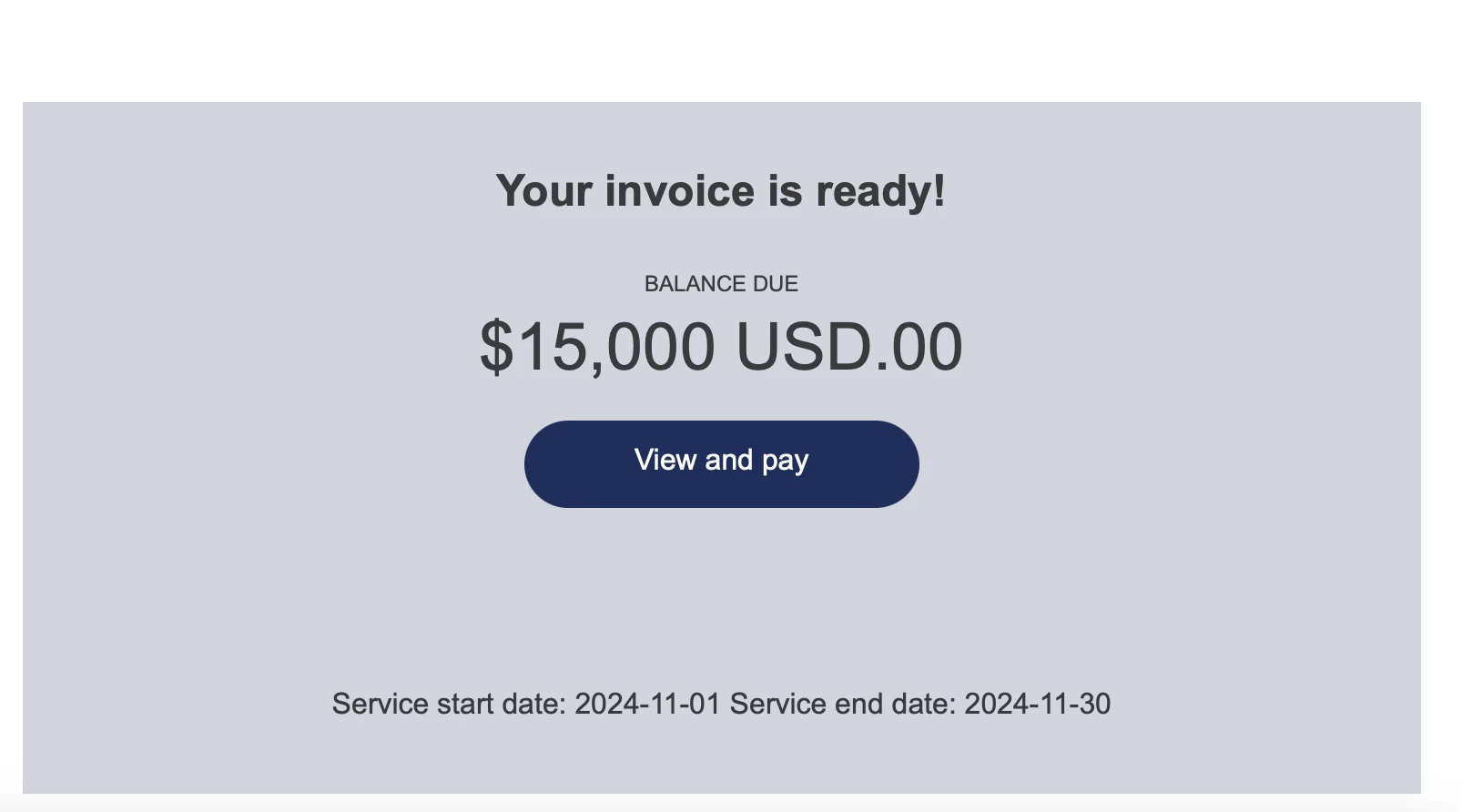
This is causing confusion for my clients, as they see a vastly inflated amount in the email reminder before clicking through.
Has anyone else experienced this specific issue? Is there a known bug or a fix I can implement from my end? Any guidance on how to troubleshoot this template rendering problem would be greatly appreciated.
Thank you in advance for your help!