Solved
How and where do I set up my Employment Training Tax rate for CA in my intuit quickbooks?
No text available

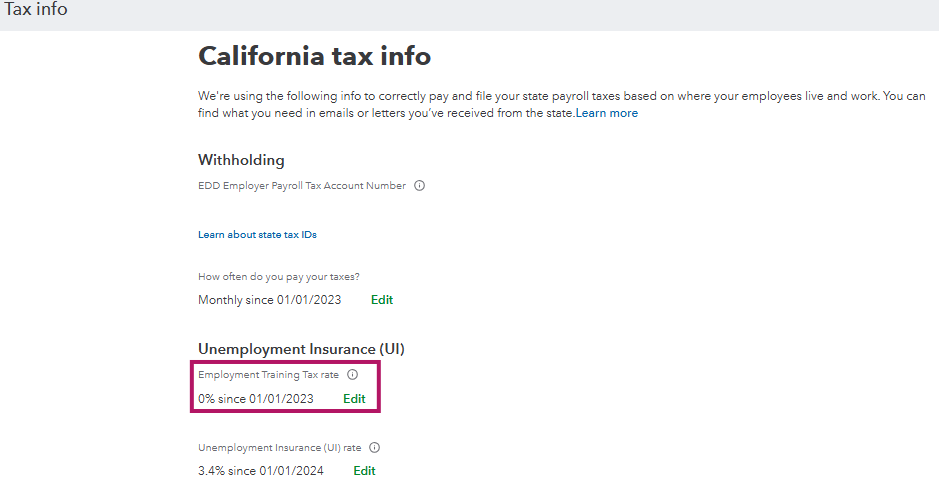
Hi there, Pixiexterminators. After setting up an employee from California, a dedicated tax section for that state will be automatically created in the payroll settings. From there, you'll be able to see the Employment Training Tax (ETT).
To review or update these, go to the Gear Icon > Payroll Settings > California tax > Edit.
Let me know in the comments below if you have any further questions about QuickBooks rates.
Enter your E-mail address. We'll send you an e-mail with instructions to reset your password.