
Get 50% OFF QuickBooks for 3 months*

Buy now
Switch to QuickBooks and 70% off for 3 Months
August 11, 2025
Question

Lost ability to add or edit taxes on expenses?

  • August 11, 2025
  • 1 reply
  • 5 views

Up until this week, my company had been able to add taxes to an expense, but now the option is no longer there. Previously, taxes were their own column when creating an expense, and there was a dropdown menu in which we could indicate if the expense was inclusive or exclusive of tax. Something has happened (perhaps in an update?) and I can no longer see how to add taxes. The column is no longer there, nor can I add it. I'll attach a screenshot of what we see in the individual expense. 
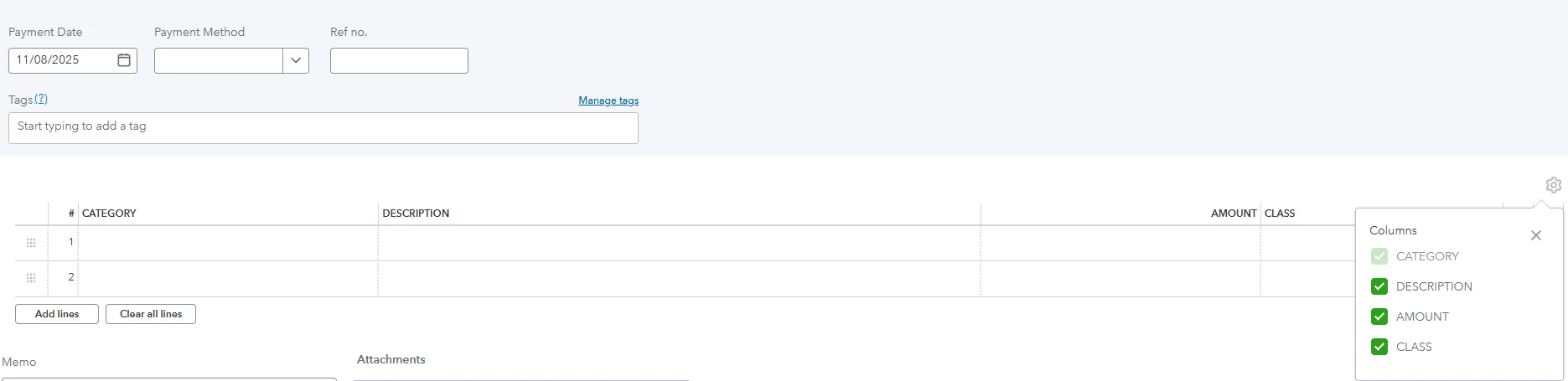
Even more bizarre, when I am in the overall "Expenses" tab, there is still a column for Sales Tax and I'm able to see previous expenses that had taxes included, but when I click on them, there's no longer any indication of what the tax amount is or ability to change it.  
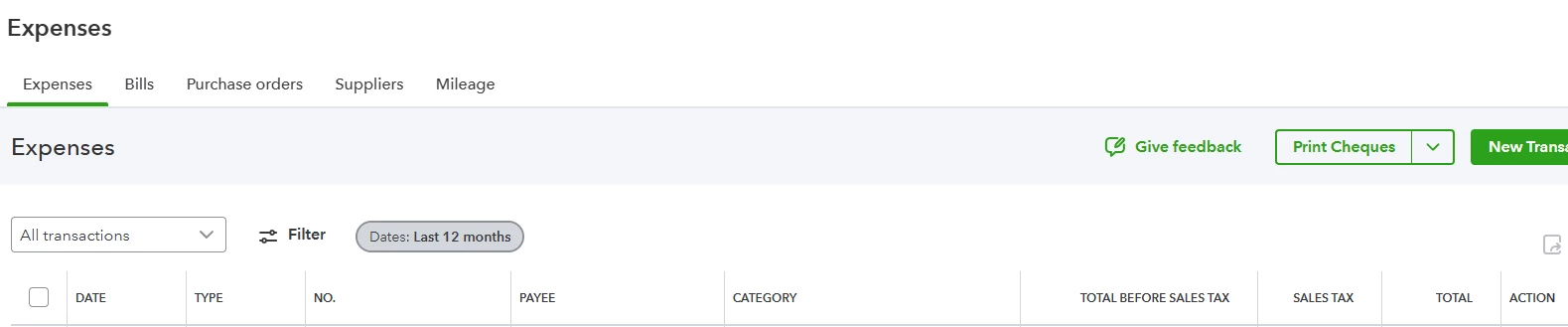
Is anyone else experiencing this? Has a setting changed somewhere that I need to alter? 


1 reply

Level 8
August 11, 2025

Good evening, @AlanW2


Thanks for coming to the Community with your question. 


Let's try some troubleshooting steps first to help cancel out the causes for this issue: 


Reach back out and let us know if these steps work to resolve your problem or if we need to dig further into this issue. I'll be waiting for your response! 

August 11, 2025

??? It's a known issue do you guys talk in your office?


https://status.quickbooks.intuit.com/


Update - We are continuing to investigate this issue.
Aug 11, 2025 - 12:53 PDT
Update - We're currently investigating an issue that may be affecting some of our services. We appreciate your patience as we work to identify and resolve the problem. We'll provide another update as soon as we have more information.
Aug 11, 2025 - 12:40 PDT
Investigating - We're currently investigating an issue that may be affecting some of our services. We appreciate your patience as we work to identify and resolve the problem. We'll provide another update as soon as we have more information.
Aug 11, 2025 - 12:27 PDT