Welcome to the Community, Dave.
To apply your supplier's credit note to the bills you uploaded in QuickBooks and match them to downloaded bank transactions, first create a supplier credit: go to + New and select Supplier credit.
Please note that a supplier credit cannot be matched directly from the bank feed until it is applied to a bill.
Next, follow these steps to apply the supplier credit to a bill:
- In the Unpaid section, locate the bill to which you want to apply the supplier credit, then select Mark as paid.
- Select the correct Payee and Bank/Credit account.
- Link the bill to the supplier credit by checking both items.
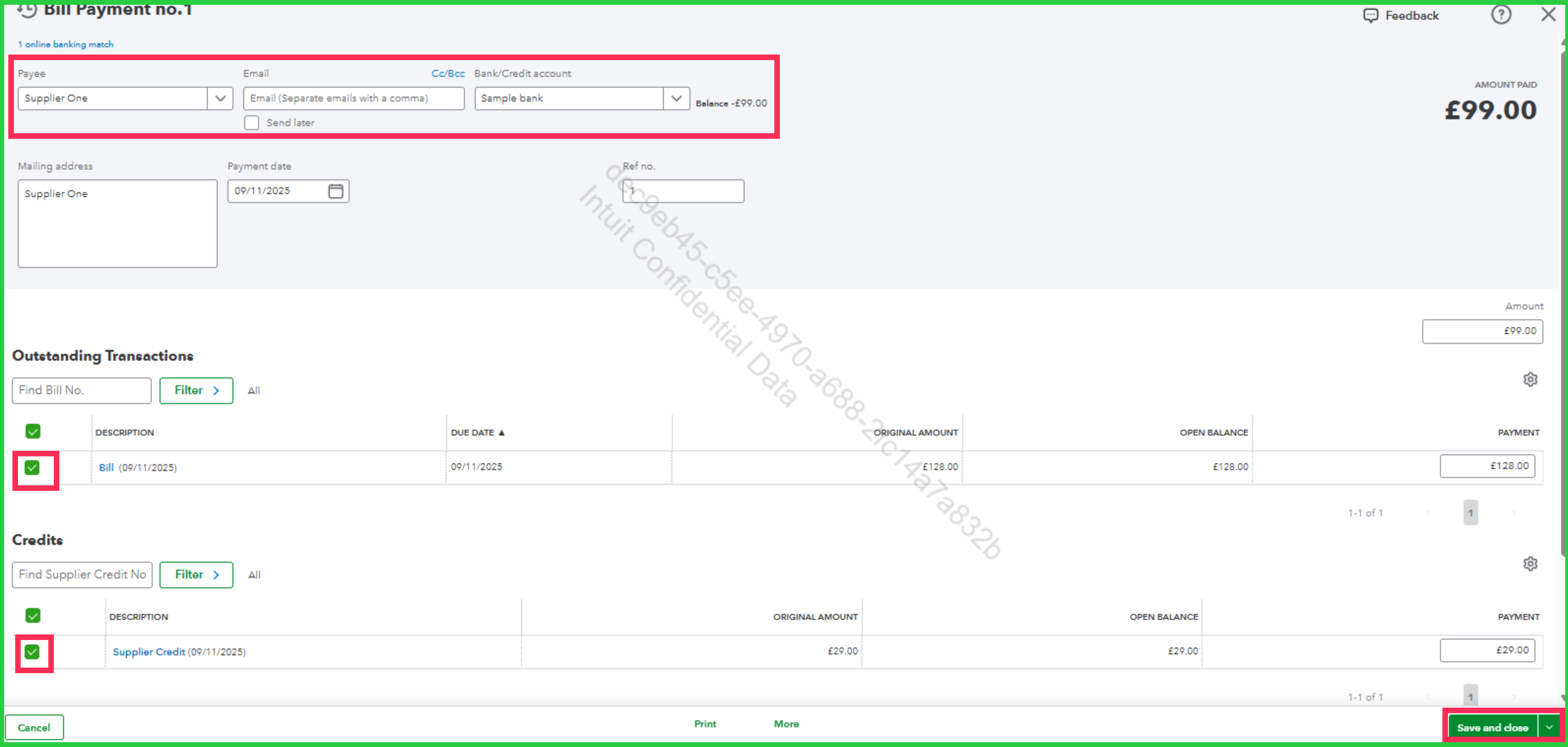
- Click Save and close.
Now, go to Bank transactions to match the downloaded transaction with the bill payment:
- Choose the correct bank or credit card account for the transaction you want to match with the bill payment.
- QuickBooks will automatically find the match.
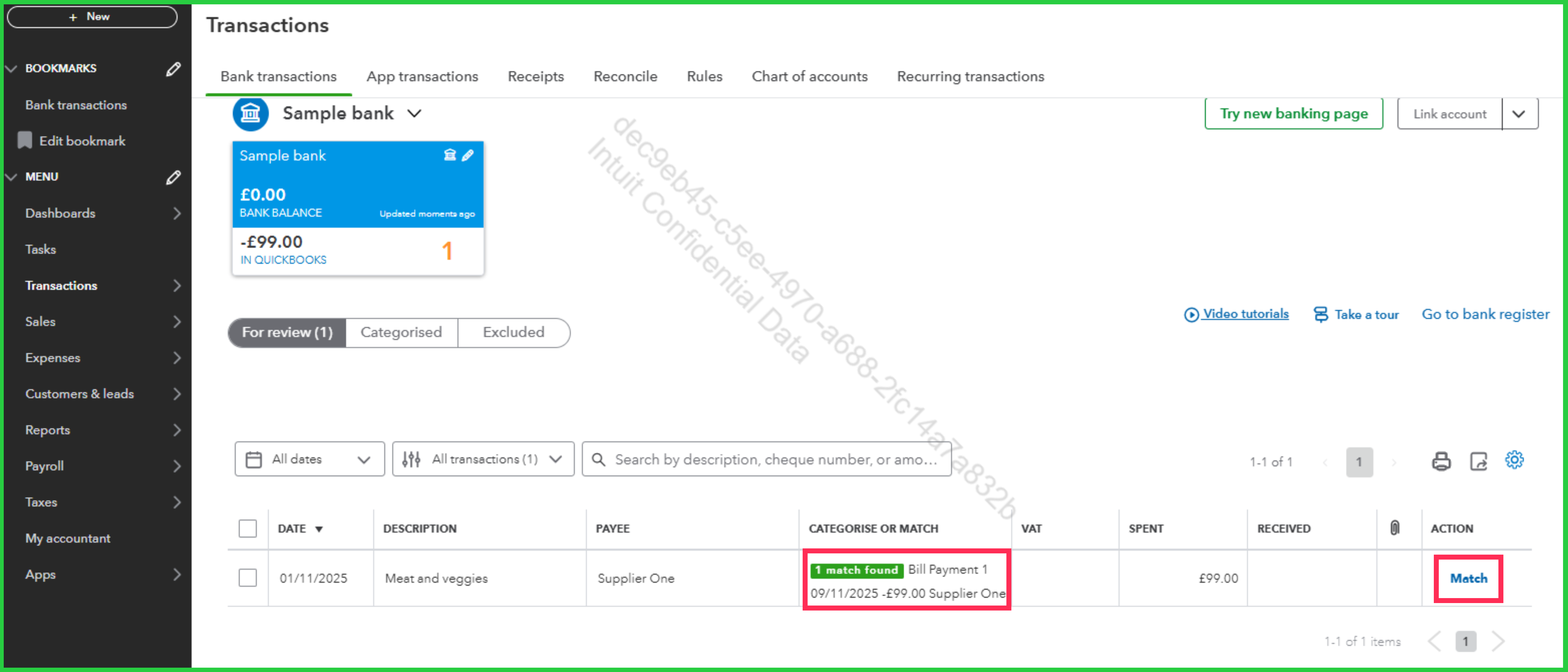
- Select Match.
If you have any other questions, feel free to leave a message.
