
Get 50% OFF QuickBooks for 3 months*

Buy now
Switch to QuickBooks and 70% off for 3 Months
New Member
November 16, 2025
Solved

Customer Receive Payments and the Undeposited Funds Account

  • November 16, 2025
  • 2 replies
  • 26 views

Can I change my Customer Payments from going into Undeposited Funds? 

Best answer by NerbynMaeI

Hello there, btsaccounting.


Yes, you can change your preferred customer's payment from Undeposited Funds into another account in QuickBooks Desktop (QBDT). Before that, we need to uncheck the default setup.


Here's how:
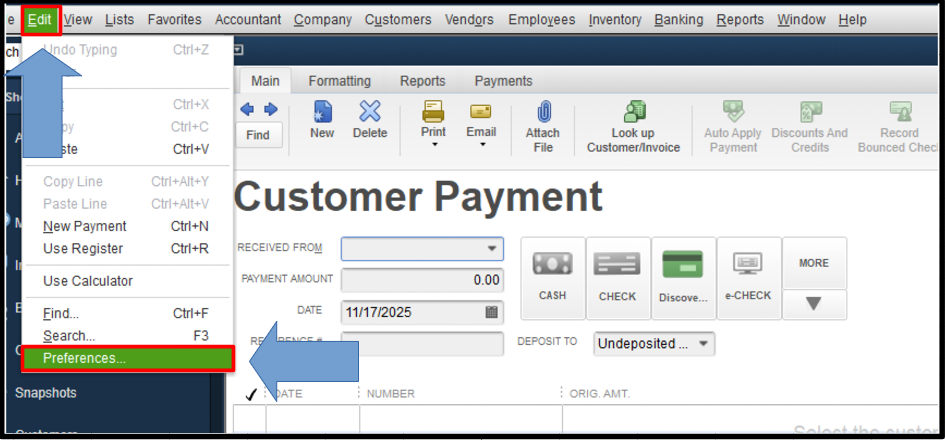
 

  1. Open your QBDT account.
  2. Go to the Edit menu and select Preferences.
  3. In the Preferences page, choose Payments.
  4. Click the Company Preferences.
  5. From there, please uncheck the Use Undeposited Funds as default deposit to account option.
  6. Once done, click OK.


After unclicking the default setup, you can now choose your Deposit to when recording your customer payment based on your preferences. Please see the screenshot for reference: 


Please comment below if you have any other questions or require further assistance.

2 replies

QuickBooks Team
November 16, 2025

Hello there, btsaccounting.


Yes, you can change your preferred customer's payment from Undeposited Funds into another account in QuickBooks Desktop (QBDT). Before that, we need to uncheck the default setup.


Here's how:
 

  1. Open your QBDT account.
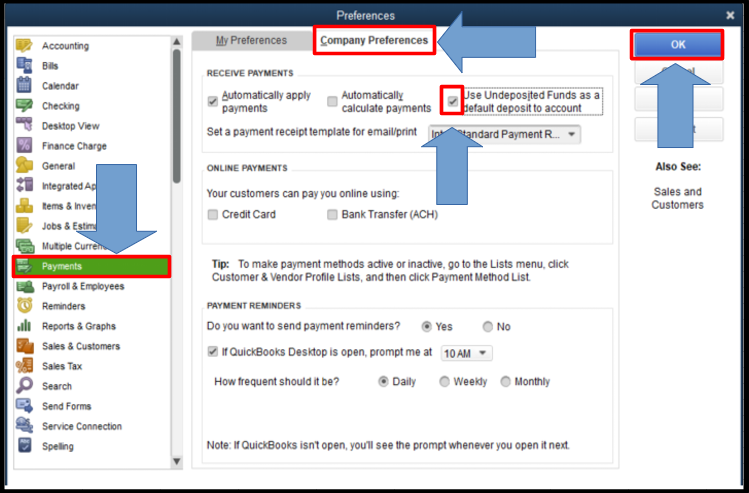
  2. Go to the Edit menu and select Preferences.
  3. In the Preferences page, choose Payments.
  4. Click the Company Preferences.
  5. From there, please uncheck the Use Undeposited Funds as default deposit to account option.
  6. Once done, click OK.


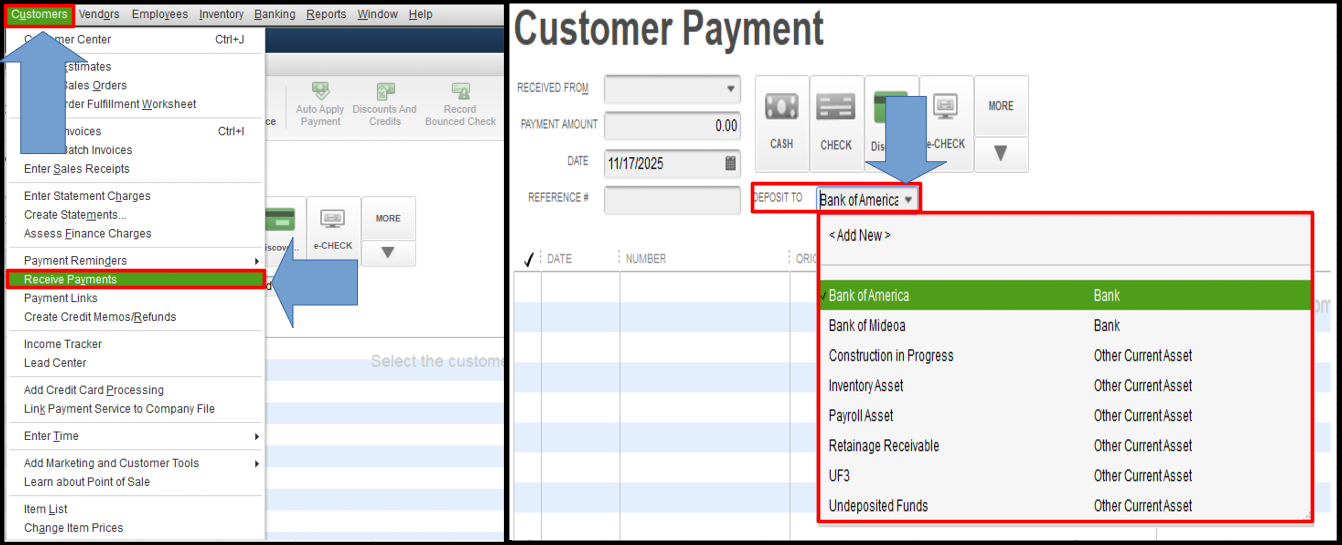
After unclicking the default setup, you can now choose your Deposit to when recording your customer payment based on your preferences. Please see the screenshot for reference: 


Please comment below if you have any other questions or require further assistance.

QuickBooks Team
November 18, 2025

Hi, btsaccounting.

I’m following up to see if the solution we provided worked for you.

Did it resolve the issue, or are you still experiencing difficulties?

We're happy to assist further if you need any more help.