Get 50% OFF QuickBooks for 3 months*

Buy now
Switch to QuickBooks and 70% off for 3 Months
New Member
August 22, 2025
Solved

If I delete an deposit entry in my transactions on a bank account does it go back to unconfirmed transactions or does it remove the transaction?

  • August 22, 2025
  • 1 reply
  • 12 views
No text available
Best answer by GenmarieM

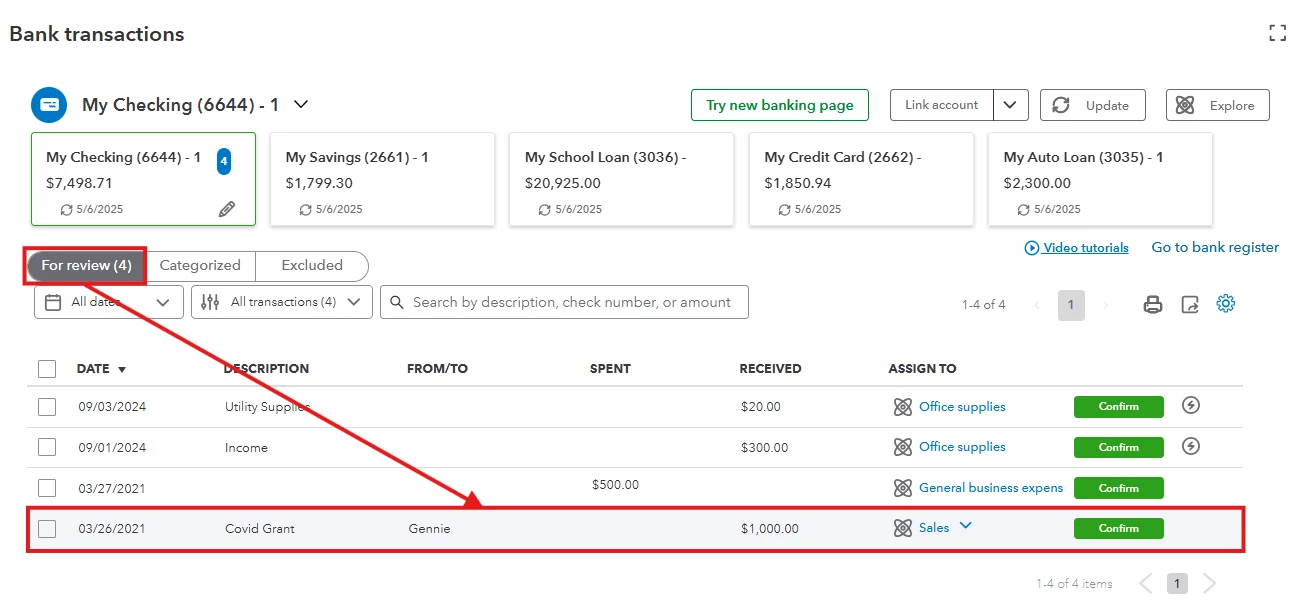
Deleting a deposit entry on your bank register will make the transaction in your bank feed return to the For review tab, Kevin96.


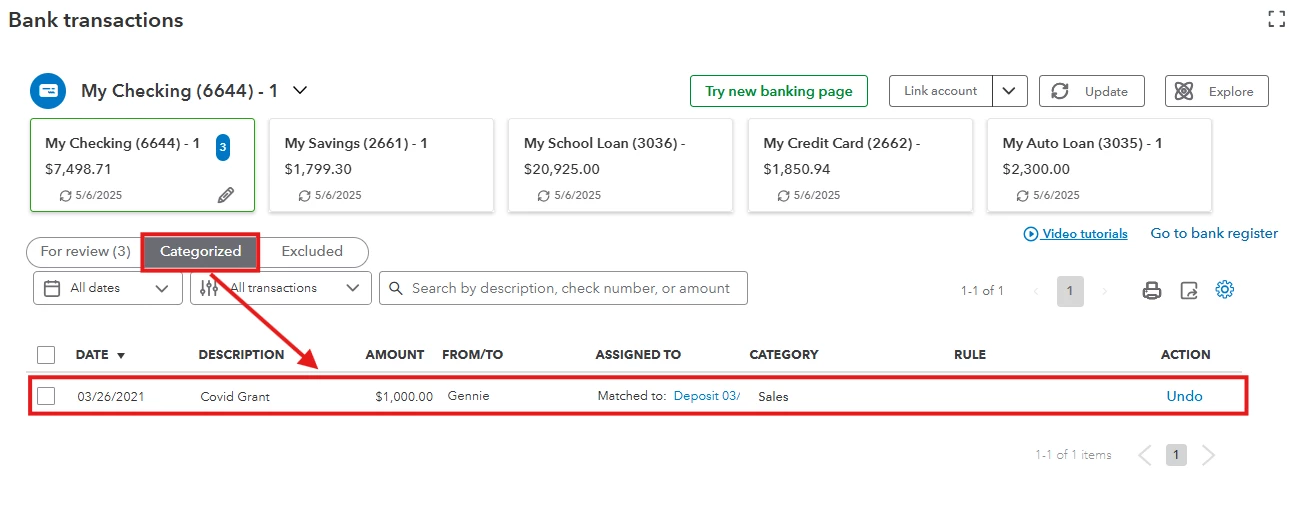
In QuickBooks Online (QBO), once the bank transaction is categorized, it will automatically show in your bank register. And if you delete that transaction from your bank register, the categorized transaction on your bank feed will return to the For review tab or unconfirmed transactions tab.


This is similar to deleting a deposit in your bank register that was previously matched to a transaction from your online banking. When you delete the deposit entry inside your bank's register, the matched transaction from your bank feed will return to the For review tab, and the deposit entry will be permanently deleted from your bank register.


Please see the photos below for a visual reference.


It is also important to note that deleting a deposit that has already been reconciled will create a discrepancy in your bank reconciliation. I'd recommend seeking guidance from your accountant to ensure the accuracy of your records.


You can also refer to this article to find transactions in your bank register and make edits: Find, review, and edit transactions in account registers in QuickBooks Online.


Feel free to go back to this thread if you have more questions.

1 reply

GenmarieMQuickBooks TeamAnswer
QuickBooks Team
August 22, 2025

Deleting a deposit entry on your bank register will make the transaction in your bank feed return to the For review tab, Kevin96.


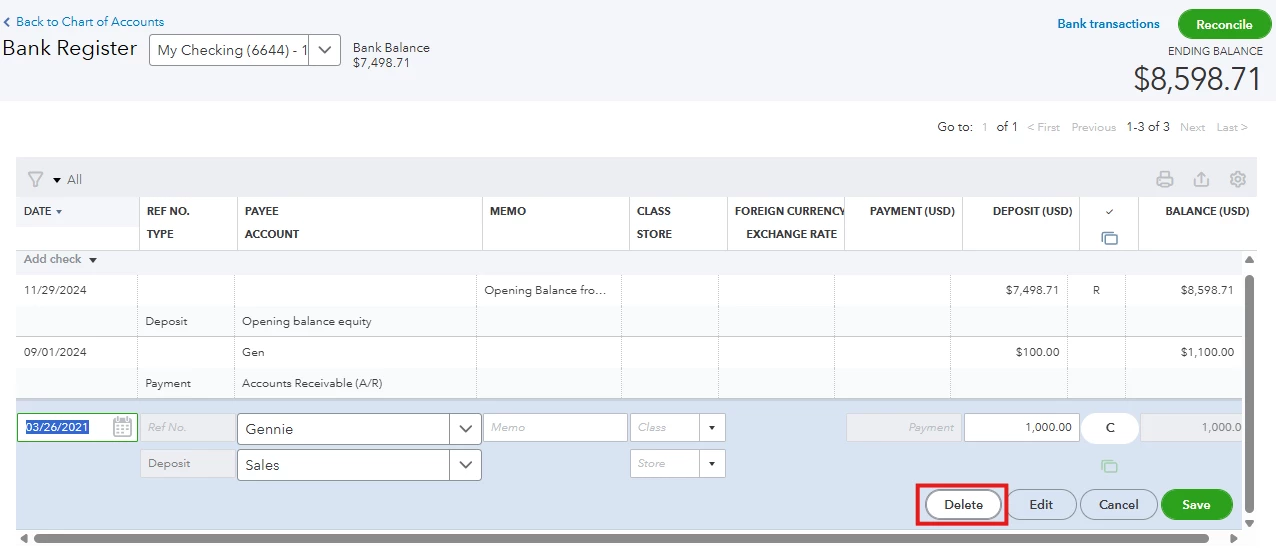
In QuickBooks Online (QBO), once the bank transaction is categorized, it will automatically show in your bank register. And if you delete that transaction from your bank register, the categorized transaction on your bank feed will return to the For review tab or unconfirmed transactions tab.


This is similar to deleting a deposit in your bank register that was previously matched to a transaction from your online banking. When you delete the deposit entry inside your bank's register, the matched transaction from your bank feed will return to the For review tab, and the deposit entry will be permanently deleted from your bank register.


Please see the photos below for a visual reference.


It is also important to note that deleting a deposit that has already been reconciled will create a discrepancy in your bank reconciliation. I'd recommend seeking guidance from your accountant to ensure the accuracy of your records.


You can also refer to this article to find transactions in your bank register and make edits: Find, review, and edit transactions in account registers in QuickBooks Online.


Feel free to go back to this thread if you have more questions.

kevin96Author
New Member
August 24, 2025

Thank you for this excellent answer. Alternately, I found that the desktop browser offers an "Undo" which I used and resolved my issue.