
Why does QuickBooks Online ignore my custom bank rule and auto-suggest "Add a Card Payment" instead, and can this be fixed?
I have a matching rule. Yes. It is slightly unorthodox for internal reasons, but it is how we manage our books.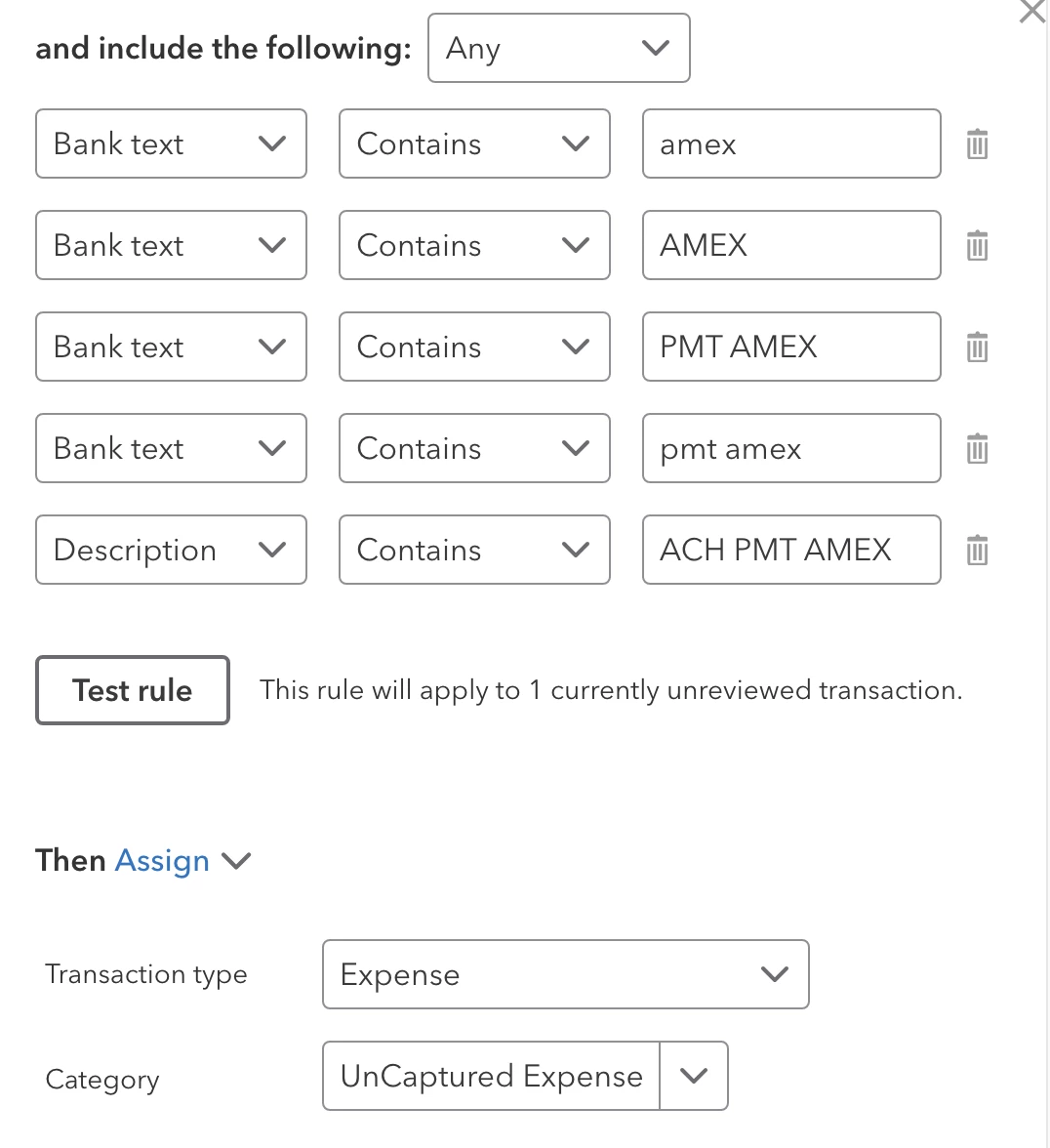
The image shows that when I click "Test Rule" I get "This rule will apply to 1 currently unreviewed transaction."
But, when I go to the Banking tab, QBO refuses the apply the rule. It refuses to use the rule and Instead is wants me to "Add a Card Payment".
Refreshing the screen does not help. I have gone into the transaction several times to "Categorize" it correctly, but QBO just keeps insisting on attempting to do the job WRONG.
I have over 30 years experience doing what needs to be done to get the books right. Is there some way to get the program to do what it is told instead of acting like a stubborn child that believes it knows everything? Or is the problem just that Intuit is the stubborn children here?