Solved
There was once a view in QBO that emulated the old QB Desktop home page. I had to reinstall the QBO Desktop app, but cannot find how to get that view
No text available

We appreciate you getting back to this thread, 0t4c.
As my colleague mentioned, the Desktop View flowchart has already been removed, and we recommend exploring the updated workflow available in the new interface.
On that note, we can add the Bank Deposit option to your favorite shortcuts in the dashboard of the new interface.
Here’s how:

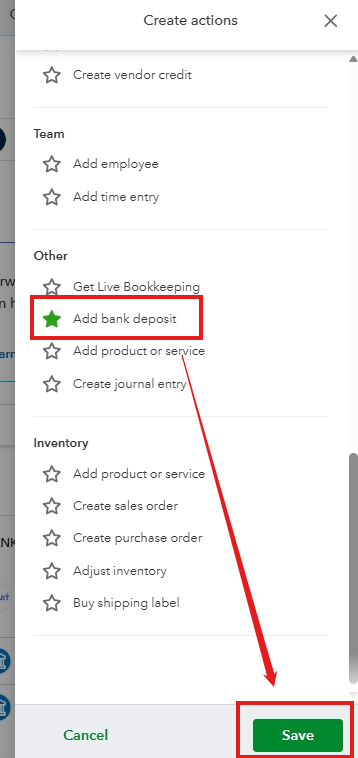
Once saved, the shortcut will appear in your dashboard, allowing you to access it directly without needing to navigate through +Create.
Feel free to reach out to the Community if you have any further questions or need assistance. We're here to help!
Enter your E-mail address. We'll send you an e-mail with instructions to reset your password.