Solved
Payroll with Government Pension Instead of SS
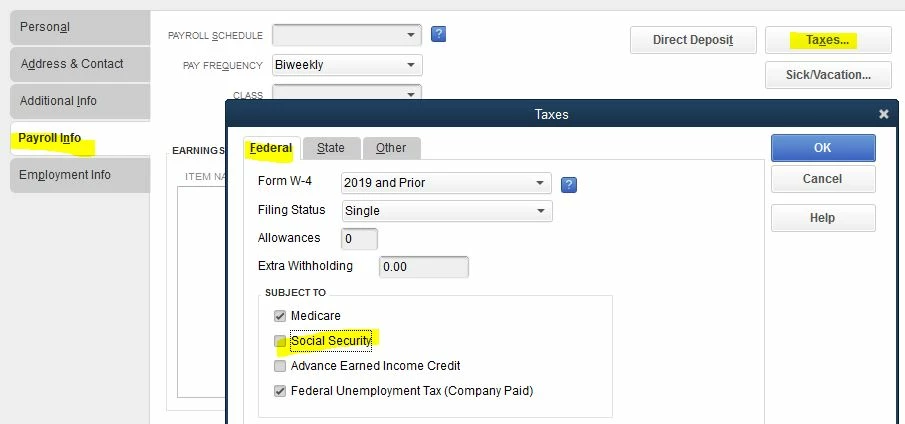
We are a government entity that has a state pension plan. Our employees do not pay into social security but rather pay into the state plan. I have not been able to make this work except by entering their compensation as an "addition" rather than "compensation". Addition allows me to select what type of taxes the payroll is subject to but compensation does not. Is there another way I should be entering this to make it work properly?