


Quick Answers: A Mini Guide to W-2s

Hello QuickBooks users, and thanks for joining us. We want to ensure you feel confident and prepared to start this new year with success. As an employer, providing accurate W-2s to your employees is crucial. The forms can feel daunting, so today we’re covering them in this mini guide so you can understand what each box means. We will walk you through the form including when you need to file them.
This guide focuses specifically on QuickBooks Online. To help you manage everything, we've broken down the key requirements for a smooth start to the new year.
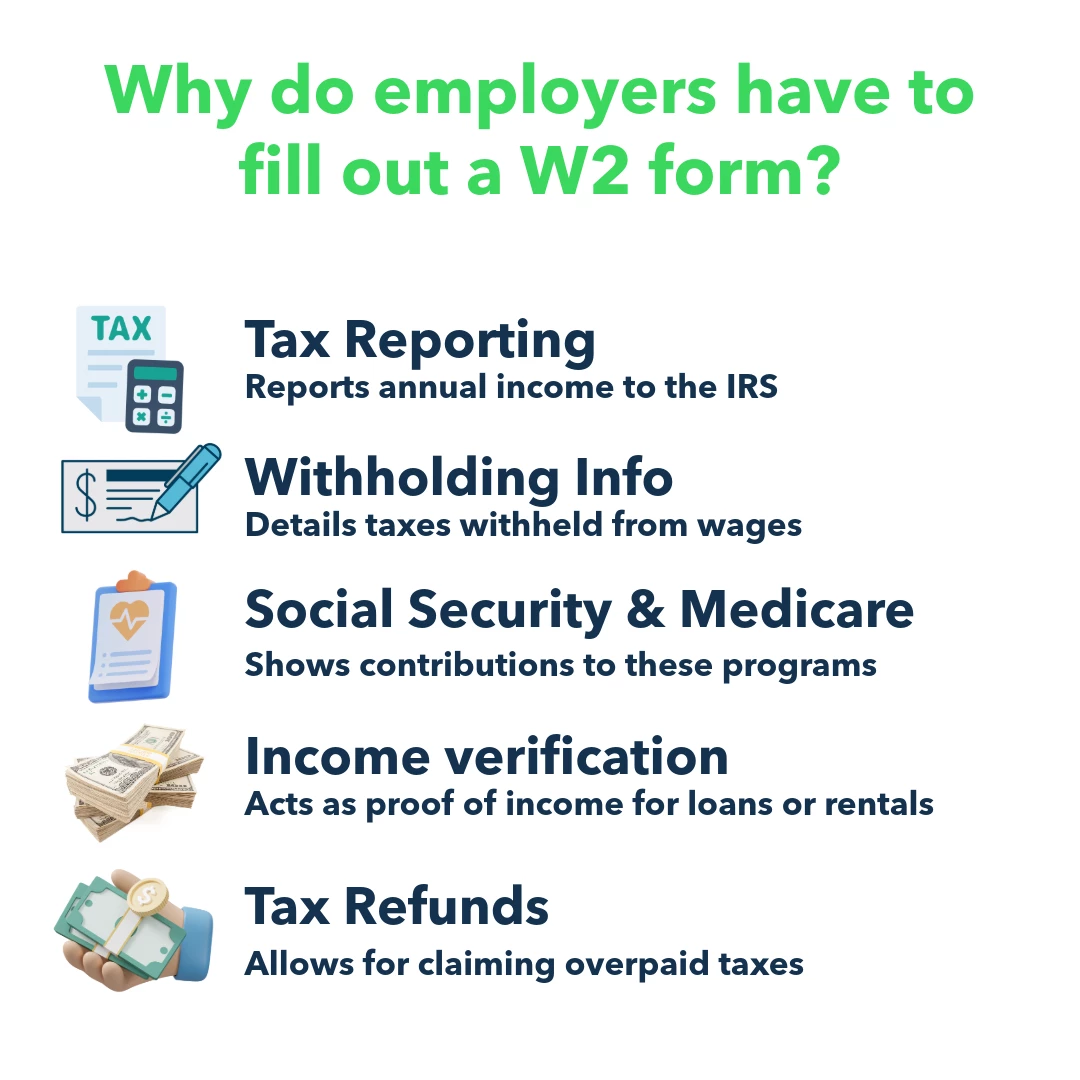
Why do employers have to fill out a W2 form?
How to fill out a W-2? What does each box mean?
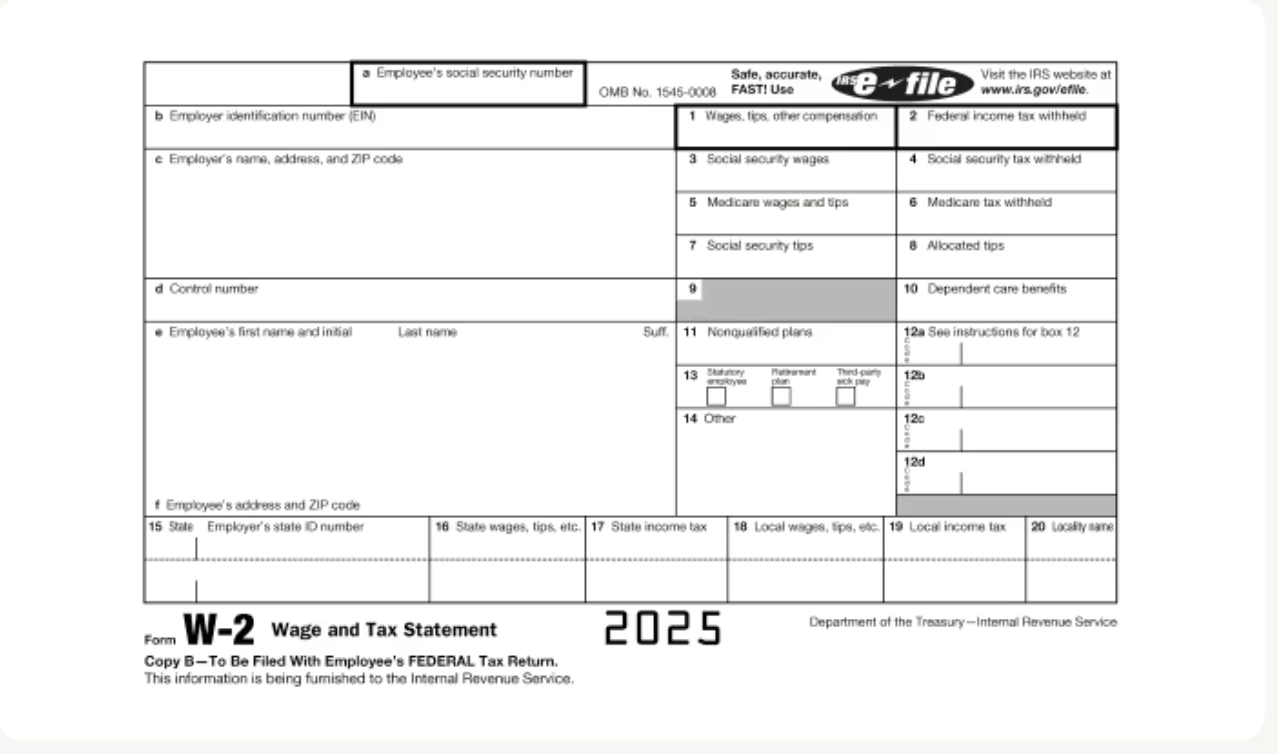
- Box A is for the employee's Social Security number.
- Box B is where you enter your employer identification number, or EIN.
- Box C holds your company's name and full address.
- Box D is for the control number. This box is often left blank unless your company uses control numbers to keep records internally.
- Box E will detail your employee’s name
- And then Box F is where you’ll enter the address of your employee.
Now for the financial details.
- Box 1 is for total wages, tips, and other compensation. This is the amount subject to federal income tax.
- Box 2 is the total federal income tax you withheld from the employee's pay.
- Box 3 reports the wages subject to Social Security tax.
- Box 4 shows the total Social Security tax you withheld.
- Box 5 is for the wages and tips that are subject to Medicare tax.
- And Box 6 is the Medicare tax you withheld.
- Box 7 will account for your employee tips, if applicable
- Box 8 reports Allocated tips, which are the amount of tips that you designate to tipped employees. These should not be included in boxes 1,3,5 or 7.
- Box 9 needs to be left blank
- Box 10 is for dependent care benefits.
- Box 11 shows nonqualified deferred compensation.
- Box 12 is where you'll enter codes for things like 401(k) contributions and other amounts.
- Box 13 has three checkboxes to indicate if an employee is statutory, has a retirement plan, or received third-party sick pay.
- And Box 14 is for any other payments or deductions like health insurance premiums.
Finally, the state and local section.
- Box 15 is your state ID number.
- Box 16 is for state wages and tips, with Box 17 for the state income tax you withheld.
- Boxes 18 and 19 are for local wages and the local tax you withheld.
- And Box 20 is simply the name of your locality.
How to File Form W-2?
Once you fill out all your W-2 forms, you’re ready to file them with the Social Security Administration (SSA), as well as send copies to employees. The due date for filing your W-2 forms is January 31.
-If you’re set to have QuickBooks automatically pay your taxes and file your forms:
- We file the W-2s for you
- We'll also send copies to your employees who opted for a paper copy to the mailing address in their employee profile.
- By January 15th, W-2s become available to view in QuickBooks.
- Starting January 16th, USPS mails W-2 forms if opt-in mailing was selected.
-If you opt to manually control the filing process, follow the steps below. Your W-2s will have become available for you to print and file starting January 1st.
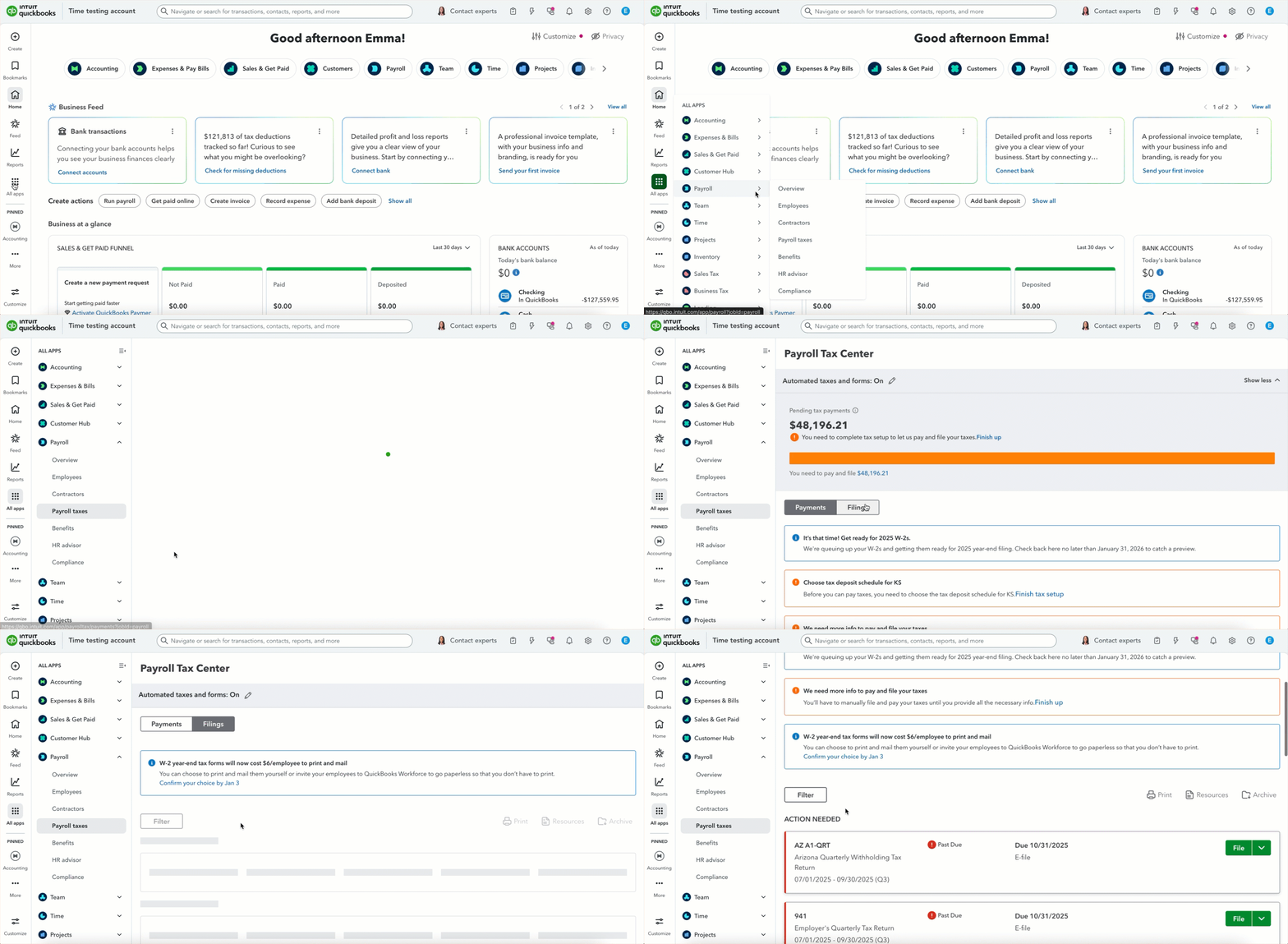
1. Go to All apps, then Payroll, then Payroll taxes.
2. Select Filings Tab.
3. Locate W-2 Copies A & D (Employer) in the Action Needed section and select File.
4. If prompted, indicate whether any employees were active participants in a retirement plan during the tax year.
5. On the Employer Copies: Form W-2 page, select View to open Acrobat Reader.
6. Review and print Copy D (Employer's copy) for your records.
For more information and details on filing W-2s, check out this article.