
Get 50% OFF QuickBooks for 3 months*

Buy now
Switch to QuickBooks and 70% off for 3 Months
June 25, 2025
Question

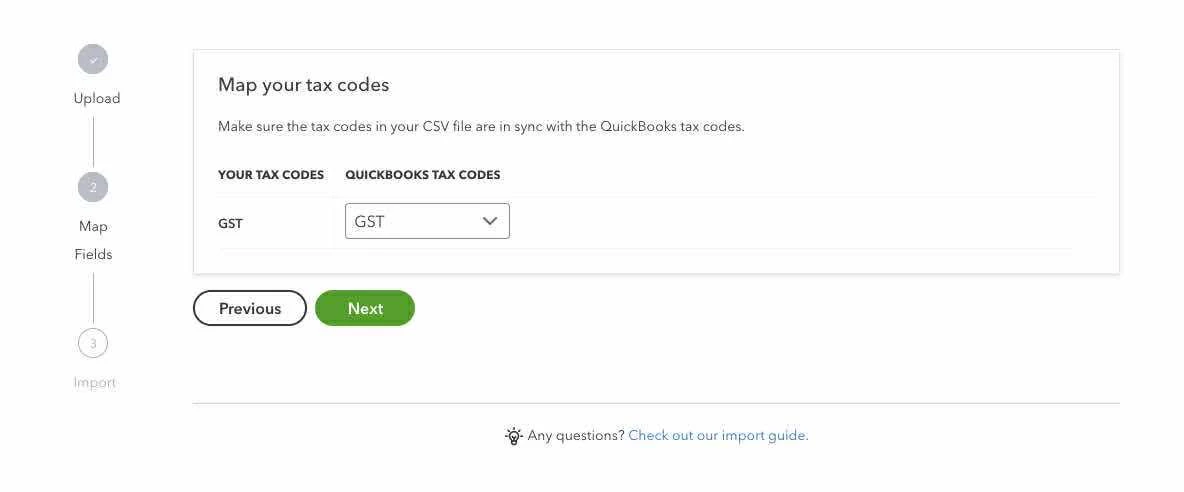
Map your tax codes stuck

  • June 25, 2025
  • 1 reply
  • 1 view

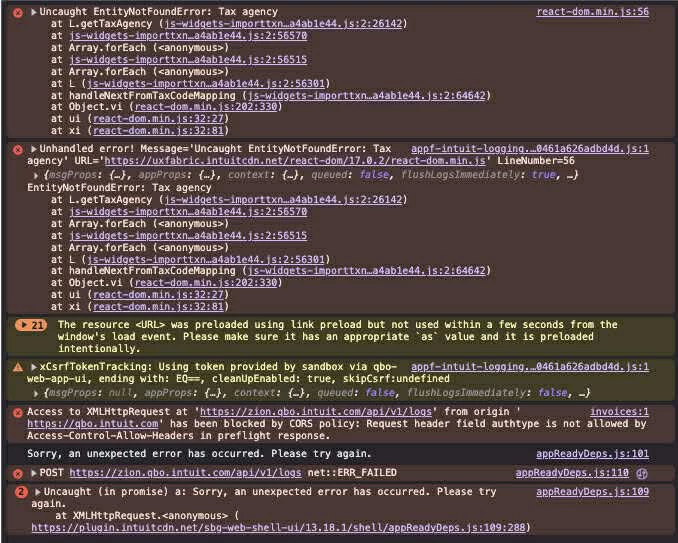
Today I import invoices like everyday but now I stuck at step map your tax codes. The file structure is the same and QB be able to map the column correctly. But I cannot hit the button next.
1 reply

Level 6
June 25, 2025

Thanks for bringing this issue to our attention. I understand how important it is for your invoices to be imported smoothly. Let me connect you to the right direction for support to help you with this concern.


The most effective way to address this issue is by initiating a live chat or requesting a callback from our live Customer Support Team. This will allow our experts to assist you directly and keep you updated on the progress. While we don't have an ETA for resolution at this time, please know that we're prioritizing this matter.

Follow the steps below to contact them:


  1. Go to the Help icon on the top menu.
  2. Select the Search tab and enter your concern. For instance, enter help.
  3. Click the Contact Us button and choose between Chat or Callback to connect with us.
     

You can find our operating hours under QuickBooks Online in this article: Get help with QuickBooks products and services.


Additionally, if you want guidance on matching transactions to better organize your business, you may find this article helpful: Find, categorise, and edit transactions in QuickBooks Online.


Please know that we're here to help and support you. If you have any additional questions or run into any other issues with importing transactions or with your invoices, don't hesitate to let us know. We're determined to help you succeed.
