SUMMER SAVINGS 90% OFF QuickBooks for 3 months* Ends 8/27

Buy now
Switch to QuickBooks and 70% off for 3 Months
March 5, 2021
Solved

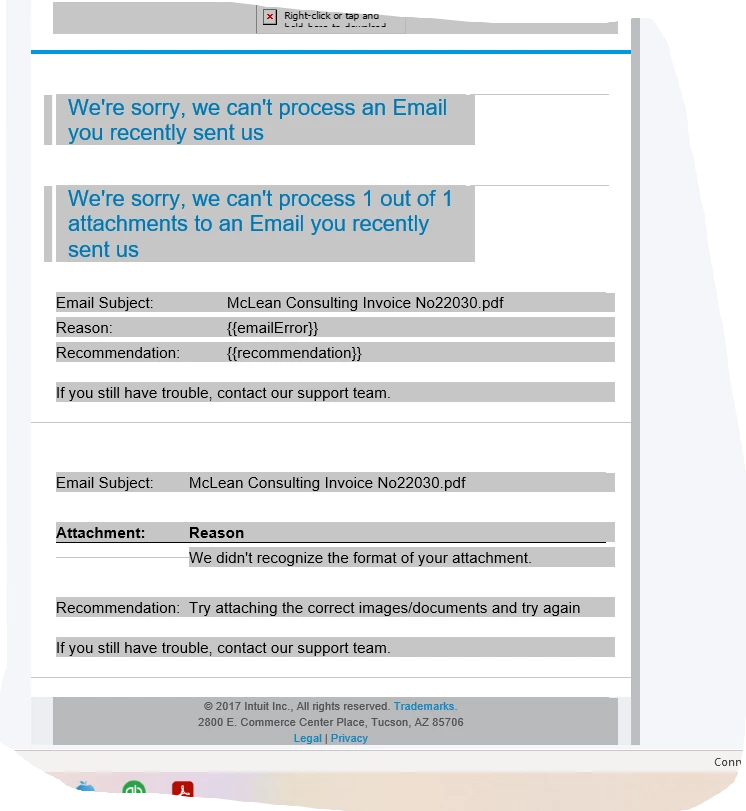
Forwarding bills in PDF direct into QB I have set up the unique email as directed ,the file is in PDF format but keep getting an error message saying it can't process ?

No text available

Adrian_A
Adrian_AAnswer
Level 8
March 6, 2021


Hi there, SarahL64.


If you've already tried detaching and attaching the image again, I'd recommend reaching out to our Phone Support team. One of our agents there can do a screen-share with you and investigate the error message.


You can contact them by clicking the ? Help icon. Then, select Contact a human and then click Live Chat / Call me back.


I've also included this reference for more information about receipts and bills forwarding: Email receipts and bills to QuickBooks Online.


I'll be around if ever you need help. Stay safe!

5 replies

Level 14
March 5, 2021

Hello SarahL64, 


Welcome to the Community page, 


Can we ask are you using receipt forwarding? 

SarahL64Author
March 5, 2021

Yes - I set up the unique email address and am forwarding to this so it sits under Transactions - receipts but it doesn't like the format for some reason

Level 10
March 5, 2021

Hi Sarah, could you post a screenshot of the message you are getting?Thanks