Get 50% OFF QuickBooks for 3 months*

Buy now
Switch to QuickBooks and 70% off for 3 Months
March 27, 2024
Question

Chart of Account form changed New account form reverted to old style

  • March 27, 2024
  • 1 reply
  • 0 views

Was teaching a class showing students how to create some new GL accounts. We did a few ...all ok..had the typical NEW ACCOUNT that showed 7 "bubbles" at top.

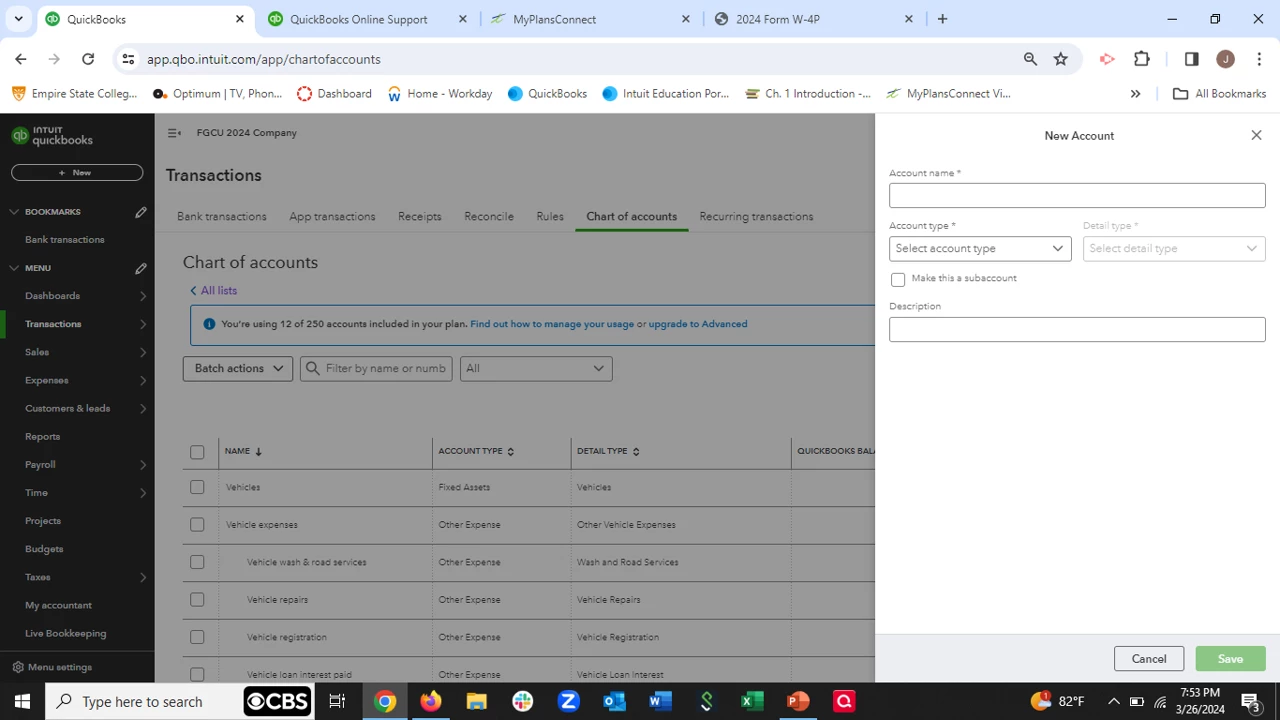
After a few entries, the form changed to what I call the old style...no bubble just pull downs and the checkbox for MAKE SUBACCOUNT.


Anyone see this? About 12 people including myself saw this. Not tied to platform (PC/MAC) or browser. Very strange . Called QB support and they say i need to join developer site and get them involved.


Any help appreciated. see below for difference in the forms.
1 reply

Level 10
March 27, 2024

We appreciate you for bringing this matter to our attention, jocchiuto. This display/feature functionality issue in QuickBooks Online (QBO) is likely browser-related, so let's work together to troubleshoot and fix this.


There are currently no reported issues with creating new accounts in the Chart of Accounts in QuickBooks Online. Regardless if you're using the old or new New Account layout, you'll be able to complete this task.


Moreover, the QBO add new account experience is being updated to improve usability. To help us isolate and fix this, we can perform some troubleshooting steps. Let's start by pulling up your QuickBooks account using a private browser (incognito). Here's how:


  • Press Ctrl Shift (Google Chrome)
  • Ctrl Shift (Firefox)
  • Control Option (Safari)


Once signed in, go to the Chart of accounts page and add a new account.


If you're able to do so without interruption, return to your default browser and clear its cache. After that, log out and then log back into your account. This will refresh the system and remove older data that causes viewing and performance issues. 


However, if this matter continues, I'd recommend using other supported browsers.


Additionally, we recommend regularly reconciling your accounts (monthly) to track your income and expenses effectively. You may want to share this article with your class to help them while doing or fixing reconciliations in QBO: Learn the reconcile workflow in QuickBooks.


Keep us updated on this thread if you have additional questions about managing accounts in the Chart of Accounts in QBO. We can always lend a hand.