Solved
Even though my estimates are set to default if a custom template, they are generic.
No text available

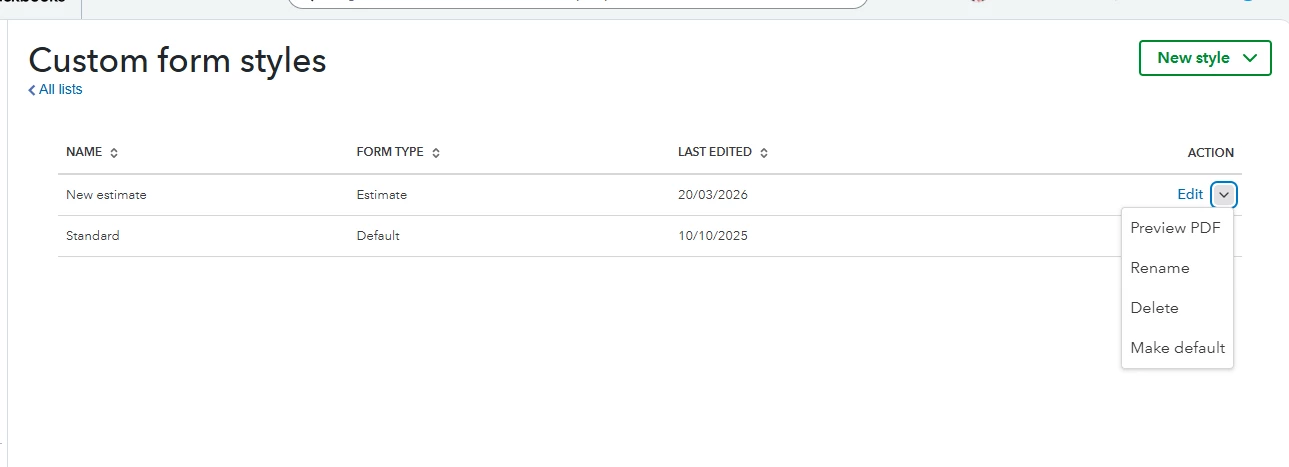
Hi there, @kbm-marineservices. To resolve the unusual behavior you're experiencing, you can delete your custom template and create a new one from scratch.
From the Custom form styles page, locate your current template and click the dropdown menu to select Delete. Next, create a new one and set it as default as you would normally do.
Next, navigate to the Estimate page and check the Design dropdown in the right panel to confirm that your new default custom template is selected.
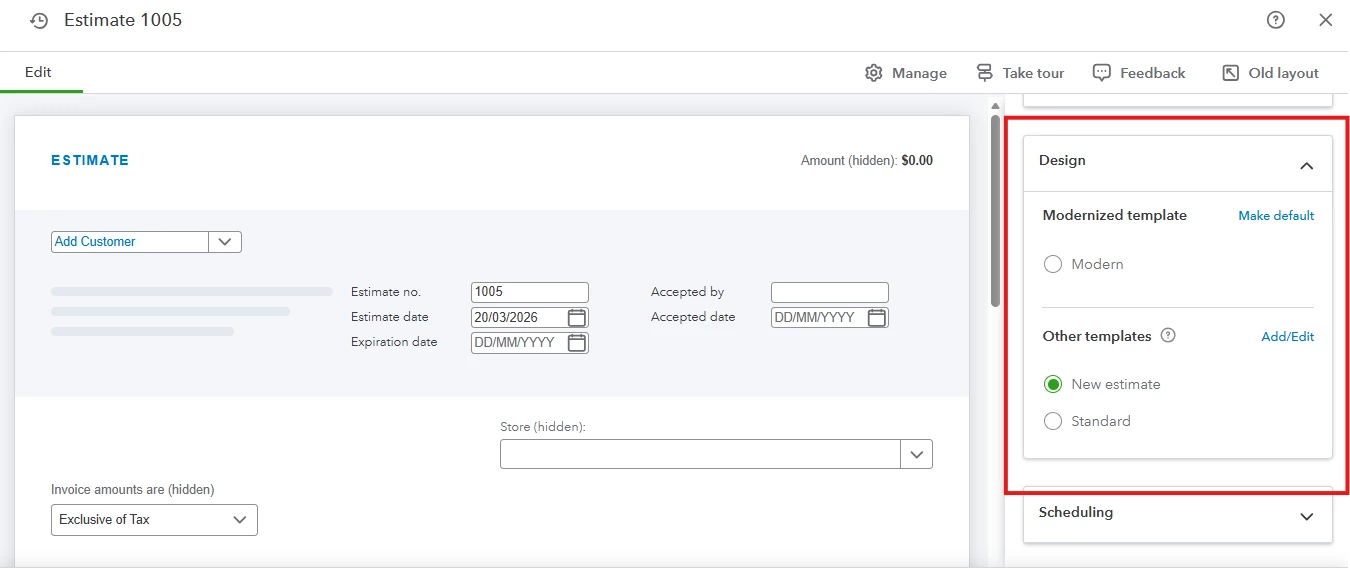
If it is still not set as the default, the issue might be related to your browser. Perform a quick refresh by pressing Ctrl + F5 (Windows) or Cmd + Shift + R (Mac) to reload the page from scratch.
If the issue persists, consider using a different supported web browser or accessing your account in Incognito/Private mode. This can help clear any cookies or extensions that might be interfering with how the Estimate page displays.
If you have any further questions, please don’t hesitate to revisit this thread.
Enter your E-mail address. We'll send you an e-mail with instructions to reset your password.