
Get 50% OFF QuickBooks for 3 months*

Buy now
Switch to QuickBooks and 70% off for 3 Months
November 22, 2025
Solved

How do I set up the standard 6.95% retirement under the decuctions or contribution?

  • November 22, 2025
  • 1 reply
  • 13 views

How do I set up the standard 6.95% retirement under the deduction/contribution type?

Best answer by Rusimyhr

Hi there, @wiotatown. You're already on the right track!


To set up your retirement plan, simply click the Edit icon to begin. Here's how to complete the setup:
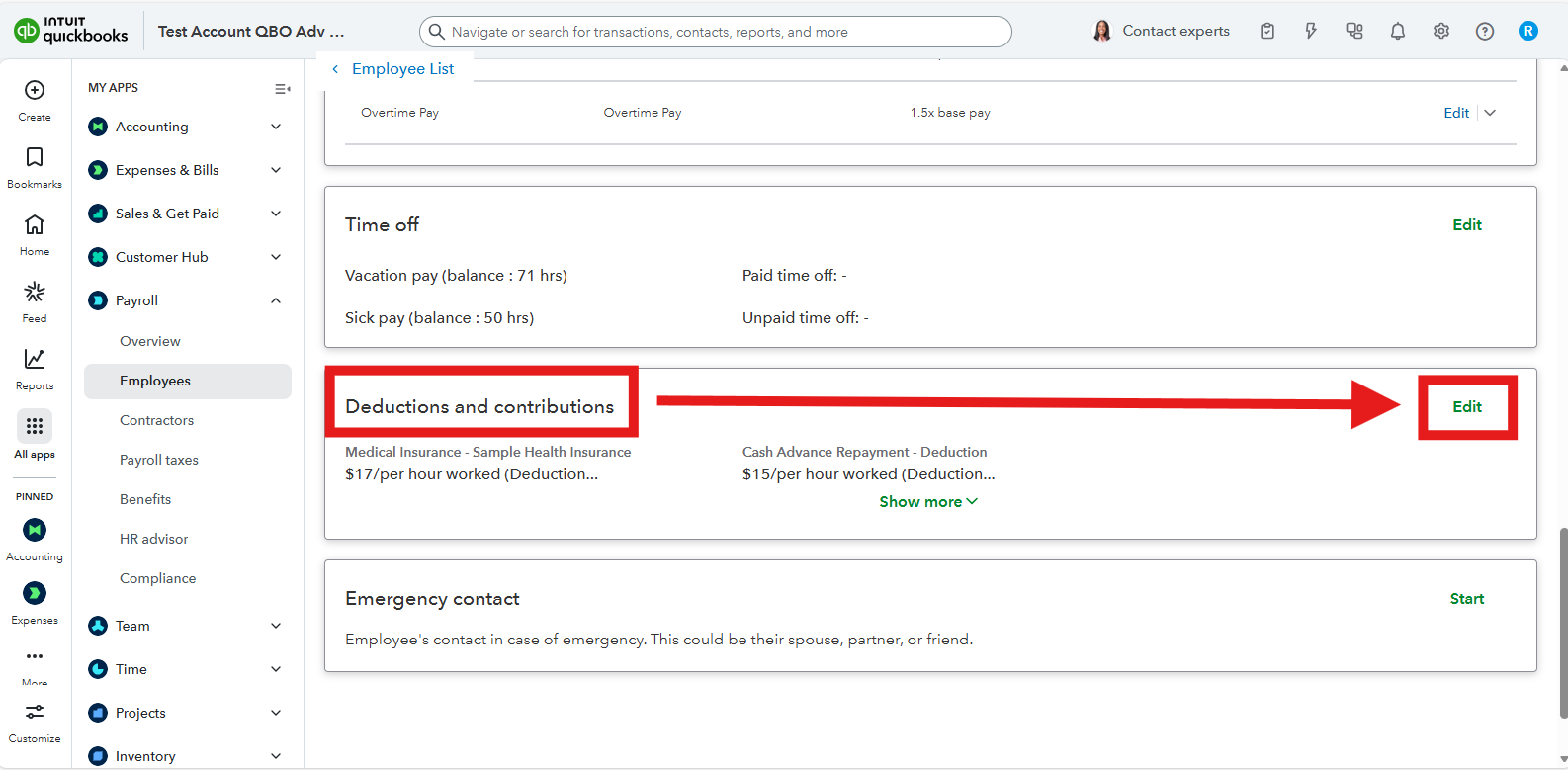
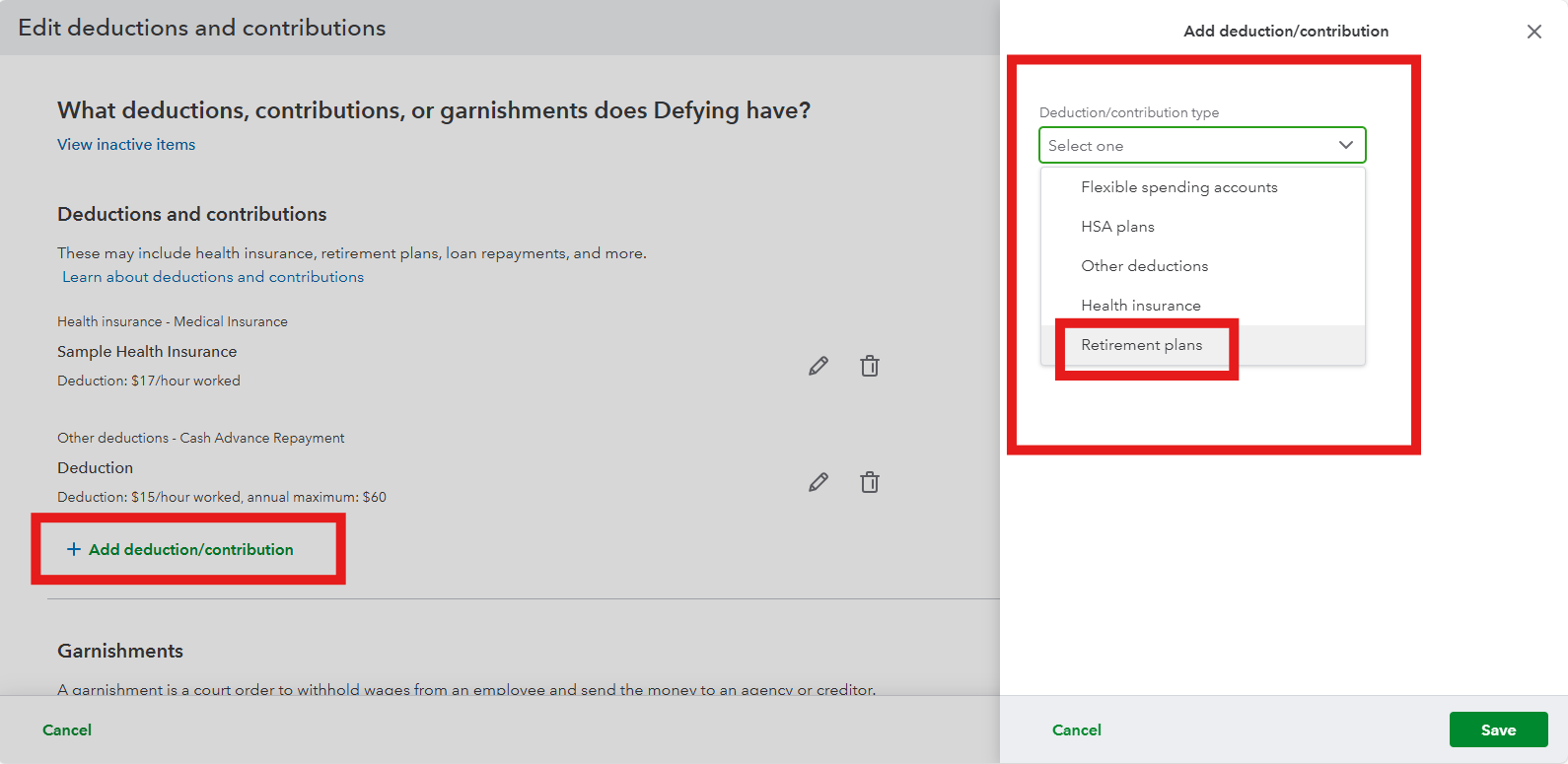
 

  1. Under Deductions and contributions, click Edit.                                                                       
  2. Click the + Add deduction/contribution and choose the Retirement plans option.                            
  3. From the dropdown, select the plan type that aligns with the program you’re using. For example, 401(k), SIMPLE IRA, or 403(b).         
  4. Enter 6.95% as the deduction or contribution percentage and save the changes.


Once you’ve set this up, QuickBooks will calculate the 6.95% deduction or contribution automatically for every paycheck according to the retirement plan you selected.


If you need further assistance or have any questions, feel free to reply to this thread.

1 reply

RusimyhrQuickBooks TeamAnswer
QuickBooks Team
November 22, 2025

Hi there, @wiotatown. You're already on the right track!


To set up your retirement plan, simply click the Edit icon to begin. Here's how to complete the setup:
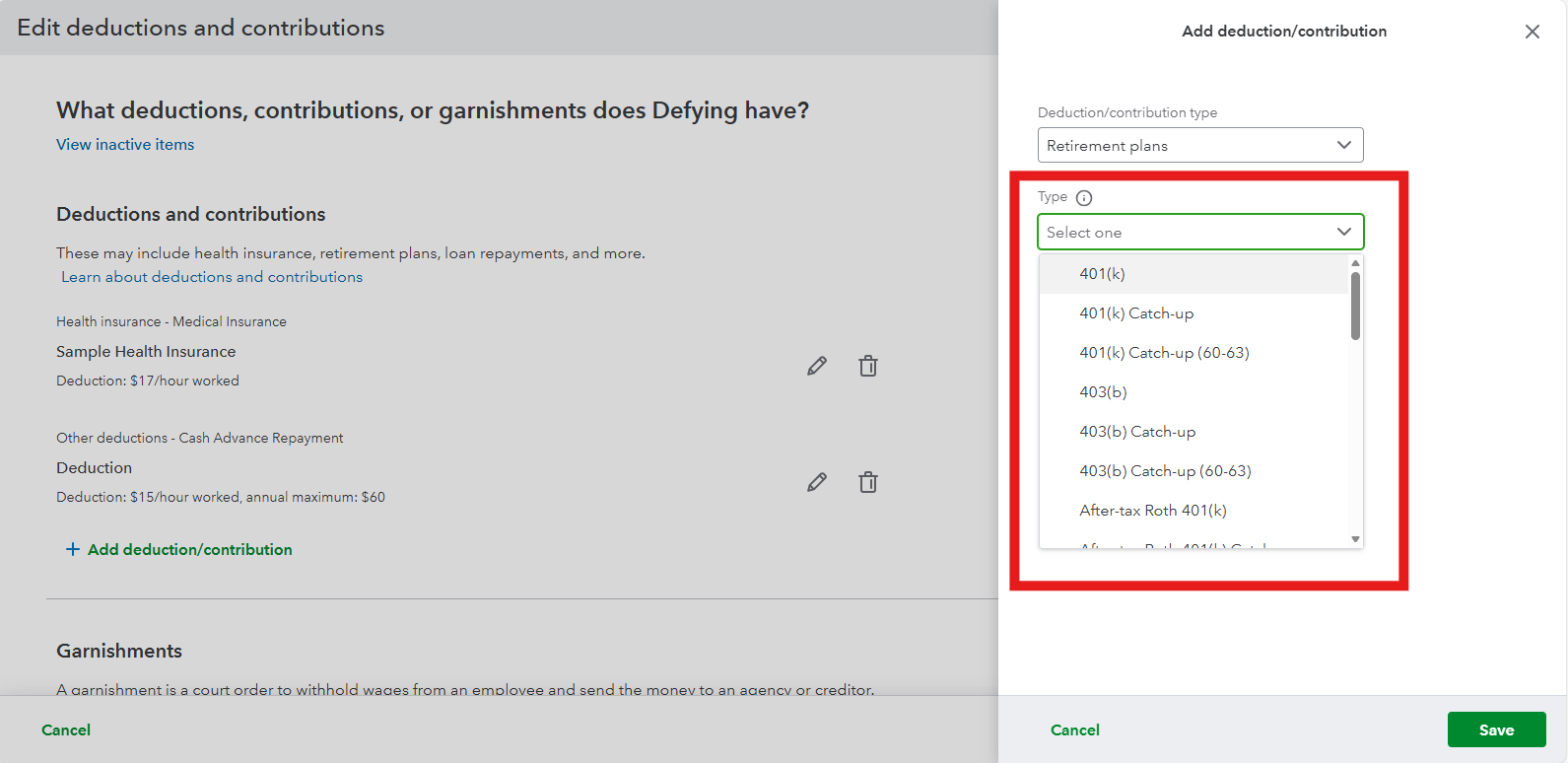
 

  1. Under Deductions and contributions, click Edit.                                                                       
  2. Click the + Add deduction/contribution and choose the Retirement plans option.                            
  3. From the dropdown, select the plan type that aligns with the program you’re using. For example, 401(k), SIMPLE IRA, or 403(b).         
  4. Enter 6.95% as the deduction or contribution percentage and save the changes.


Once you’ve set this up, QuickBooks will calculate the 6.95% deduction or contribution automatically for every paycheck according to the retirement plan you selected.


If you need further assistance or have any questions, feel free to reply to this thread.

QuickBooks Team
November 22, 2025
Hi wiotatown,
 
Just checking in to see if the solution we shared worked for you. Did it fix the issue, or are you still having trouble?
 
Happy to help if you need further assistance!