
Get 50% OFF QuickBooks for 3 months*

Buy now
Switch to QuickBooks and 70% off for 3 Months
October 26, 2025
Solved

How do I turn pff privacy re screen message: See your financial info by turning privacy off.

  • October 26, 2025
  • 1 reply
  • 16 views

How do I act on below screen message ? See your financial info by turning privacy off.

Best answer by GenieBabe_L

Hi there, RobtFi.

You can turn off the privacy setting to show your financial info by going to your QuickBooks Dashboard.
 

Here’s how:
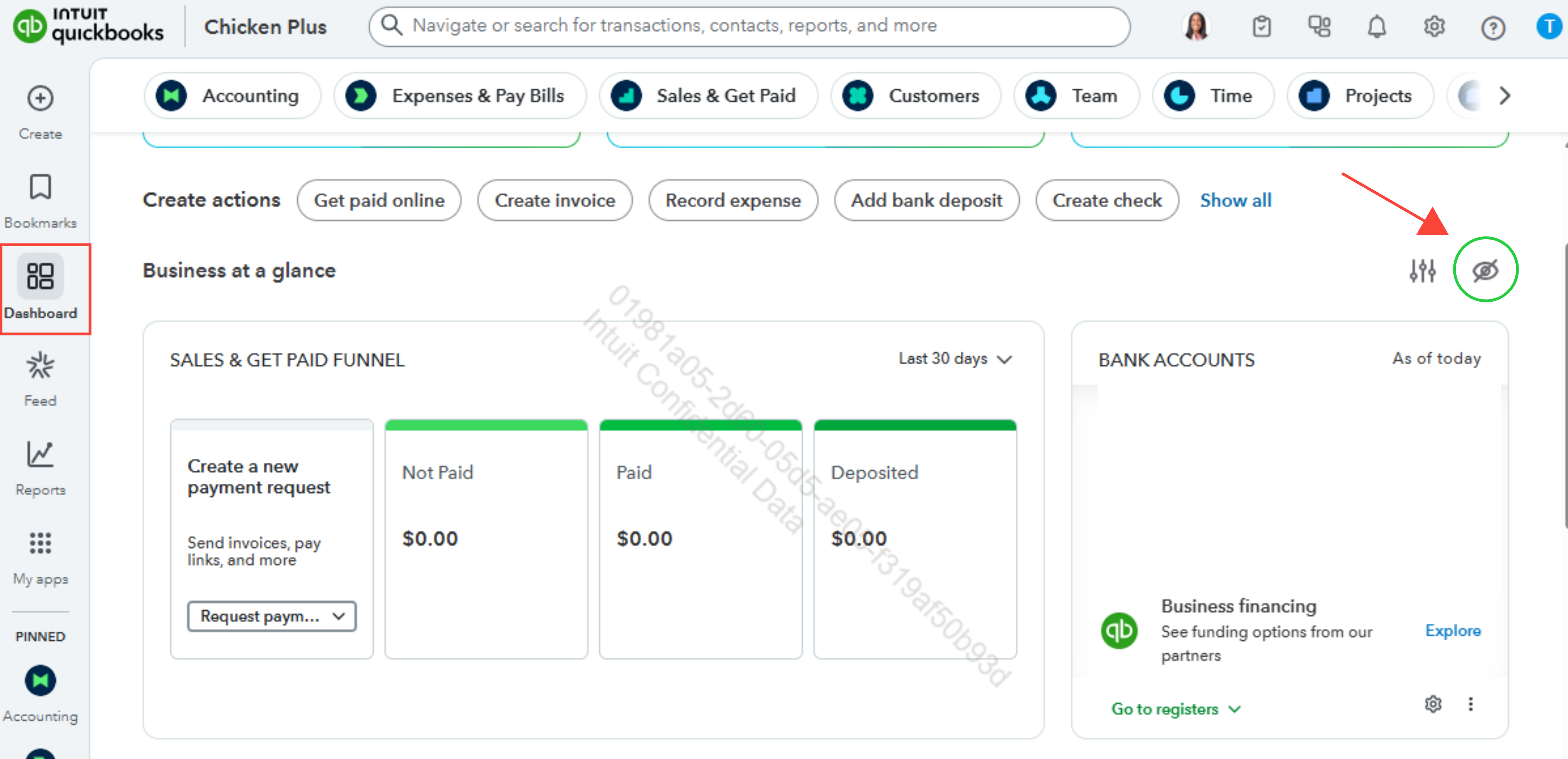
 

  1. Go to the Dashboard, then scroll down until you see the Eye icon.
  2. Click the Eye icon to view your financial info.


image.png


For more questions, leave a message by clicking the Reply button below.

1 reply

QuickBooks Team
October 26, 2025

Hi there, RobtFi.

You can turn off the privacy setting to show your financial info by going to your QuickBooks Dashboard.
 

Here’s how:
 

  1. Go to the Dashboard, then scroll down until you see the Eye icon.
  2. Click the Eye icon to view your financial info.


image.png


For more questions, leave a message by clicking the Reply button below.

QuickBooks Team
October 28, 2025

Hi, @RobtFi.


Just checking in to see if the solution we shared worked for you. Did it fix the issue, or are you still having trouble?


Happy to help if you need any more assistance!