I have a new monitor and I am now unable to see every other line on Lists and Registers
I just installed a new Samsung computer monitor. Now my background is black for the desktop and for QuickBooks and the fonts are white. Previously the backgrounds were white with black font.
I don't care about the black background but when I open any list, register, check splits, deposits, etc, every other line is now white and I cannot see anything on the white lines until I click on that line. This is a big problem.
I have Windows 10 and Accountant Desktop Plus 2024 and several earlier QB's versions.
All my QB versions have the same problem. My Word also has black background now and white font which I don't care about.
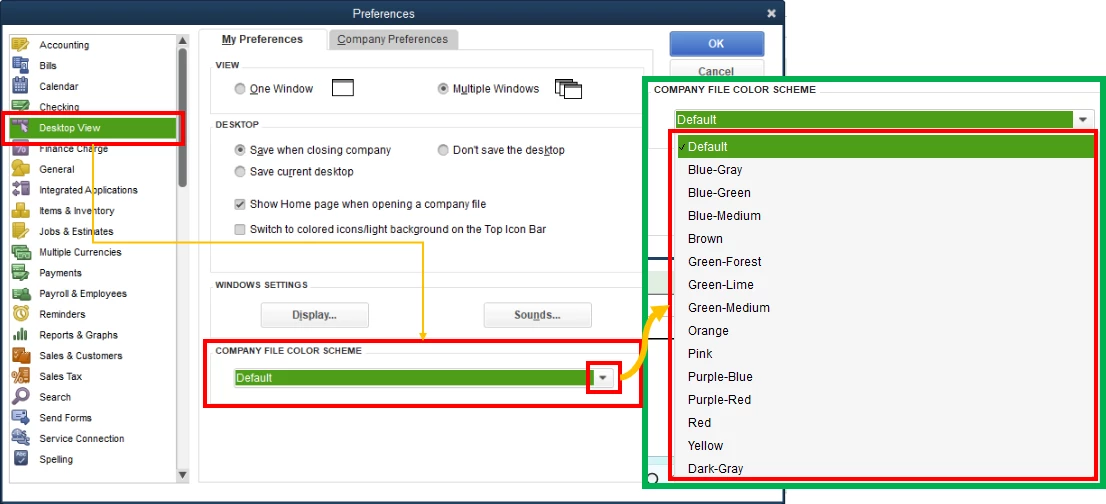
I hope I do not have to return my monitor but I have spent several hours going through all settings I can find on the monitor and in my computer. I also cannot find anywhere to change the settings within QB's.
Any suggestions would be much appreciated.
Thank you, Mary