
Get 50% OFF QuickBooks for 3 months*

Buy now
Switch to QuickBooks and 70% off for 3 Months
December 8, 2025
Solved

In Simple Start can you tag expenses or credits to a customer?

  • December 8, 2025
  • 1 reply
  • 8 views

In my other app, I can tag a customer or project to any expense or credit.

Best answer by BabyB

Hi, synergyaquatech. Thanks for visiting the Community.


Assigning customers to expenses and credits is unavailable in QuickBooks Online Simple Start and Essentials. Consider upgrading to QuickBooks Advanced or Plus to take advantage of this feature.


Once you're all set up and ready, let's enable the Track expenses and items by customer option. Here's how:
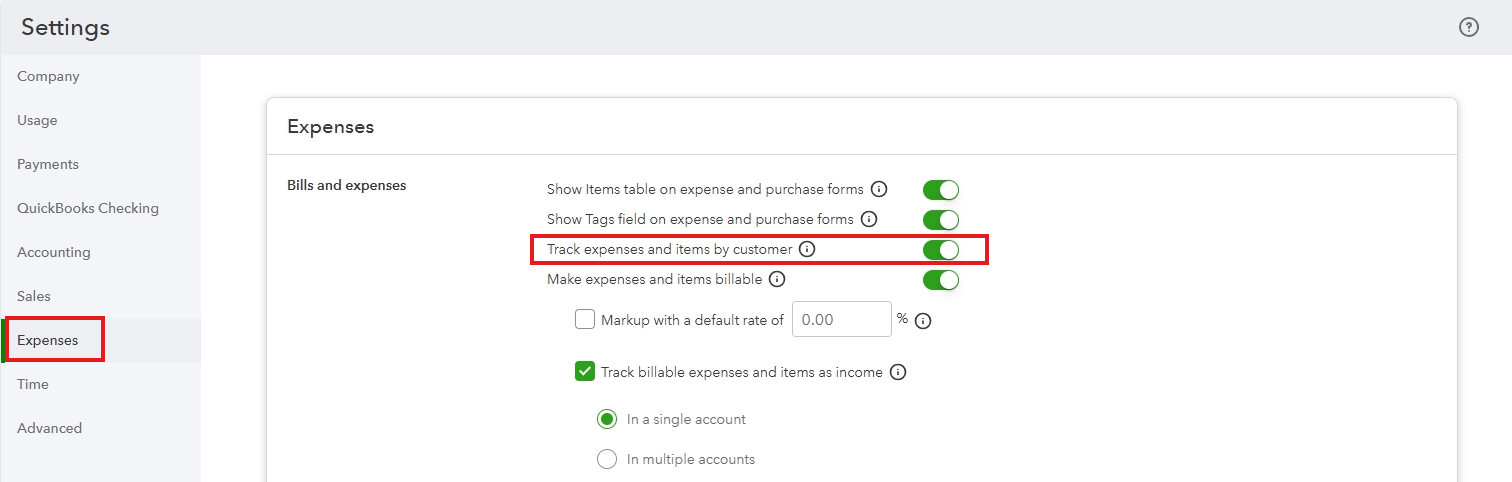
 

  1. Log in to your QuickBooks company on a web browser.
  2. Go to the Gear icon and select Account and settings.
  3. Click the Expenses tab, then hit the Edit button.
  4. Toggle on the Track expenses and items by customer option.
  5. Click Save, then Done.


After that, you'll see the Customer column when creating an expense transaction. Here's a visual reference:
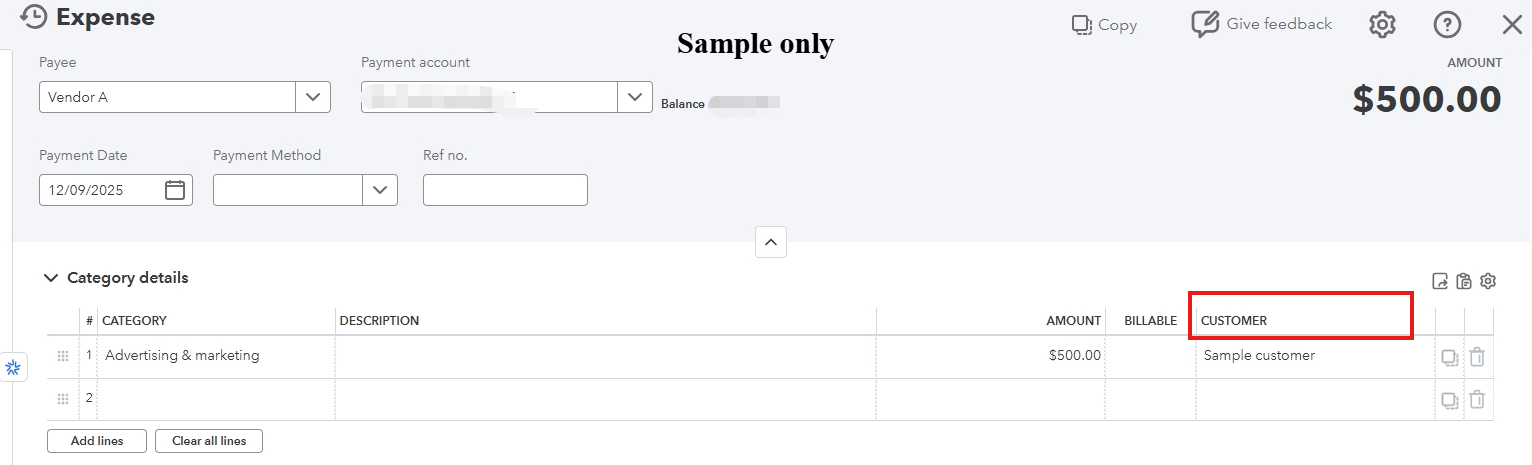
 

Let us know if you have further questions. We're here to help.

1 reply

BabyBQuickBooks TeamAnswer
QuickBooks Team
December 8, 2025

Hi, synergyaquatech. Thanks for visiting the Community.


Assigning customers to expenses and credits is unavailable in QuickBooks Online Simple Start and Essentials. Consider upgrading to QuickBooks Advanced or Plus to take advantage of this feature.


Once you're all set up and ready, let's enable the Track expenses and items by customer option. Here's how:


  1. Log in to your QuickBooks company on a web browser.
  2. Go to the Gear icon and select Account and settings.
  3. Click the Expenses tab, then hit the Edit button.
  4. Toggle on the Track expenses and items by customer option.
  5. Click Save, then Done.


After that, you'll see the Customer column when creating an expense transaction. Here's a visual reference:


Let us know if you have further questions. We're here to help.