Thank you for the detailed information you shared about the situation with your previous sale transaction, as well as for specifying your goal regarding what you want to do with the invoice that was written off as bad debt, @SarahCO. This assures us that we are on the same page.
Sending the invoice that you write off as bad debt to your customer as unpaid is possible. However, you will need to unlink the credit that allows it to appear as paid before delivering it to your customer.
Here's how:
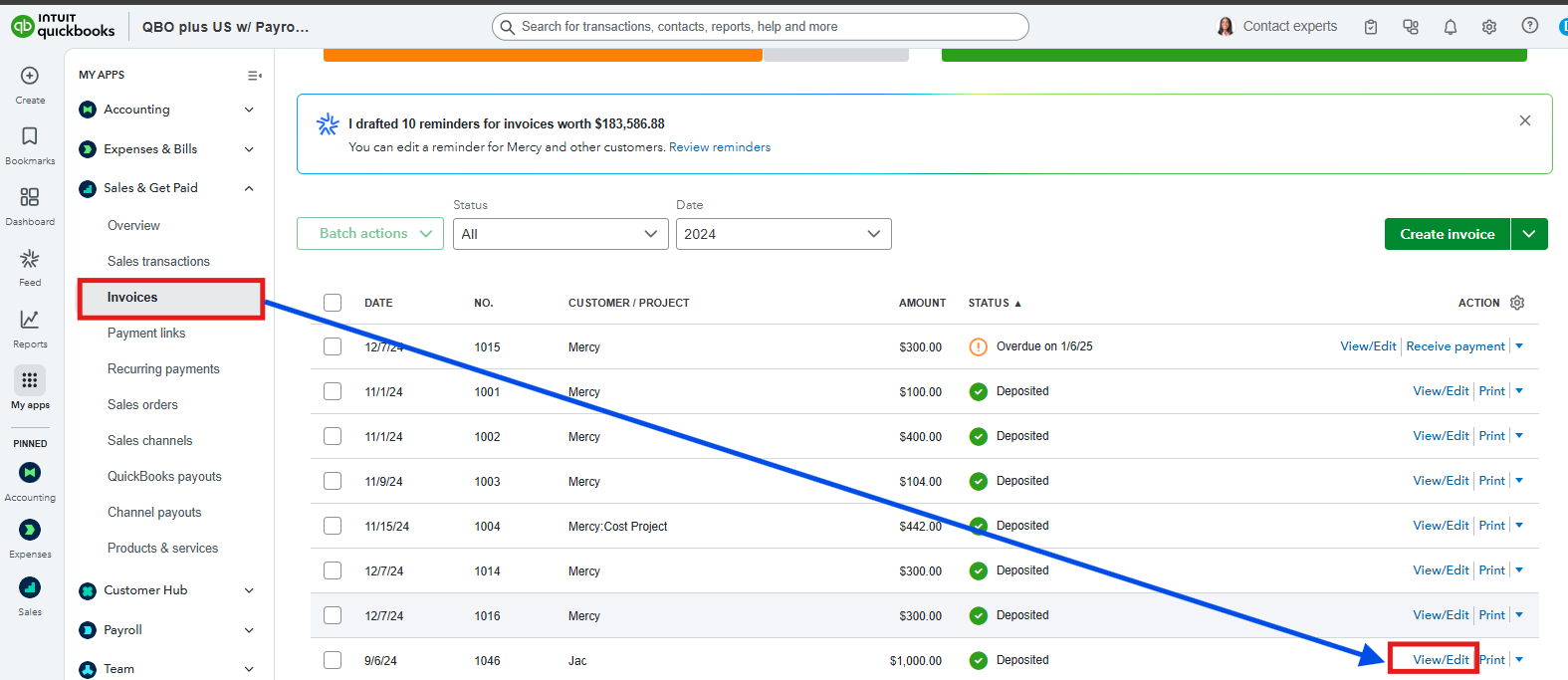
- Locate the invoice you write off as bad debt and click the View/Edit.
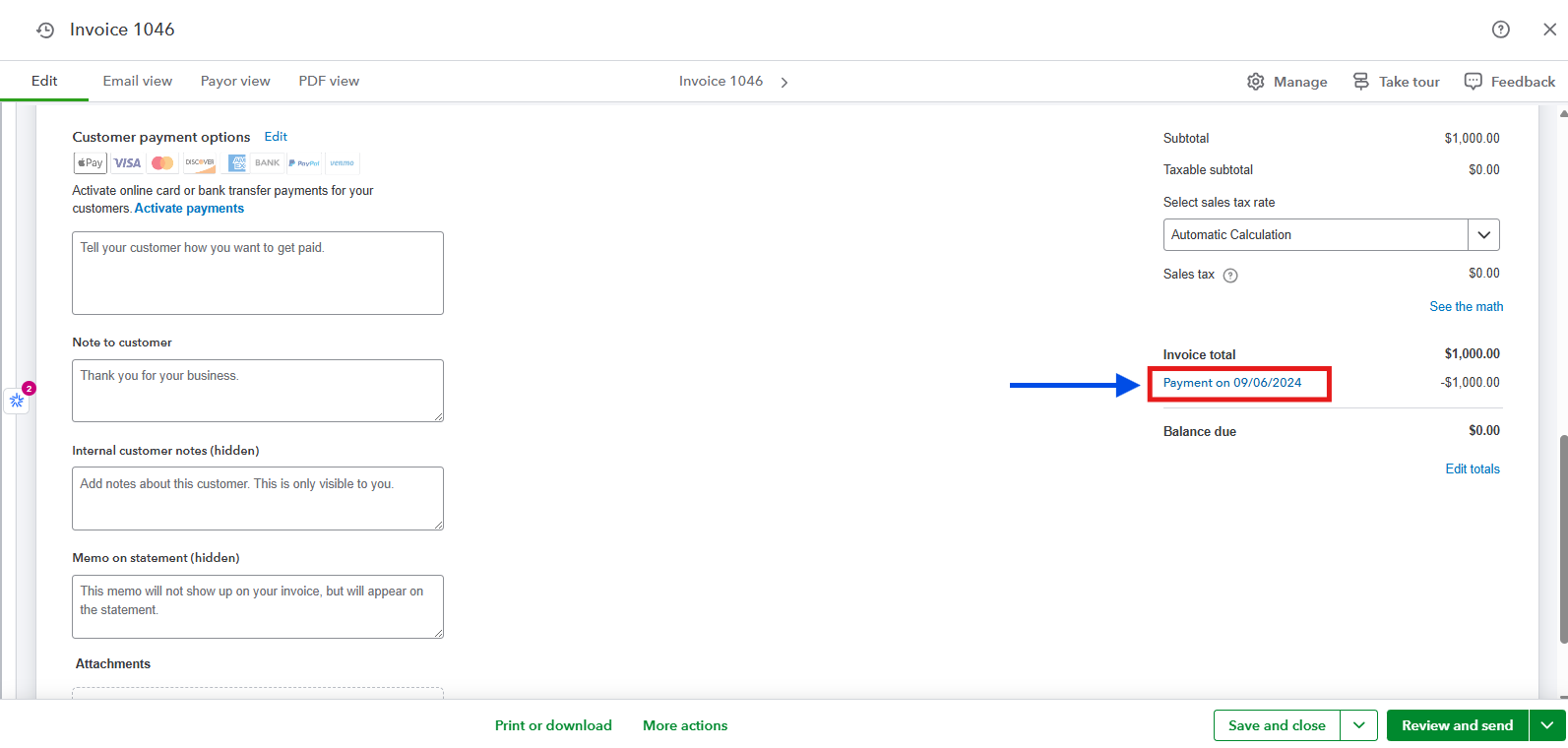
- Go to the Invoice total section by scrolling down, and tap the payment link beneath it.
- Remove the checkmarks from both the Outstanding Transactions and Credits sections.
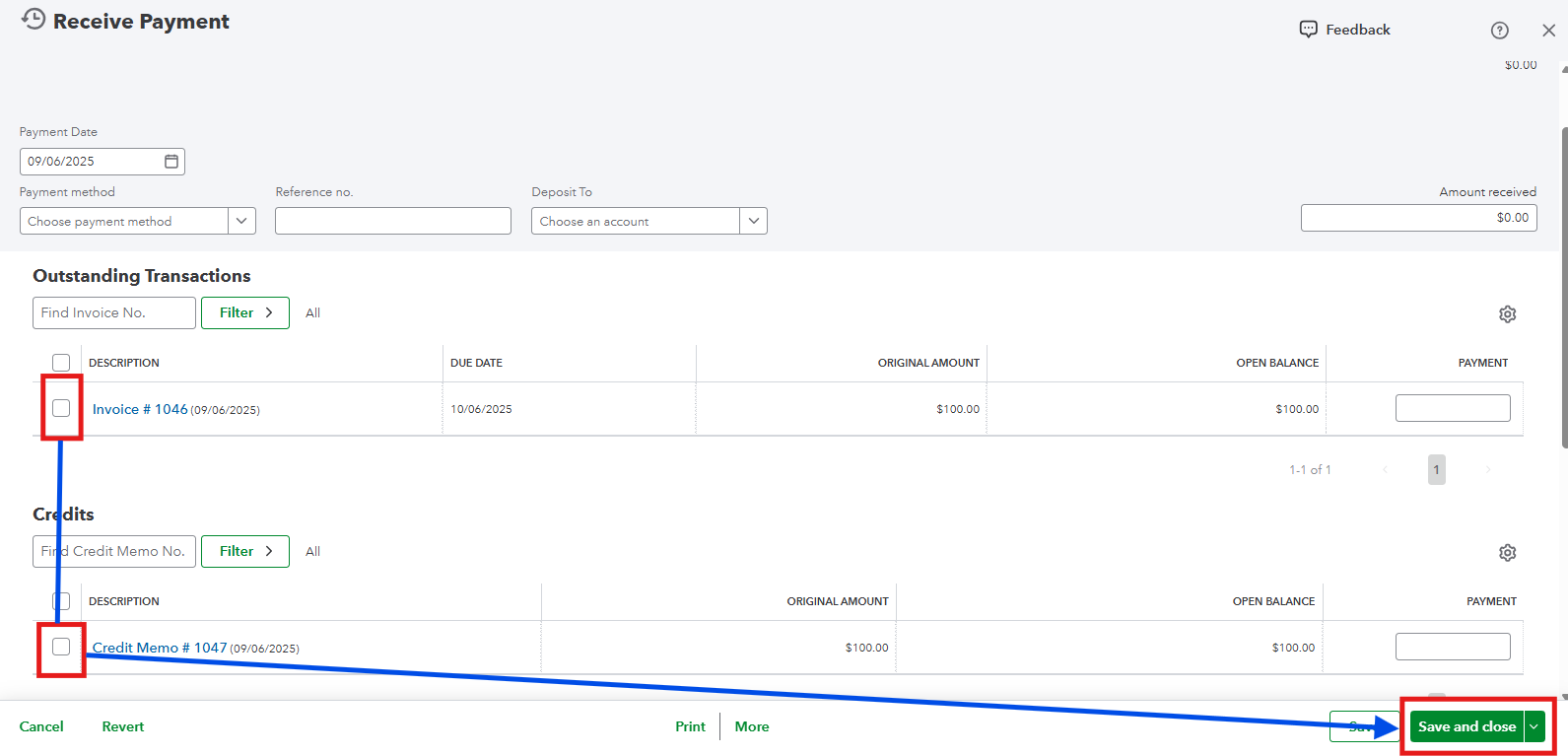
- Once done, Save and close. Choose Yes from the pop-up message. This will mark your invoice as unpaid.
- Afterward, go back to the Invoices section and send it.
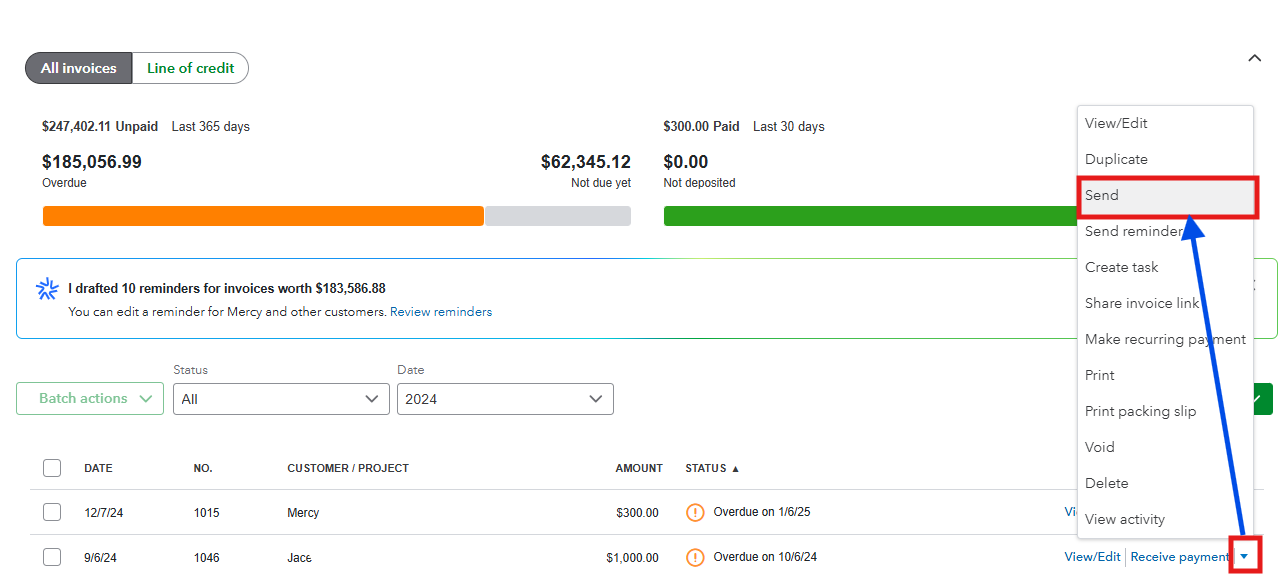
Once the invoice is delivered to your client as unpaid, you can relink the bad debt credit to maintain the record balance of your book.
Take note that you are dealing with a transaction from the previous year that supposedly locked and closed. Accessing this entry will also open your A/R account. Considering this, I recommend reaching out to your accountant before performing the process to avoid messing up your books from years ago.
Reopening old entries can be crucial, but sometimes our business needs it for proper reporting and documentation of the previous year's transactions. If you need additional assistance in managing your invoice transactions, either from the past or in the present, you can drop a comment below.
