Hey there, John. I've got you covered.
Please know that when you take or request a deposit from your customer within the estimate transaction, it will automatically be recorded as a payment deposit under the estimate entry once your client pays and accepts it.
Also, QuickBooks will treat these funds as a liability until you complete the work and convert the estimate to an invoice. To learn more about this, you can read this article: Request a customer deposit on an estimate.
If this is what you experienced, you do not need to fix this since this is how QuickBooks processes deposits intended for an estimate.
However, if this isn't the case, you can unlink the deposit in your estimate by deleting it. Here's how:
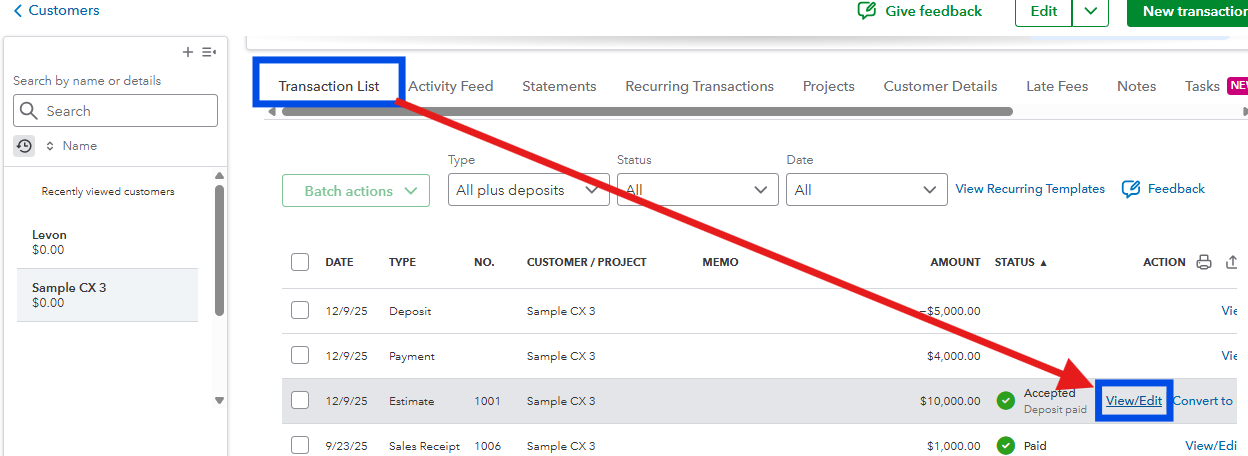
- Open the estimate that has a deposited amount in your customer's Transaction List section.
- Click the View/Edit tab.
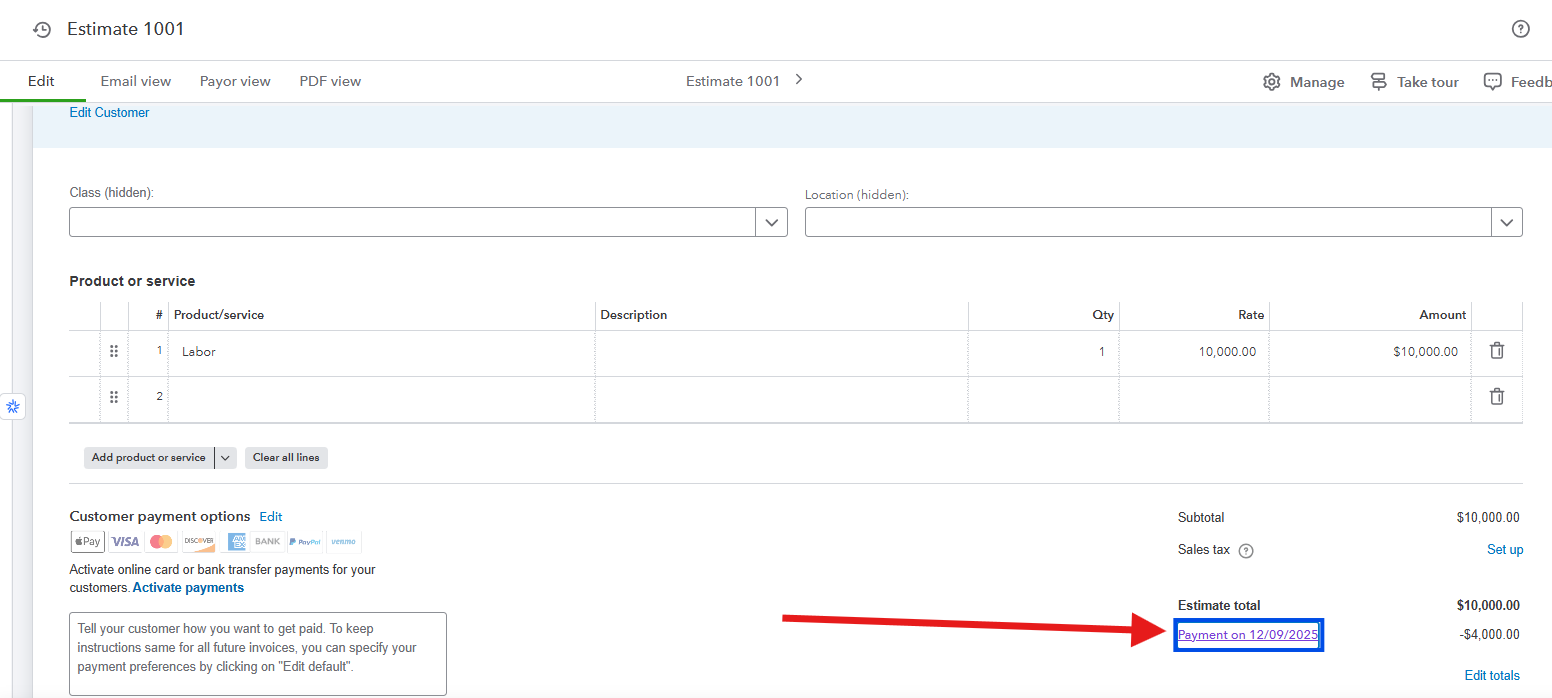
- Scroll down and click the payment link below the Estimate total field.
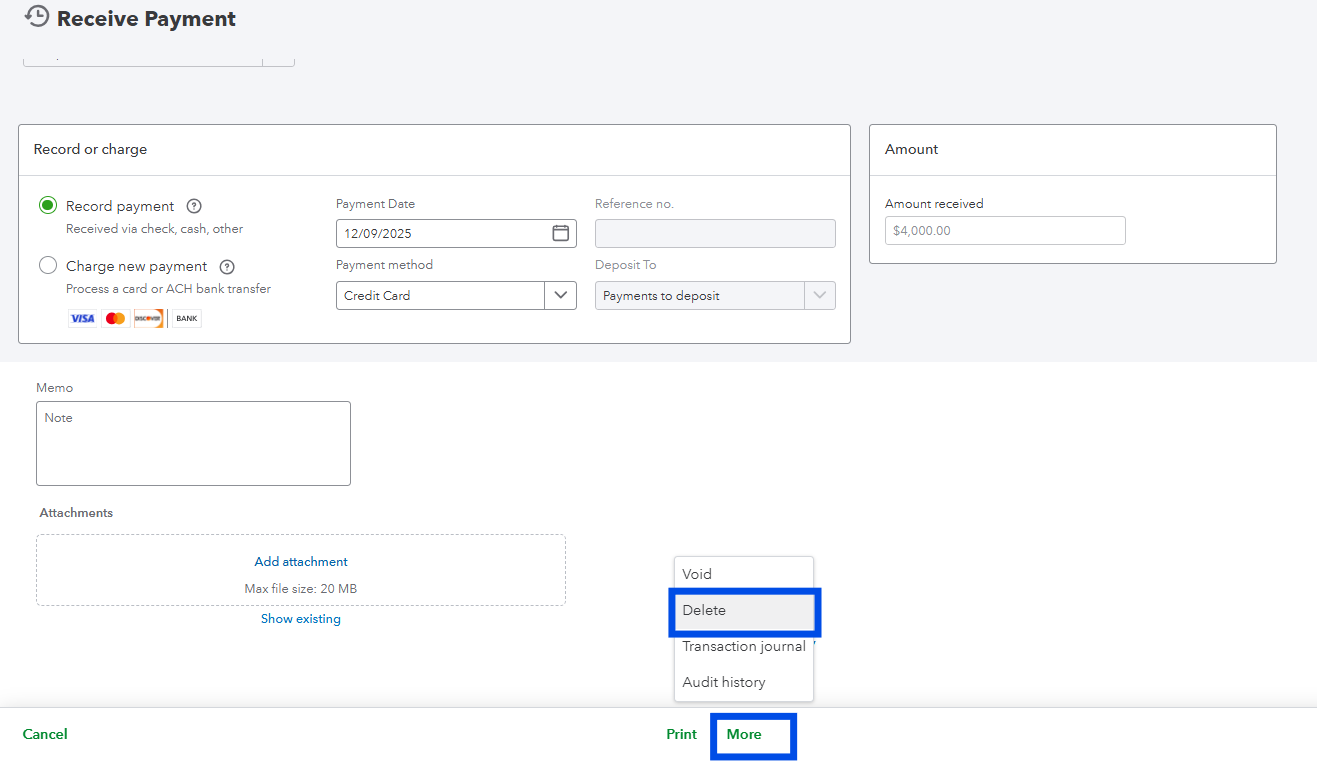
- Once your page is in the Receive Payment form, click the More option below.
- Then, choose Delete.
- Select Delete again to confirm.
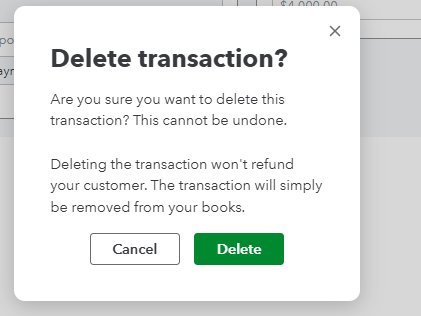
Take note that this will permanently remove the payment transaction recorded under that estimate entry.
Let me know if you have additional questions by leaving a comment below.
