Hi there, @VFAKathy.
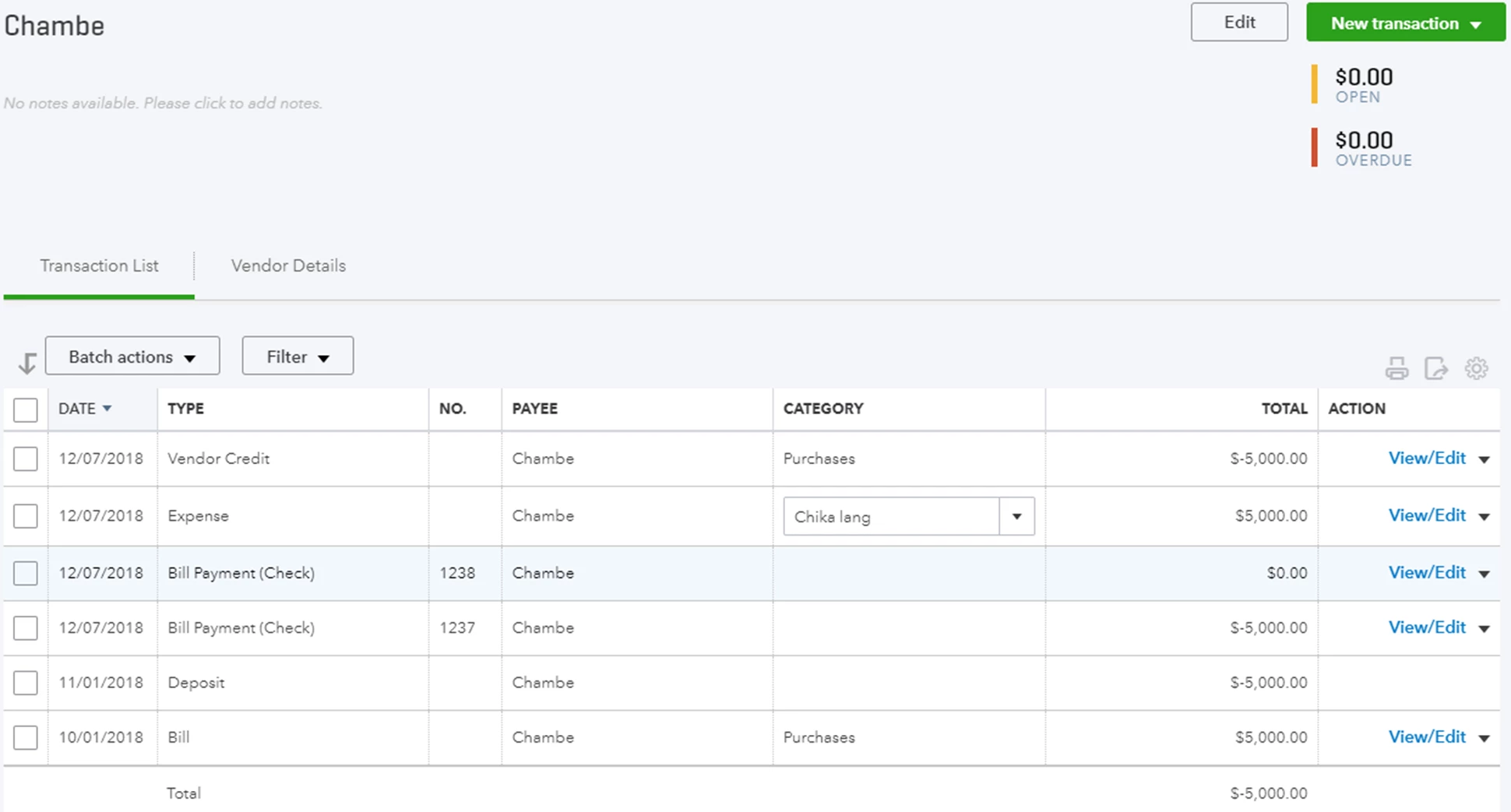
Glad to have you in the Community today. I'm here to share some clarifications about why your vendors' transactions show zero in open and $5000 as overdue.
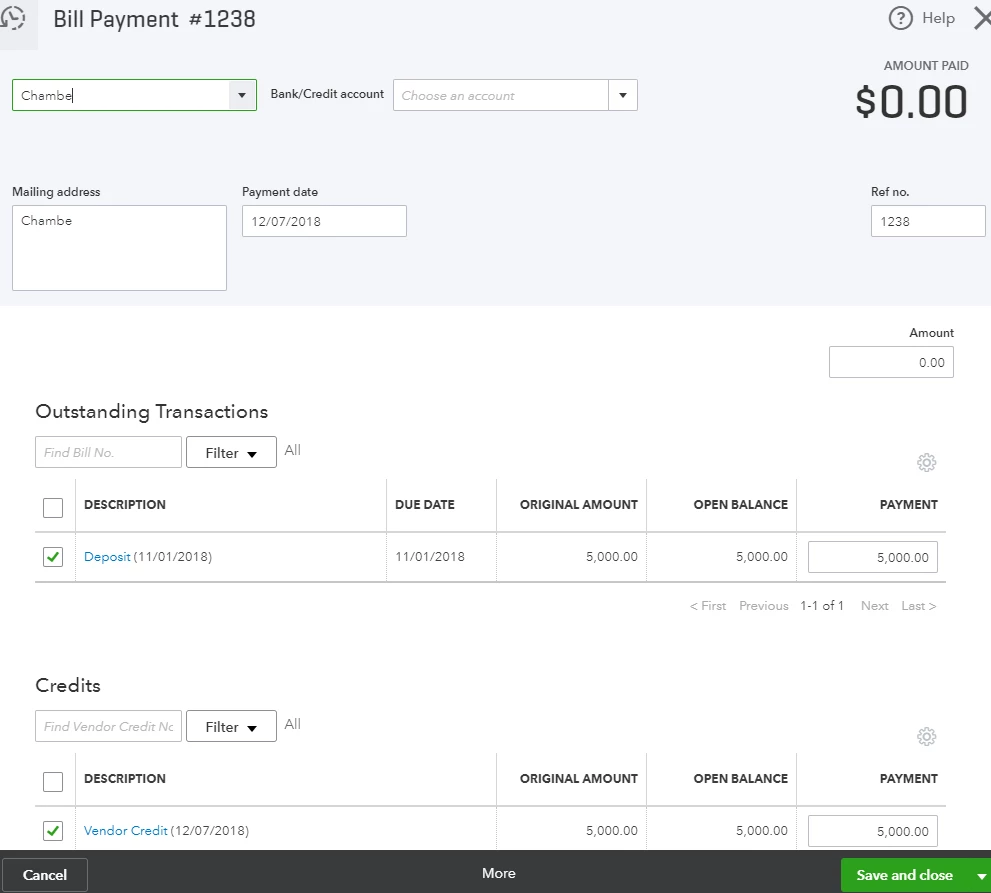
To get this sorted out, you'll need to make a bill payment. Then link your deposit and vendor credit to zero out the overdue amount.
Here's how:
- Click on the Plus icon at the top.
- Under Vendors click on Pay Bills.
- Under Outstanding Transactions check the box for the deposit and supplier credit.
- Click on Save and Close.
I've added some screenshots to guide you through the process:
Also, you can check out these article below about, paying bills and handling vendor credits in QuickBooks Online for your future reference:
These steps should help you remove the overdue amount on your vendors' transactions.
Please feel free to let me know how it goes, as I want to make sure that everything is working fine on your end. Have a most pleasant day.

